Content last revised on October 6, 2026
Checking Backlight Noise and Cold-Start Behavior
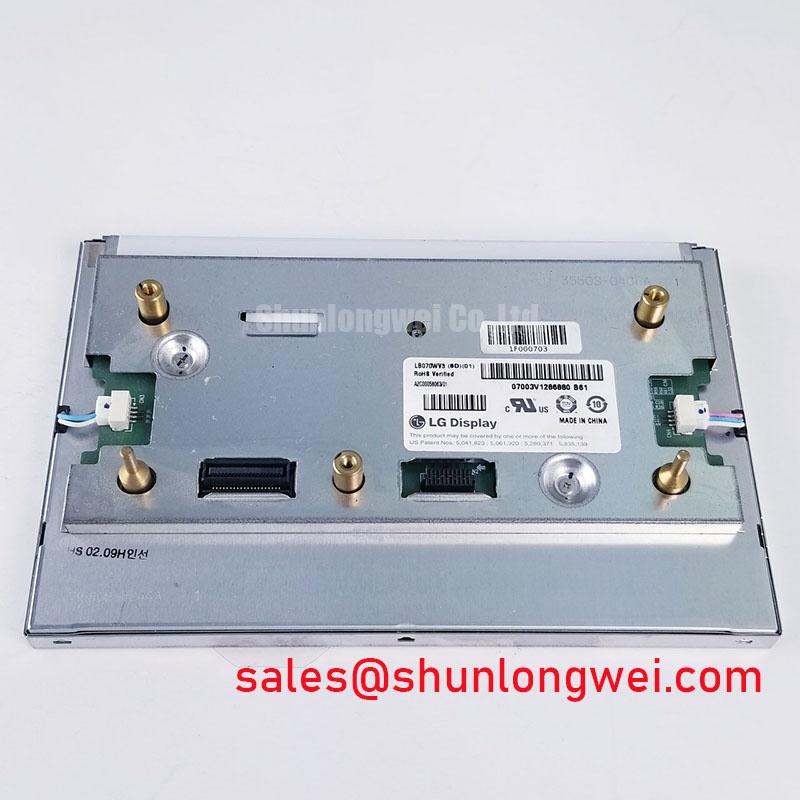
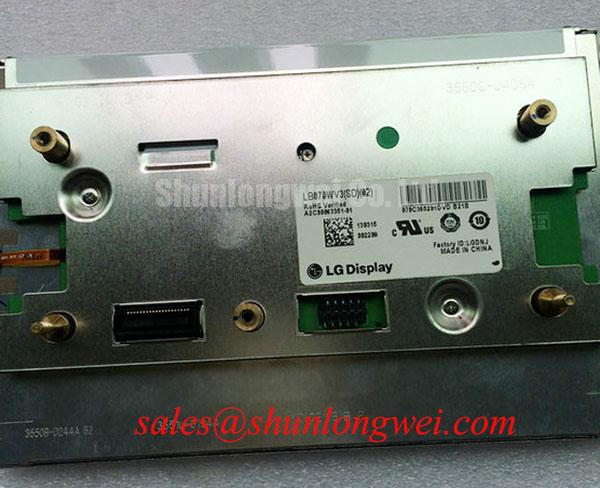
Inspect the LB070WV3-SD01 connector and display face under angled light before applying power, then compare the module marking with the equipment service record. This LG Display TFT-LCD display module is identified as an industrial LCD/HMI panel. The supplied factory identification does not establish its electrical ratings, optical performance, connector pinout, backlight type, or operating temperature limits. Those details need to come from the original module documentation before a repair team connects a host board or display driver.
A quiet bench test can reveal sounds that are difficult to locate once a panel is installed beside fans, pumps, or other equipment. With the appropriate documented power source and display electronics connected, listen at different brightness settings and compare any audible tone with changes in the image. A tone that varies with brightness warrants inspection of the backlight drive circuit, its mechanical mounting, and nearby components. It does not, by itself, identify a fault inside the LB070WV3-SD01.
Do not select a lamp inverter or LED driver from the module name. The available identification does not confirm which backlight technology this unit uses, so ignition voltage, drive current, dimming method, and connector assignments remain unverified. For an equipment repair, match those items to the original panel documentation and the installed harness before energizing the backlight. If the existing equipment has separate display and illumination connectors, trace each harness independently rather than relying on connector appearance.
To assess brightness control, display a uniform midtone image while adjusting the equipment’s normal dimming control through its range. Watch for abrupt brightness steps, visible flicker, or a change in sound. Record the setting at which each behavior occurs and repeat the observation with a known-good signal path where one is available. This separates a repeatable system behavior from a panel-specific observation without assigning an unsupported dimming-frequency specification to the module.
Cold-start evaluation also needs a documented temperature boundary. Liquid-crystal response can change at low temperature, but no operating-temperature or response-time rating is established here for LB070WV3-SD01. A technician assessing equipment intended for cold rooms should first confirm the module’s published limits, then compare image transitions and startup behavior at temperatures permitted by the complete assembly. Heater control, if present in the host equipment, is a system feature to verify against its own schematic rather than a feature to attribute to this display.
Inspecting Brightness Uniformity and Edge Heating
Bring up full-screen white, black, and mid-gray patterns after the module has reached a stable operating condition. The white field makes brightness and color variation easier to see; black helps reveal unwanted light near the frame; mid-gray can expose irregularities that disappear at the extremes. Photograph each pattern with fixed camera exposure and position if results must be compared across incoming units. Automatic exposure can conceal differences that remain visible to an operator.
Inspect the panel face both head-on and at the viewing angles used in the equipment. Note whether a bright or dim region follows the edge, appears around a mounting point, or changes after the bezel is seated. These observations help direct inspection, but they do not prove that the module contains a particular light-guide material or edge-light arrangement. The backlight construction and any allowable uniformity tolerance must be checked against the original specification before a measured variation is treated as a failure.
During an installation trial, confirm that the frame sits without twist and that cables do not press against the display assembly. As a Design Consideration, avoid trapping heat around the module because enclosure airflow and adjacent electronics can affect the temperature seen at the panel. The system engineer should evaluate the installed thermal condition against documented module limits; no heat-spreader dimensions or backlight-life estimate can be inferred from the model identification.
A brightness complaint is best recorded with its context: displayed test pattern, brightness setting, viewing position, warm-up condition, and whether the bezel was fitted. That record is more useful than labeling every uneven patch as backlight aging. For broader discussion of display integration and test conditions, see Industrial Display & HMI Solutions. Any service-life decision for this particular module still depends on its documented specifications and the equipment’s acceptance criteria.
Separating Viewing-Angle Effects from Image Faults
Use a grayscale ramp and familiar text when checking the installed viewing position. If tones appear to change order or dark details disappear as the observer moves, repeat the test with the module removed from a tilted bezel and viewed from several controlled positions. Record the directions in which the image remains readable. This is particularly relevant when an HMI is mounted above or below an operator’s normal line of sight.
The available product identification does not confirm the LB070WV3-SD01 liquid-crystal mode, viewing-angle rating, surface treatment, or gamma characteristics. Calling it a normally white TN panel, assigning an IPS viewing cone, or claiming an anti-glare finish would turn an unverified construction detail into a product specification. Compare the observed image with the original LG Display documentation and the equipment’s intended mounting orientation before changing the mechanical design.
A full-screen inspection should also distinguish fixed pixel defects from signal-related image changes. View white, black, red, green, blue, and gray fields generated by a known-good source where the equipment permits it. Mark the location and appearance of any persistent anomaly in a photograph. If a line or color error changes when the cable is gently repositioned, inspect the connector seating and cable path before assigning the issue to the display glass. Avoid pressing on the active area to reproduce a symptom.
For a surgical navigation or ultrasound console being assessed for repair, readability must be judged in the actual enclosure and lighting conditions, not assumed from the panel’s industrial category. Verify the equipment maker’s requirements for image orientation, contrast, touch operation if a separate touch layer is fitted, and cleaning compatibility. The LB070WV3-SD01 identification alone does not establish medical suitability or a touch-screen function.
Verifying Connector Fit, Signal Timing, and Power Sequencing
Before connecting the host, compare the original panel documentation with the installed cable drawing pin by pin. Check connector orientation, contact count, supply pins, grounds, control signals, and backlight connections. The supplied information does not identify a connector pin count, logic supply voltage, video interface, pixel clock, or data mapping for LB070WV3-SD01. Those cannot be safely chosen from a similar-looking LCD module or a matching cable width.
💡 Bench Tip: Remove power and observe ESD precautions before reseating the display cable, then check that the flex enters the connector evenly and its latch closes without force.
When the documented interface is known, verify the equipment’s output format and startup sequence against the panel requirements. A blank image may involve supply sequencing, backlight control, video timing, or connector seating; begin by checking each against the schematic rather than treating darkness as proof of a failed panel. If an image appears but has displaced colors or repeated sections, compare the documented data mapping and timing with the host configuration. Signal measurements should be made with instruments and probing methods appropriate to the specified interface.
Route the display cable away from switching-power and motor-drive wiring where the equipment layout allows it. This is a Design Consideration intended to reduce coupling into the image path, not a claim that the module has a particular immunity rating. If interference appears only while nearby equipment operates, record the affected image pattern and operating state, then compare signals at the host output and panel input. The system engineer must establish any routing, shielding, and compliance requirements for the complete equipment.
Finish the integration check with the display secured in its intended position. Confirm that the image remains stable through the equipment’s normal startup and shutdown sequence, that the cable has strain relief without pulling the connector, and that the bezel does not introduce new bright patches. Record unresolved ratings from the original panel documentation before releasing the assembly for service.