


Content last revised on October 7, 2026
Backlight Ignition and Driver Fault Isolation
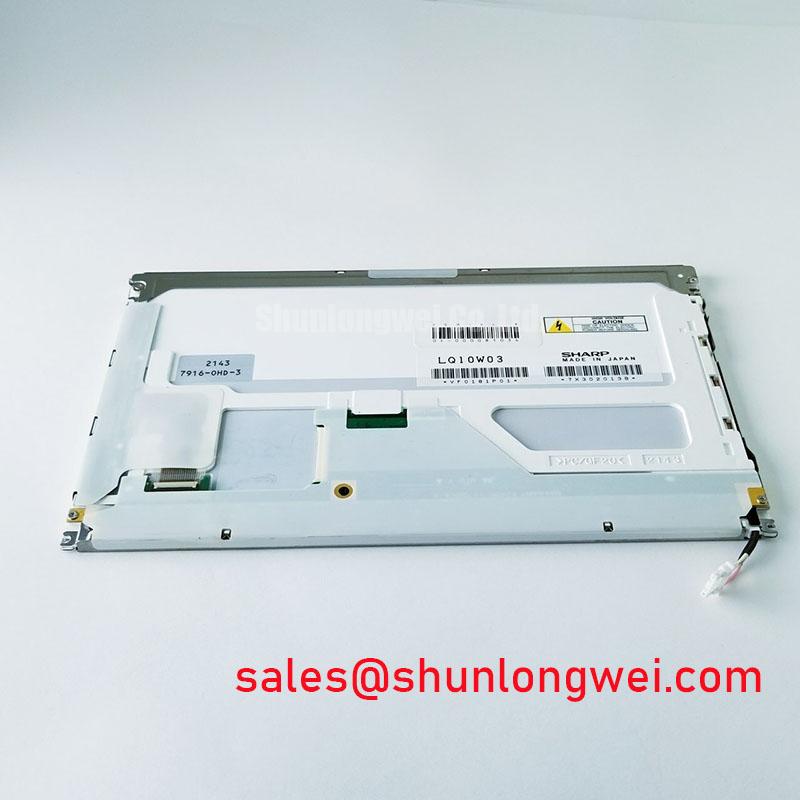
A dark screen does not, by itself, identify a failed LQ10W03. First check whether the host is producing image data while the display remains unlit. A faint image visible under suitable external illumination may direct attention toward the backlight power path, but it is not a definitive diagnosis. Record the symptom with the original driver and cable connected, then compare supply and control signals with the equipment service documentation.
Design Consideration: A CCFL assembly and an LED assembly require different drive and protection methods. Do not apply a CCFL striking-voltage test or connect an LED constant-current driver to the LQ10W03 on the basis of its model name alone. Confirm the installed backlight technology, connector assignment and driver specifications first. If the documented driver provides open-load, short-load or overvoltage fault reporting, capture that indication alongside electrical measurements; a protection shutdown can leave a sound display looking completely dark.
For a surgical navigation or ultrasound display under evaluation, backlight brightness stability matters to the complete imaging system. Neither a brightness half-life nor an MTBF value is supplied in the verified LQ10W03 information, so neither should be used as a maintenance interval or clinical suitability claim. Designers should assess any brightness trend using the documented display assembly, its driver operating conditions and the equipment manufacturer’s image-quality criteria.
Signal Integrity and Noise in Vibrating Equipment Bays
If horizontal bands or intermittent pixels appear when nearby motors operate, inspect the entire signal path before attributing the fault to the glass. Reseat the cable with power removed, examine its contacts and strain relief, and check whether vibration changes the symptom. An oscilloscope comparison at accessible points along a known-good signal path can help distinguish a source or cable problem from a fault within the display assembly.
The LQ10W03’s verified information does not specify a TTL or LVDS interface, differential voltage margin, clock jitter limit or data hold time. Establish the interface from the original panel documentation before selecting a transmitter, cable or test fixture. Where a documented differential interface is used, Design Consideration: cable shielding, grounding and routing should be evaluated with the host equipment’s signal-integrity requirements in mind. Ferrites and shield terminations are system-level options to test, not guaranteed remedies for visible noise.
A motor drive operating near a display installation can complicate diagnosis, but its presence does not prove an EMC fault. Check whether the artifact follows motor operation, cable movement, display brightness changes or a particular image pattern. Use The Ultimate Guide to Industrial TFT LCD Technology as a reference for planning display-level checks, while applying the host equipment’s own limits when judging the result. No standalone EMC compliance claim is established for the LQ10W03.
Glass Stress, Mounting and Image-Path Checks
Before removing the panel from an HMI or diagnostic display housing, note the position of its gaskets, cushions and cable restraints. After reassembly, inspect the bezel for uneven contact and run full-screen red, green and blue test images from a known-good source. This sequence makes fixed lines, missing color regions and pressure-related shading easier to document. A controlled oblique-light inspection of the unpowered surface can help locate scratches, contamination or localized pressure marks; it cannot, on its own, identify an internal driver defect.
⚠️ Maintenance Note: Check the condition and seating of vibration cushions before tightening the enclosure; uneven pressure can introduce display artifacts that resemble an electrical fault.
Mounting force must follow the enclosure and panel documentation. No LQ10W03 fastening torque or glass-stack construction is established by the verified information, so a generic torque value would be an unsafe substitute. If a line defect remains fixed across test images, compare it with a known-good source, cable and compatible panel connection where the service procedure permits. Record what changes with each substitution rather than assigning a single cause from the image alone.
For procurement evaluation, the relevant comparison is broader than the model marking: verify the active display area, mechanical envelope, connector position, signal timing, power requirements and backlight arrangement from both product documents. The LM190E08-TLG6 is a separate LCD model that may be reviewed during a wider panel search; its listing does not establish dimensional, electrical or optical interchangeability with the LQ10W03.
Polarizer Inspection Under Strong Ambient Lighting
Clean the viewing surface using the equipment maker’s approved method, then inspect it under both normal operating light and the strongest ambient lighting expected at the installation. Look for persistent haze, scratches, edge discoloration and reflections that obscure fine image detail. If the display sits behind a protective window, inspect that window separately: contamination or a failing seal on the enclosure can be mistaken for damage to the panel surface.
The verified LQ10W03 information does not identify its LCD viewing mode, viewing-angle ratings or an anti-glare or anti-reflective treatment. Do not assume TN grayscale behavior, an IPS-class viewing cone or a particular surface finish. For a proposed medical imaging installation, Design Consideration: evaluate legibility and image consistency at the actual operator positions under the equipment’s specified lighting conditions. Clinical use depends on validation of the complete display system, not the industrial LCD/HMI category alone.
If brightness control causes visible flicker, record the host’s brightness setting and the conditions under which the effect occurs. Determine from the equipment documentation whether dimming is handled by the display assembly or an external driver before measuring its waveform. The appropriate dimming method and acceptance limits are system-determined; no PWM frequency, duty-cycle linearity or flicker performance is established here for the LQ10W03. When condensation or oil mist is present, address the enclosure seal and environmental conditions before repeating optical tests, so a film on the viewing window is not logged as a polarizer fault.