


Content last revised on September 11, 2026
Suppressing Localized Thermal Gradients to Prevent Chronic Optical Yellowing and Color Shift
When a screen shows a darker edge, an uneven white field, or a colour shift after extended operation, begin by separating panel faults from enclosure heat. Measure the temperature distribution around the display opening, backlight driver, nearby power components, and metal mounting rails. A concentrated hot area near one edge can alter the visible uniformity even when the image data from the controller remains correct.
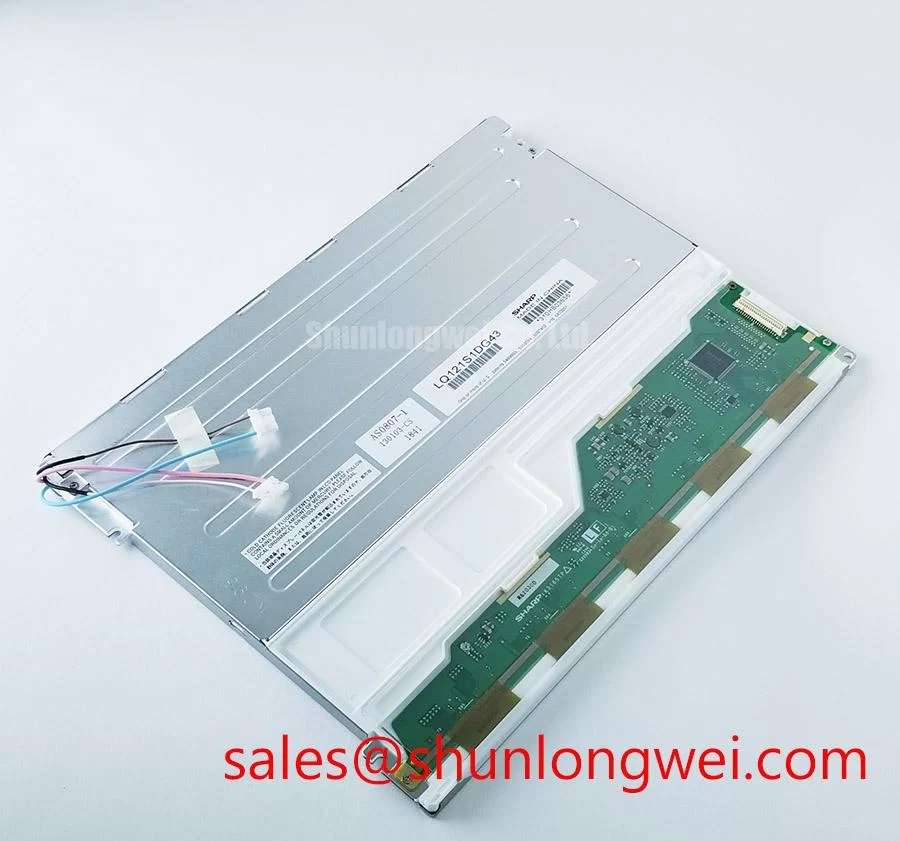
Using an aluminium heat spreader rail is a Design Consideration, not a confirmed construction feature of the LQ121S1DG43. Such a rail may help distribute heat when it is mechanically compatible and electrically isolated from exposed conductors. The system designer should verify the rail position, contact pressure, insulation, clearance, and enclosure airflow through testing. Adding metal without checking the panel frame can create stress, interfere with the optical stack, or transfer heat from a power device into the display.
The available factory information does not confirm the optical material, LED lifetime rating, L70 or B50 data, or a specified backlight thermal limit for this model. It would therefore be inappropriate to assign a guaranteed brightness life or claim that a particular heat spreader will prevent yellowing. For a field replacement, record the initial white balance and brightness uniformity, then repeat the same inspection after the unit has reached its normal operating condition. A stable, known-good panel from the same equipment can provide a useful comparison.
Cold conditions require a separate check. Liquid crystal response can become slower as temperature falls, but the actual response profile depends on the panel construction, drive waveform, controller settings, and environmental conditions. If the screen is used in an exposed console, the integrator should verify the manufacturer’s approved temperature range and decide whether controlled enclosure heating is required. A heater strip should be controlled as part of the complete equipment thermal design, with attention to local hot spots rather than only the average enclosure temperature.
The LMS700KF01-001 may be reviewed as a separate display option during a same-size or same-resolution replacement study, but it should not be treated as an automatic substitute for the LQ121S1DG43. Connector details, optical performance, mounting geometry, and system timing still require direct verification.
Dynamic Contrast Ratio Stabilization and Liquid Crystal Birefringence Temperature Tracking
For a black screen that appears grey, reduced contrast under sunlight, or text that becomes difficult to read at an angle, inspect the optical path before changing the display controller. Check the protective window, surface contamination, reflections from the console hood, and the viewing position used by the operator. A visible contrast complaint can originate from enclosure lighting or surface reflections rather than from the LCD cell itself.
The LQ121S1DG43 data supplied for this page does not confirm whether the panel uses TN, IPS, MVA, or another liquid crystal mode. It also does not confirm a symmetric viewing angle, a specified dynamic contrast ratio, or an anti-glare or anti-reflective surface treatment. These properties must be taken from the original panel documentation. An engineer should not assume that a stated viewing angle from another Sharp display applies to this model.
In a high-illumination bridge console, AG and AR treatments should be evaluated according to the complete optical stack. A matte surface can reduce reflected glare but may affect apparent sharpness, while a clear surface can preserve image clarity while reflecting more ambient light. The correct choice depends on the cover glass, hood design, operator position, sunlight direction, and cleaning procedure. The panel alone cannot establish the final readability of the installed equipment.
PWM backlight control also needs system-level verification. The available factory data does not specify a PWM frequency or duty-cycle linearity for this model. The backlight driver designer should select a control method that avoids visible flicker and should verify the result with a photodetector or suitable measurement instrument under the actual brightness settings. Audible noise, unstable dimming, and brightness steps may originate in the driver, wiring, control signal, or power supply rather than the LCD panel.
When contrast changes with temperature, compare the display image at cold start and after thermal stabilization while keeping the input image, backlight command, and ambient illumination consistent. A change that follows the enclosure temperature should be investigated alongside the panel’s approved environmental specification. If the original equipment documentation specifies a thermal compensation method, that control should be retained rather than replaced with an unverified software adjustment.
For systems that use a separate display or backlight control board, the LQ9D03B can be examined as a related system-topology reference. Its presence in a similar equipment family does not confirm electrical compatibility with the LQ121S1DG43, so voltage, enable logic, dimming control, connector pinout, and protection behaviour must be checked independently.
20-Pin or 30-Pin Differential LVDS Timing, Pixel Clock, and Skew Compensation
Start a no-image investigation by checking the equipment power rails at the panel connector, then inspect the cable seating, latch condition, shielding, and strain relief. Do not infer the signal standard from the connector’s physical appearance. The supplied factory data does not confirm whether the LQ121S1DG43 uses a 20-pin interface, a 30-pin interface, LVDS, another differential format, or a particular data mapping.
The system integrator should verify the required supply voltage from the original panel documentation. The same caution applies to power-on sequencing, enable timing, clock polarity, pixel format, JEIDA or VESA mapping, and differential pair assignment. Applying an unverified voltage or reversing an unknown cable can damage the panel electronics or produce symptoms that resemble a timing fault.
Where the original system does use differential display signalling, the cable route should preserve pair integrity, minimise unnecessary stubs, and maintain the characteristic impedance required by the system interface. This is a Design Consideration, not an LQ121S1DG43 factory parameter. The final routing must be validated with the correct measurement method, because connector transitions, ground reference, cable construction, and controller output strength all influence signal quality.
Split images, unstable vertical sections, intermittent colour blocks, or a display that changes when the cable is moved may indicate a connector contact issue, cable damage, impedance discontinuity, timing mismatch, or a controller fault. Use a known-good signal path and oscilloscope comparison where appropriate. A single symptom does not establish one cause, and cold resistance measurements alone cannot verify high-speed signal integrity.
The backlight circuit should be tested separately from the image interface. If the image is faintly visible under a lamp, the logic section may be operating while the backlight supply, enable signal, current regulation, or protection circuit requires investigation. The panel documentation must be consulted before applying a test source to the backlight connector. Open-load and short-load protection are normally functions of the driver or system power board, and their exact thresholds cannot be assigned to this Sharp display without an authoritative circuit specification.
For service records, document the original connector orientation, cable part number, measured supply condition, backlight enable state, and the image observed during startup. This information gives the procurement team a stronger basis for evaluating a replacement than physical size alone.
Mitigating Gray-to-Gray Response Time Escalation During Cold-Start Machine Power-Up
During a cold start, display the same diagnostic pattern used for warm testing and record whether text trails, grey transitions, or partial updates become more noticeable. A slow visual response can be related to liquid crystal temperature, controller timing, image-processing settings, backlight behaviour, or the source equipment. The observation should be repeated with a stable input signal before the panel is judged defective.
The LQ121S1DG43 factory information provided here does not state a Gray-to-Gray response time, cold-start response limit, sealing construction, or approved thermal-cycle range. Those values must not be invented from general TFT-LCD practice. The equipment designer should obtain the original environmental specification and verify whether the planned enclosure conditions remain within the panel’s approved limits.
For equipment exposed to low ambient temperatures, the enclosure design may require controlled warm-up before full graphical operation. That is an Engineering Recommendation for system evaluation, not a prescribed requirement for this model. The control sequence should be tested with the actual power supply, display controller, backlight driver, and operating software. Particular attention should be given to rapid brightness commands or image changes during the first seconds after power application.
Backlight dimming should be assessed at the complete system level. The supplied information does not specify a permitted PWM frequency range, so a value cannot be assigned as an official characteristic of the LQ121S1DG43. The integrator should select a suitable control method, verify flicker and audible behaviour across the intended brightness range, and confirm that the driver’s enable and fault responses do not disturb the display controller.
⚠️ Field Alert: Disconnect equipment power and allow stored energy to discharge before inserting or removing the display cable, because live connector handling can expose signal pins to an avoidable electrical transient.
After installation, verify the displayed image, backlight uniformity, brightness control, startup timing, connector retention, and enclosure clearances. The white paper The Ultimate Guide to Industrial TFT LCD Technology can support broader evaluation of TFT display interfaces, selection factors, and common integration assumptions. For the LQ121S1DG43 itself, final acceptance should remain tied to the original Sharp documentation and the measured behaviour of the target marine radar or navigation bridge console.