

Content last revised on September 22, 2026
Industrial EMI Noise Immunity, Chassis Shielding Continuity & Common-Mode Ferrite Chokes
Horizontal noise bands, intermittent pixel movement, and unstable image edges should first be investigated as system-level signal integrity concerns rather than assumed to be a panel fault. On equipment installed close to variable-frequency motor drives, servo amplifiers, contactors, or switching power supplies, conducted and radiated interference can couple into the display cable, controller ground reference, or backlight wiring.
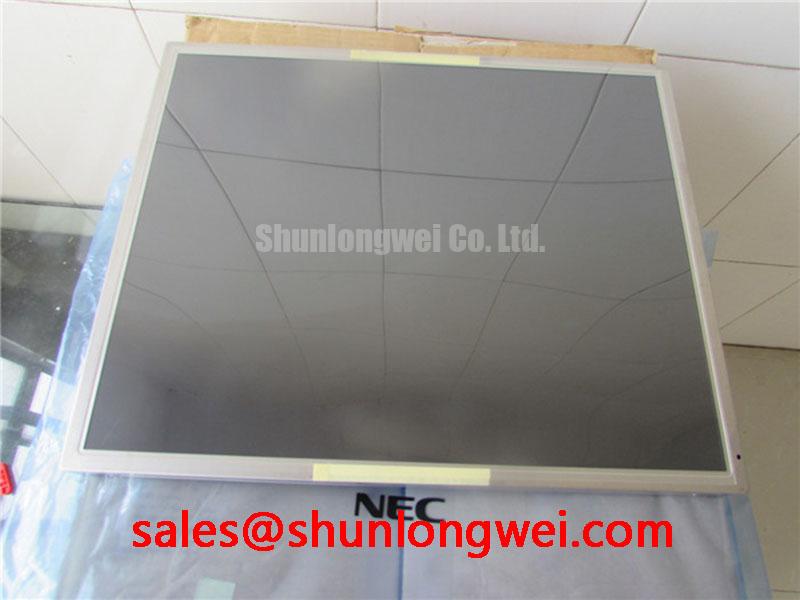
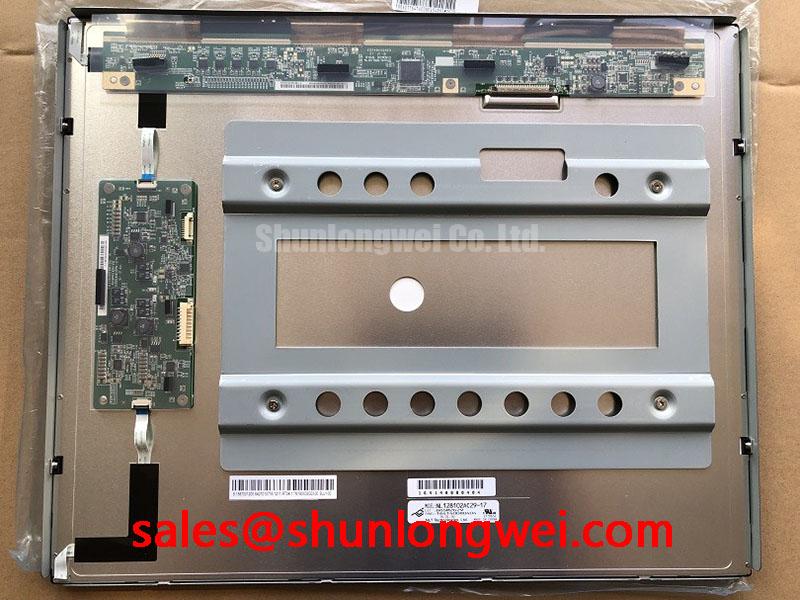
For the NEC NL128102AC29-17, the display cable should be examined from the controller output to the module connector. Check that the cable shield, where used by the original system, retains continuous chassis contact at the intended termination points. A shield that is mechanically present but electrically floating can allow common-mode noise to enter the signal path. Connector backshell contact, conductive gasket condition, cable braid continuity, and chassis bonding surfaces deserve inspection before replacing the display module.
Design Consideration: A common-mode ferrite choke is often evaluated on display interconnects where high-frequency common-mode noise is visible as intermittent image disturbance. Its suitability depends on the controller signaling method, cable construction, ground strategy, and observed spectrum. Engineers should validate the result with the original display connected and compare the image behavior against a known-good signal path rather than treating a ferrite as a universal correction.
Backlight control wiring should also be separated from noise-sensitive video wiring wherever the enclosure layout permits. PWM dimming frequency and duty-cycle behavior are system parameters, not official specifications supplied for this module. If a controller uses PWM backlight control, technicians should confirm that its waveform remains stable during motor starts, high-current switching events, and input-voltage transitions. An unstable dimming command can appear as flicker even when pixel data remains correct.
When evaluating a marine radar or navigation bridge console as a potential application, enclosure sealing, cable shielding continuity, salt-laden atmosphere exposure, and chassis grounding must be assessed at equipment level. The NL128102AC29-17 itself should not be assumed to provide system EMC compliance or environmental certification without the original equipment documentation.
💡 Pro Tip: Route each differential display pair together with its intended return path and avoid separating the pixel clock path from its paired conductor during cable repair or harness replacement.
VESA vs. JEIDA Data Mapping Alignment & Even/Odd Channel Signal Integrity
A display can illuminate normally while showing incorrect colors, split images, repeated vertical sections, or shifted gray levels when the controller output format does not match the panel input expectation. Before connecting the NL128102AC29-17 to a replacement controller board, verify the original system documentation for its interface standard, bit mapping, clock polarity, channel assignment, and power-up sequence.
VESA and JEIDA mappings can encode color-bit positions differently. A mismatch may produce images that are recognizable but visually incorrect, including altered color depth, unusual gradients, or unexpected tones in gray test patterns. This is a controller-to-panel compatibility matter and must not be resolved by assuming that a cable with matching physical connectors carries the correct mapping.
Engineering Recommendation: Compare the controller output configuration with the original panel documentation before applying power. Confirm whether the transmitter supports the required mapping selection and whether any board-level configuration straps, firmware settings, or timing controller parameters affect the output. Where signal quality is in doubt, observe the differential clock and data paths with suitable test equipment and compare them with a known-good assembly.
Even and odd channel behavior should be assessed through controlled image patterns rather than through a single desktop image. Use full-field red, green, blue, white, black, and neutral gray content to expose missing data groups, channel inversion, unstable clock recovery, or damaged conductors. A fault affecting one channel can present as alternating line artifacts, color segmentation, or partial-image repetition. The exact appearance depends on the controller architecture and should be verified rather than assigned to one specific cause.
The required logic supply voltage, power-on rise timing, and data-enable sequence for this NEC module are not included in the supplied factory parameter set. The system integrator should verify these requirements from the original panel documentation. Applying an unverified supply level or changing the start-up sequence based on another display model can create misleading diagnostic results or damage connected electronics.
Optical contrast, sunlight readability, anti-glare treatment, viewing direction, and panel luminance are likewise not confirmed in the supplied official data. For outdoor navigation or radar-console assessment, use the original NEC optical specification and evaluate the completed enclosure under its intended ambient-light conditions. A protective cover lens, front polarizer condition, internal contamination, and enclosure reflections can affect perceived readability independently of the TFT module.
For systems being assessed around similar NEC industrial display families, the NL128102BC28-04 can be reviewed as a separate display solution. Electrical interface, mechanics, optical behavior, and controller timing must be compared from their respective documentation; shared branding or similar part numbering does not establish direct interchangeability.
Flush-Mount Open-Frame Bezel Integration & Perimeter Gasket Shock Isolation
Before fitting the NL128102AC29-17 into a flush-mounted opening, measure the existing bezel aperture, rear clearance, mounting locations, and connector exit path against the original mechanical drawing. A display module can be electrically correct yet unsuitable for a replacement if the front frame imposes uneven pressure, the rear cover touches the module body, or the cable bend radius conflicts with the enclosure.
The module should be supported through the intended mounting surfaces rather than clamped across an active display region. A perimeter gasket may be appropriate where the original equipment uses one to isolate vibration, prevent dust ingress, or reduce front-frame stress. Gasket material, compression method, enclosure flatness, and fastening sequence are assembly-level decisions that should follow the host equipment design.
Design Consideration: Tighten mounting hardware progressively in a cross-pattern only when the mechanical drawing and enclosure design call for fastener mounting. This helps distribute load across the frame and reduces the chance that a warped bezel or uneven stand-off height will introduce local optical pressure effects. Do not infer mounting torque, screw size, bezel tolerance, or permissible compression from another NEC panel without the applicable mechanical specification.
After mechanical installation, inspect the powered panel using black, gray, and white images. Localized bright areas, darker patches, edge stress marks, or changes that appear when the bezel is touched can indicate external mounting pressure or enclosure distortion. These observations do not independently identify the internal condition of the panel; they provide a practical basis for checking frame flatness, gasket placement, stand-off alignment, and fastening sequence.
Clock jitter tolerance, transmitter timing margins, and data hold requirements are characteristics of the complete controller, cable, and panel signal chain. The NL128102AC29-17 official data supplied here does not define those values. When integrating the module into an industrial HMI or monitoring terminal, designers should verify peak signal quality across the equipment operating range using the original interface documentation and representative cable routing.
Optical bonding, cover glass, and environmental sealing should be treated as host-equipment construction choices unless documented as part of the specific module assembly. A replacement panel should not be bonded to a cover lens or sealed into a front enclosure until service access, thermal expansion behavior, touch-overlay compatibility, and future repair requirements have been evaluated.
For repair teams comparing mechanical and electrical alternatives, the NL8048AC19-13KD may be examined as a separate candidate during documented compatibility review. Its use should be determined only after verifying the original display size class, active area, connector position, interface, timing, mounting geometry, and optical requirements.
Flashlight Dark-Shadow Optical Diagnostic to Isolate Logic vs. Backlight Failure Modes
Start optical troubleshooting with the display assembly disconnected from unnecessary field wiring and connected to a stable, known-good controller where practical. Inspect the connector for incomplete insertion, damaged locking features, bent contacts, cable abrasion, and strain near the display edge. A physical connection issue can resemble a panel failure, especially where equipment vibration has repeatedly loaded the harness.
Use controlled primary-color images to establish whether the pixel matrix is receiving consistent image data. Red, green, blue, white, black, and gray patterns can reveal color-channel errors, fixed lines, missing regions, unstable image timing, or nonuniform optical response. Record the observed pattern and compare it with the behavior of the original system display if one is available. Avoid declaring a single root cause from one image pattern because controller configuration, cable integrity, panel electronics, and backlight behavior can overlap.
A flashlight dark-shadow check can assist when the screen appears black or extremely dim. With the display commanded to show a bright test image, direct a flashlight across the surface at an oblique angle. A faint image may suggest that pixel data is present while the illumination path requires further investigation. If no image is visible, continue with controller output, power sequencing, cable continuity, and panel-interface checks. This observation is a diagnostic branch, not a definitive failure classification.
Backlight troubleshooting should remain within the electrical limits defined by the original equipment and display documentation. The supplied official parameter set for NL128102AC29-17 does not state backlight topology, current requirements, dimming method, or connector pinout. Technicians should therefore verify the original backlight driver output and control signals before substituting a driver or applying an external source.
Inspect the image under uniform black and gray patterns after the system has reached stable operation. Dark shadows, edge dimming, or brightness variation may be influenced by backlight circuitry, mechanical pressure, contamination within the optical stack, aged system components, or display damage. Confirm changes through repeatable tests rather than relying on a brief visual check in uncontrolled ambient light.
For a broader reference on industrial TFT display selection, interface evaluation, and common integration considerations, see The Ultimate Guide to Industrial TFT LCD Technology.