




Content last revised on September 14, 2026
Single Vertical Hairline Defect and Sub-Pixel Column Driver Open-Circuit Localization
A single vertical hairline on a control screen should be investigated without immediately assigning one cause. Start with a visual inspection under normal illumination, then display solid red, green, blue, black, and white test fields from the known-good controller path. Record whether the line remains fixed in position, changes contrast with the displayed color, or disappears when the signal source is exchanged. This three-stage primary-color check is a practical diagnostic method, not an official failure threshold for the NL12876BC26-25B.
Use a flashlight at approximately a 45-degree angle with the display operating at low ambient light. A dark shadow or localized change in reflected light can help separate a surface or backlight irregularity from a line generated within the active matrix. This method does not prove a particular internal failure. It helps the technician decide whether to continue checking the optical stack, the signal path, or the panel edge and flexible connection area.
If the line follows the panel when the controller and cable are known to be functional, compare the signal path with a reference unit using an oscilloscope or the equipment manufacturer’s approved display diagnostic method. A stable vertical line may be consistent with a column-addressing interruption, connector contact issue, or damage near the bonded driver region, but a definitive diagnosis requires panel-level evidence. Avoid pressing the glass, driver edge, or flexible circuit during testing because mechanical pressure can temporarily alter an intermittent contact and make the result misleading.
Cold operation requires a separate evaluation. Liquid crystal viscosity generally increases as temperature falls, and the visible effect may be slower gray-to-gray transitions or smearing in moving characters. The supplied factory record does not verify a specific response-time value or an operating range of minus 20 to minus 30 degrees Celsius for this model. If the display is considered for a cold equipment room or an outdoor control enclosure, the system integrator should confirm the actual operating and storage limits from the original NEC documentation.
Where a cabinet uses a heater strip, its control should be assessed as part of the enclosure design rather than treated as a guaranteed feature of the panel. The objective is to avoid condensation and allow the display to reach a stable operating condition without creating local thermal stress. Check the temperature near the panel surface, inspect for moisture after cold starts, and validate image response during the complete warm-up sequence. These are engineering verification activities, not factory ratings for the NL12876BC26-25B.
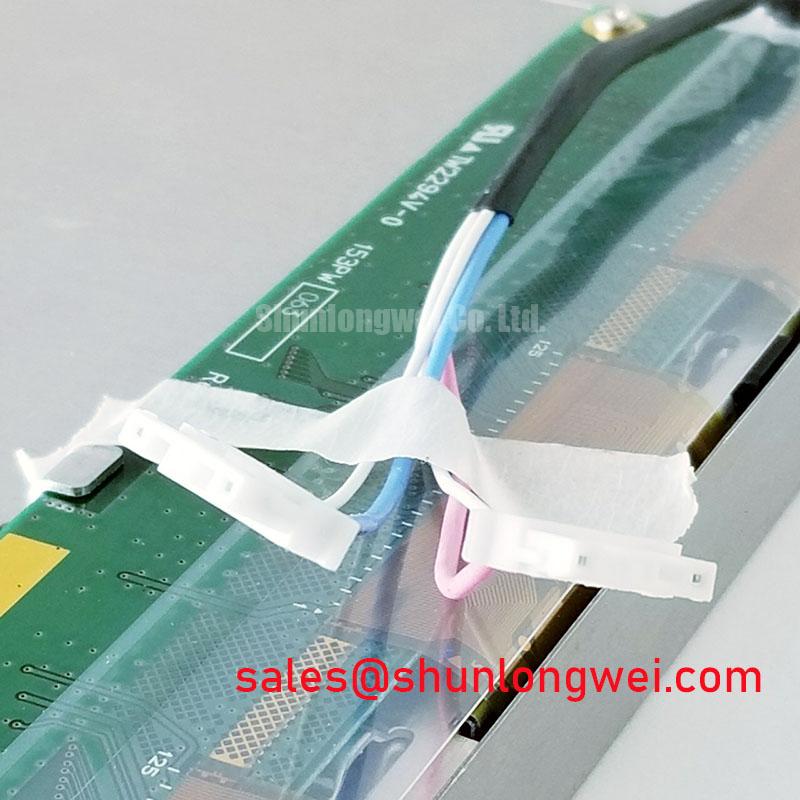
Flexible cable handling deserves the same attention as optical inspection. Route the FPC without sharp creases, keep its bend path free from clamp edges, and confirm that the connector lock is fully engaged before closing the cabinet. If a line appears or disappears when the cable is touched, stop flexing the assembly and compare continuity, connector seating, and controller output with a known-good path. Repeated reseating can wear contacts and does not establish long-term reliability.
Evaluating Viewing Characteristics for Multi-Angle Consoles
Operators at a SCADA dispatch console may view alarms from different seated and standing positions, but the supplied factory data does not identify the NL12876BC26-25B panel technology as Super-IPS, MVA, or TN. It also does not confirm a symmetric viewing specification of 85 degrees in all four directions. These values must not be assigned to this model without the relevant NEC datasheet. The correct integration method is to evaluate the actual replacement panel in the installed bezel, with the intended text size, alarm colors, and operator viewing positions.
During a bench comparison, display neutral gray ramps, small black text on white, and saturated alarm colors. Observe the screen from above, below, left, and right while keeping the controller output unchanged. Look for grayscale inversion, contrast collapse, color shift, or loss of fine text definition. A viewing-angle observation is useful for system acceptance, but it should not be converted into a numerical specification unless the manufacturer provides the measurement conditions and test method.
Surface treatment also requires a practical inspection. High ambient illumination can create reflections that resemble reduced contrast or uneven luminance. Check the panel with the cabinet lighting, overhead fixtures, and task lamps operating in their normal positions. The factory information supplied for this product does not confirm anti-glare etching, haze value, surface hardness, or a particular optical coating. Designers should therefore verify whether the original enclosure uses a cover window, shade, bonded interface, or other optical layer before selecting an installation method.
Backlight control should be checked at the system level. The supplied record does not confirm a PWM frequency range from 200 Hz to 1 kHz, duty-cycle linearity, LED construction, or a CCFL arrangement. If the host controller modulates brightness, capture the control waveform and observe the image with a photodetector or approved flicker assessment method. Audible noise, visible flicker, and brightness steps can originate in the external driver, wiring, power supply, or panel interface. Verification against the original equipment design is required before changing the control strategy.
For a procurement team comparing a replacement display, document more than the diagonal fit. Record the connector position, cable exit direction, mounting-hole pattern, front bezel relationship, optical stack, controller compatibility, and the equipment’s startup behavior. The NL8048AC19-13KD may be reviewed as a separate display option for a different compatibility assessment, but it should not be treated as a direct substitute without confirming the complete mechanical, electrical, and optical interface.
When the panel is installed behind a sealed operator window, distribute the mechanical load evenly around the frame. Uneven clamping can create visible nonuniformity or localized pressure marks, particularly when the enclosure expands and contracts. The suitable fastening method, gasket compression, and frame tolerance are determined by the cabinet construction and the original display assembly. They are not confirmed factory parameters for the NL12876BC26-25B.
Suppressing Acoustic Capacitor Buzz and EMI Emissions Across PWM Frequencies
Noise heard after a display replacement should be traced through the complete backlight and power system. The available factory record identifies the product as a TFT-LCD display module but does not specify whether the installed assembly uses CCFL, LED, an integrated inverter, or an external constant-current driver. It does not confirm a cold-ignition requirement of 1500 to 1650 Vrms, a 1000:1 PWM dimming ratio, an acoustic limit, an EMI limit, or a half-life value exceeding 50,000 hours. These figures must not be presented as specifications of this model.
First determine whether the sound is present with the display disabled, during brightness changes, or only when a particular image is shown. Use an electrical probe and an approved near-field method to compare the power rail and control waveform with the original assembly. A buzzing sound can be associated with magnetics, capacitors, driver switching, mounting resonance, or cabinet vibration. The observation is a fault-isolation clue rather than proof of a single component failure.
EMI evaluation should follow the equipment-level test plan. Keep display power and signal wiring in their intended routes, confirm shield termination according to the cabinet design, and inspect whether the replacement cable has the same length and grounding arrangement as the removed cable. A display module cannot independently claim compliance with whole-equipment standards such as CISPR or EN 55011. The complete SCADA terminal, enclosure, cable set, power supply, and controller must be assessed together by the system owner.
If brightness control is changed, measure both the command waveform and the optical result. A PWM signal that appears correct at the controller may be distorted at the panel connector by cable impedance, ground offsets, or an incompatible input circuit. Designers should verify the required supply voltage and dimming method from the original panel documentation rather than selecting between possible voltage or backlight arrangements by assumption.
Power sequencing is another common integration point. Before connecting the replacement, map the host supply, enable, video, and brightness signals from the service documentation. Confirm the order in which the controller asserts each signal and observe the panel during startup and shutdown. White-screen behavior, a delayed image, or a residual afterimage can be related to sequencing, discharge behavior, timing configuration, or the host controller. An oscilloscope comparison with the known-good equipment is more useful than assigning the symptom to the panel alone.
⚠️ Maintenance Note: Disconnect cabinet power before inserting or removing the display cable, and inspect the connector lock and surrounding airflow path during scheduled service.
For long-running industrial HMI use, static screen content should be managed by the application rather than assumed to be harmless. Rotate fixed status elements where operationally acceptable, use approved screen-saver behavior during idle periods, and check whether any persistent image remains after the display changes. The supplied information does not provide a burn-in, image-retention, MTBF, or service-life guarantee for this model. Any endurance target should therefore be established through the equipment manufacturer’s validation program.
Technical guidance on enclosure layout, display integration, environmental testing, and HMI service planning is available in the Industrial Display and HMI Solutions resource. Use it as general engineering guidance while keeping the NEC panel’s confirmed documentation as the authority for model-specific limits.
High-Humidity Storage Margins and Delamination Prevention Protocols
Before placing the NL12876BC26-25B into a stored spare position, keep the module in packaging that prevents dust, condensation, and uncontrolled mechanical contact. The supplied factory record does not confirm a storage test of 60 degrees Celsius at 90 percent relative humidity, a thermal range from minus 30 to plus 85 degrees Celsius, perimeter sealant construction, delamination resistance, or a specified humidity life. These conditions can be useful for a system qualification plan, but they are not official ratings for this product based on the information provided.
When a cold display is moved into a warmer and humid cabinet, allow the assembly to stabilize before energizing it. Inspect the glass perimeter, polarizer surface, connector region, and gasket contact area for moisture or fogging. Do not use a heat gun or localized high-temperature source to accelerate recovery, as uneven heating can introduce mechanical stress. The correct conditioning time depends on packaging, temperature difference, enclosure volume, and the equipment procedure.
Gaskets should be checked for compression uniformity, contamination, hardening, and loss of contact with the frame. A gasket is an enclosure component, not proof that the display itself has a specified ingress rating. Designers should verify the cabinet sealing method, pressure equalization, drainage, and condensation control as a complete assembly. If the front window and display are separated by an air gap, inspect both surfaces after humidity exposure; if they are optically bonded, use the original service method and avoid forcing the perimeter.
Thermal cycling can change the stress relationship between the display frame, mounting bezel, flexible cable, and connector. Use gradual transitions defined by the equipment qualification plan, then repeat the image test at startup, during warm-up, and after stabilization. Pay particular attention to gray transitions, fine alarm text, uniform fields, and any line that changes with temperature. A response delay may reflect liquid-crystal behavior, controller timing, or temperature-dependent signal integrity; it should be measured against the reference unit rather than assigned a universal pass or fail value.
Connector retention should be verified after environmental conditioning. Confirm that the cable remains aligned, the lock has not shifted, and the cable is not carrying tensile load from the cabinet cover. Vibration and shock requirements belong to the installed system and mounting structure unless the NEC documentation provides a dedicated module test specification. Use the original bracket and support points where possible, and validate the finished assembly under the equipment owner’s mechanical test plan.
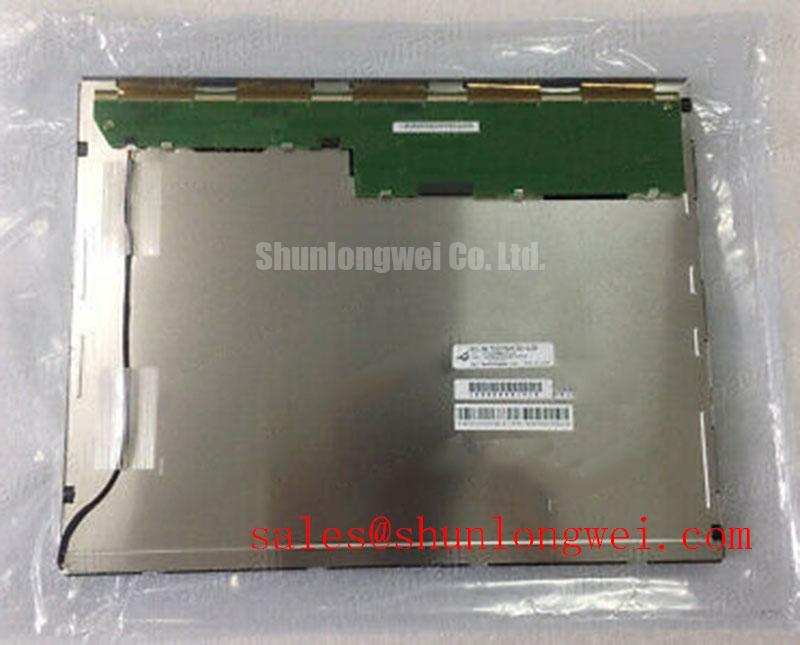
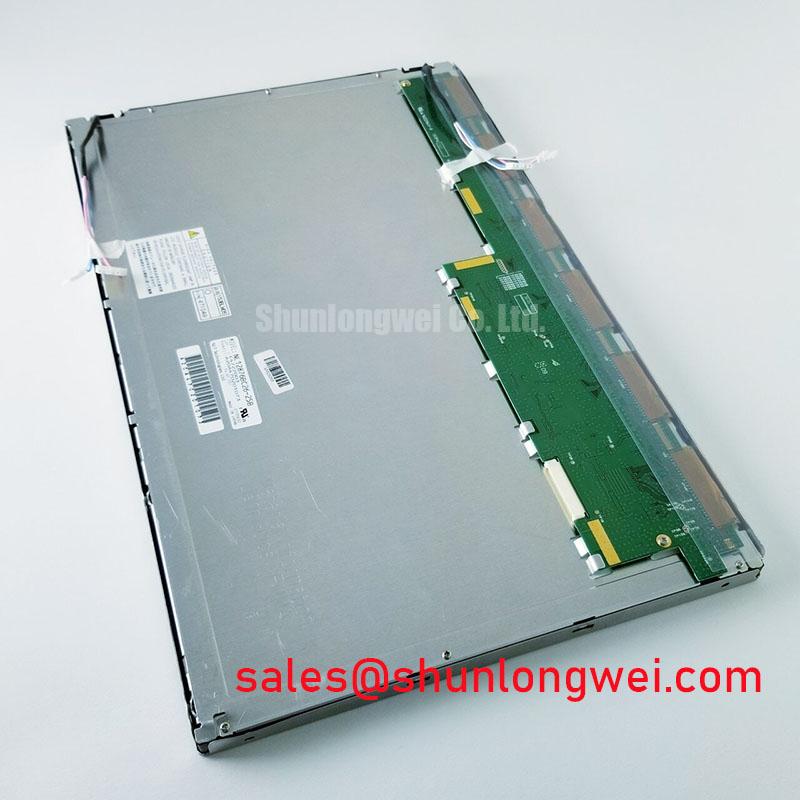
For procurement records, identify the item as NEC NL12876BC26-25B, an Industrial Grade LCD/HMI Panel with a TFT-LCD Display Module construction and Official Factory Spec Verified status in the supplied product record. Before releasing it for field installation, match the original panel documentation for interface, voltage, backlight control, optical dimensions, environmental limits, and mounting details. This verification protects the repair decision without converting unconfirmed values into model-specific claims.