


Content last revised on October 26, 2026
Micro-Twist Mechanical Stress Fracture Prevention on Glass Substrate Driver Bumps
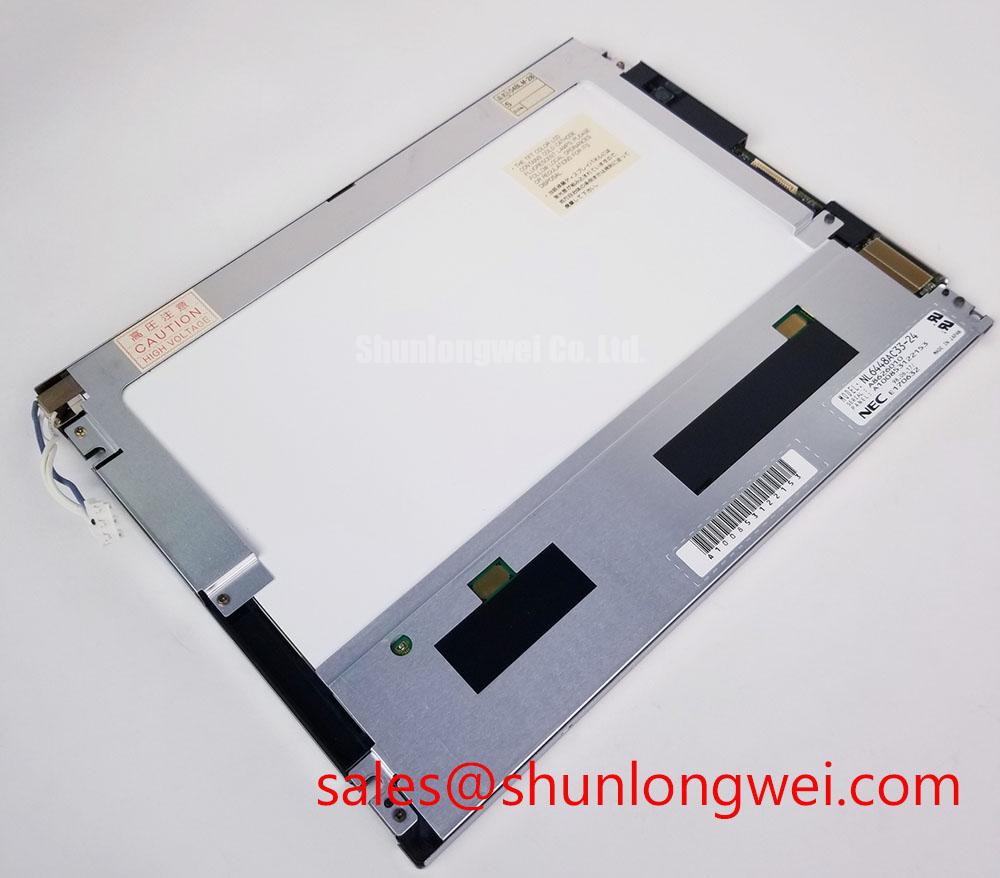
Use a three-stage primary-color bench test to separate visible pixel-line defects from illumination faults on the NEC NL6448AC33-24 TFT-LCD module. Display solid red, green, and blue fields, then a full white field and a full black field. Observe the panel directly and again with a flashlight held approximately 45 degrees to the surface. A shadow that follows the viewing angle can reveal a local illumination or surface-uniformity issue, while a fixed vertical or horizontal line that remains aligned with the image may require signal-path and driver-area investigation.
This test should be performed before pressing the bezel, flex cable, or glass edge. A narrow line that changes when the module is gently supported may be associated with mechanical stress, connector movement, or a fractured conductive path, but the response is not a conclusive single-cause diagnosis. Compare the symptom with a known-good controller and cable, and avoid applying force to the active area during the comparison.
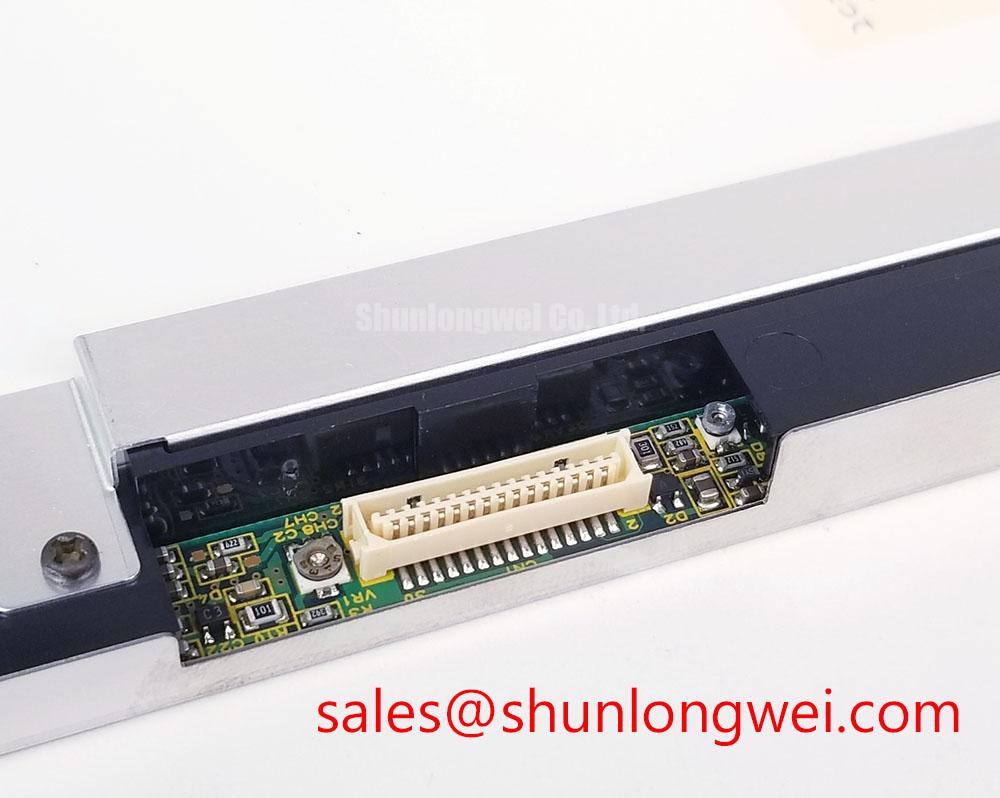
The phrase “driver bump” should not be treated as permission to expose or probe internal glass structures. The practical inspection boundary is external: check whether the panel sits flat, whether the cable enters the connector without lateral pull, and whether the chassis opening contacts the display edge. For a factory automation machine tool or HMI operator terminal, vibration can turn a small assembly preload into an intermittent display fault. Designers should use compliant support surfaces and allow the equipment frame to carry mounting loads rather than the glass.
Backlight aging requires a separate record from pixel integrity. A backlight driver may be evaluated against a planned brightness-decay curve, including a 50,000-hour reference point only when that target is specified by the selected backlight assembly or its supplier. Product identity alone does not establish a model-specific backlight lifetime, MTBF, L70, or B50 rating. Measure luminance at defined screen locations, log ambient temperature, and compare the result with the equipment’s service threshold.
💡 Bench Tip: Use ESD protection and lock the flat-flex cable squarely into its connector before applying power; an angled insertion can create intermittent color or line faults that resemble panel damage.
Data Mapping Alignment & Display Signal Integrity
Split-screen artifacts should be investigated at the mapping and timing boundary before the panel is condemned. Confirm the controller’s documented data format, pixel order, synchronization method, and any even or odd channel assignment against the original panel documentation. Where a system includes an LVDS link, JEIDA and VESA naming can describe different bit placements within a compatible-looking interface; these conventions should not be assumed to apply directly to this panel. A mechanically correct cable does not guarantee correct grayscale or color reproduction.
Logic-supply verification belongs at the panel connector during the actual power-on sequence. Verify the required supply voltage from the original panel documentation rather than assuming a 3.3 V or 5.0 V logic rail. Check the rise profile, any documented reset or enable sequence, and controller readiness with an oscilloscope rather than relying only on a multimeter reading after startup.
Verify the measured supply rise and data sequencing against the controller and panel documentation. A slow ramp, a premature data stream, or an enable signal that arrives before the logic rail has stabilized can produce a blank screen, unstable synchronization, or a partial image.
For differential display links, controlled routing and a nominal 100-ohm differential environment are common signal-integrity design considerations when specified by the interface standard. Keep the pair geometry consistent through the cable, connector, and board transition, and inspect for stubs, crushed flex sections, and shield termination changes. The system engineer should confirm the actual electrical interface before applying this routing rule to the NL6448AC33-24.
When comparing possible panel options, the NL10276BC20-10 can be reviewed as a separate display product, but its presence does not establish interchangeability. Compare active area, resolution, connector pinout, data mapping, backlight requirements, mounting geometry, and controller firmware before considering any cross-reference. For general background on industrial TFT display behavior and selection, the industrial TFT LCD technology guide provides a useful system-level reference.
Thermal Expansion Clearance Sizing across Heavy Industrial Metal Enclosure Cutouts
Check the chassis opening against the panel’s actual bezel envelope before tightening any fastener. The cutout should accommodate the display without forcing the frame inward or transferring enclosure distortion into the active area. The final clearance and mounting-hole pattern must be taken from the panel and equipment drawings and checked against the original installation.
A cross-pattern tightening sequence helps distribute mechanical load, but the fastener type and torque must come from the panel or equipment documentation. Excessive tightening can create localized dark-field mura, pressure marks, or image changes that appear only after the enclosure reaches operating temperature.
Run a cold-to-warm comparison after installation. Record a black field, a white field, and a mid-gray field at startup, then repeat after the enclosure has reached its normal temperature. A defect that develops near a frame edge may involve enclosure expansion, uneven gasket compression, cable loading, or backlight heat distribution. Release the panel from the mechanical stack-up in a controlled test rather than prying against the glass.
Backlight control should also be assessed at the system level. If the equipment uses PWM dimming, evaluate visible flicker, camera banding, and audible interaction with the driver circuit within the driver’s documented dimming-frequency range. Check duty-cycle linearity at several brightness settings and verify the required function and signal levels of the dimming and enable inputs before applying a test signal.
For a machine tool operator terminal, cold-start testing deserves its own record. Observe the time from system power application to stable image, then repeat at the lowest permitted equipment temperature. Do not add a heater, delay, or compensation algorithm solely from a generic panel assumption; select those measures only after the original display documentation, controller behavior, and enclosure thermal test have been reviewed.
Diffuser Film & Prism Sheet Thermal Buckling Prevention under Continuous Full-Duty Operation
Inspect uniformity with the display driven at normal brightness and again at the highest permitted system setting. Look for edge brightening, center darkening, color temperature drift, and localized hot spots near the backlight entry region. These observations help distinguish optical stack behavior from electronic pixel faults, but they do not prove the presence or composition of any internal diffuser, prism sheet, or light-guide material.
An aluminum heat-spreader rail may be evaluated along a narrow display edge when the enclosure design creates a measurable local temperature concentration. Its dimensions, contact method, electrical isolation, and thermal path must be determined by the system engineer. Do not clamp an added rail directly against the active display area or use it to compensate for an enclosure that is already imposing mechanical pressure.
Backlight open-circuit and short-circuit behavior belongs to the driver and protection design. During service testing, monitor the backlight enable state, driver fault output, current regulation, and restart behavior where those functions are available. A dark screen can result from a disabled driver, an open circuit, a connector problem, or a controller command, while excessive brightness can involve a control-loop fault. Capture the fault indication and supply behavior before replacing the display module.
For continuous full-duty operation, evaluate luminance retention under the actual enclosure temperature and brightness setting. A reference such as 50,000 hours to 50 percent brightness is a test-plan target only unless it appears in the applicable backlight specification. It should not be treated as an established NL6448AC33-24 lifetime claim. Any luminance-maintenance or population-reliability metric must be supported by the relevant supplier data and its stated test method.
Direct sunlight testing should measure readability, reflection, and contrast at the installation angle. Do not assume that a contrast ratio specified under controlled lighting will be maintained in sunlight. Anti-glare performance also depends on the cover window, surface treatment, viewing angle, and enclosure geometry. Broader manufacturer information may be reviewed through the NEC website and the linked industrial display reference, while the installed assembly must still be tested as a complete unit.
The NL8060BC21-03 may be reviewed as another display module, not as a companion driver for the NL6448AC33-24. It should not be assumed to be a drop-in replacement without checking resolution, timing, connector pinout, supply, backlight requirements, and mechanical interface.