

Content last revised on October 4, 2026
Backlight Ignition and Insulation Checks
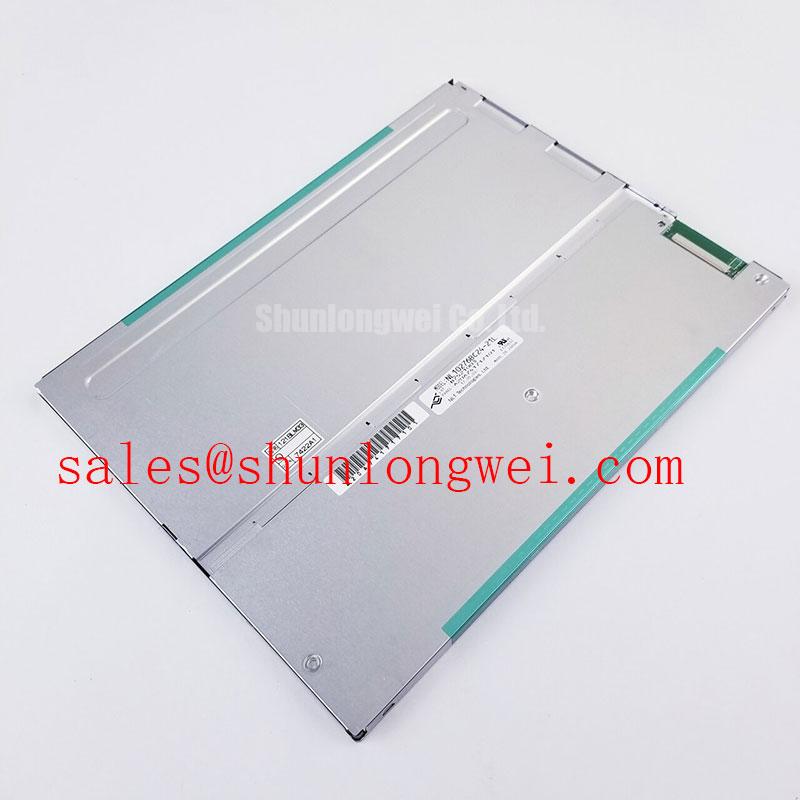
Inspect the connector and display surface of the NL10276BC20-10 before applying power, then match the host cable and panel label against the equipment service records. The confirmed listing identifies this NEC part as an industrial LCD/HMI panel in a TFT-LCD display module assembly. It does not establish the connector pinout, operating voltage, backlight technology, dimensions, or optical ratings. Those details must come from the original panel documentation before an incoming unit is energized or approved for installation.
Begin the backlight assessment at the equipment boundary, not at an assumed driver output. Identify the original backlight connector, its mating cable, and the associated power circuitry from the machine schematic. The available factory specification identifies the NL10276BC20-10 as a TFT-LCD module but provides no confirmed backlight electrical ratings. A high-voltage ignition figure, LED current setting, or dimming range would therefore be an unsafe acceptance criterion for this specific panel.
If the documented system uses a high-voltage lamp supply, a qualified technician should keep the inspection focused on the documented insulation path: connector condition, cable routing, and the inverter interface. Any energized measurement should follow the equipment service procedure and use instruments rated for the circuit being tested. An insulation reading taken through connected electronics can reflect the surrounding circuit rather than the cable or supply under examination; isolate the relevant assembly according to the service instructions before interpreting the result. No insulation withstand rating for this module is established by the supplied product data.
On the optical bench, illuminate the full display with uniform test fields after the correct supply and video source have been confirmed. Record persistent dark or bright points by position, then repeat the observation at a consistent viewing angle. Inspect low-brightness fields separately: an edge that appears dim can be obscured by ambient reflections on a white field. Compare the center and corners using the same camera exposure or meter setup rather than changing the test conditions between readings. These observations describe the unit under test; they do not establish an NEC pixel-defect grade or brightness tolerance without the applicable inspection specification.
Backlight flicker deserves a separate check from video instability. Hold a static image while observing light output, then compare the result with the backlight control waveform at its documented test point. A fluctuating image can also originate in the host video path, so verify whether the illumination itself changes before assigning a backlight fault. If the equipment includes a driver fault output, its meaning and polarity should be read from the driver documentation rather than inferred from the panel model number.
Edge Heating and Optical Uniformity During Continuous Operation
Run an optical uniformity check only after the display has reached a stable operating condition in its intended enclosure. Photograph the same full-screen white, gray, and dark fields before and after the run. Look for changes in edge shading, local bright patches, and pressure-sensitive patterns near the mounting points. A changed pattern warrants further inspection, but it does not by itself identify which layer or assembly is responsible.
For the NL10276BC20-10, no diffuser composition, prism-sheet construction, backlight lifetime, or permitted edge temperature is established in the supplied specification. Avoid translating a visible warm area into a claim about internal film buckling or optical-material aging. Instead, measure accessible case temperatures at repeatable locations and compare them with the equipment’s documented thermal limits. A thermal image can help locate an unusual hot area, while a contact measurement can check whether reflections have distorted that image.
Design Consideration: When an enclosure uses metal rails beside the panel, inspect whether they support the module evenly and leave its external ventilation path unobstructed. The appropriate rail shape, contact arrangement, and thermal limit are system-dependent. Test the assembled equipment under its normal operating conditions before deciding that a mounting change improves temperature distribution. Added metal is not automatically beneficial if it also changes panel pressure or traps heat near a power component.
For a repair comparison, record backlight appearance at a fixed control setting and with stable ambient lighting. Note whether a color shift appears across the whole viewing area or follows an edge or mounting feature. A camera’s automatic white balance can hide that distinction, so lock its settings when documenting the observation. Brightness loss and color change cannot be converted into remaining operating hours from a single inspection. The Industrial Display & HMI Solutions guide provides broader enclosure and display-integration context; acceptance of this particular module still depends on its own documentation and the host equipment requirements.
Logic Supply Sequencing and Video Interface Verification
Trace the host’s panel power rail and video cable against the original wiring diagram before connecting the NL10276BC20-10. The system integrator should verify the required supply voltage, connector pin assignment, video interface, and power sequence from the original panel documentation. None of those values is confirmed by the supplied product data. Matching connector shape alone does not establish electrical compatibility.
With the correct documentation available, capture the supply and video-enable sequence at the panel connector during startup and shutdown. Check that the measured order agrees with the documented requirements, particularly if the host previously drove a different display. A black screen after replacement is not sufficient evidence of a failed LCD: the supply, enable control, video source, and connector seating each need independent verification. Compare suspect waveforms with a known-good signal path where one is available.
If the documented interface uses differential video signaling, route and inspect its pairs according to the specified interface and host-board design. For intermittent lines or a divided image, check cable seating first, then examine clock and data integrity at accessible test points. Skew, impedance, mapping, and timing limits must come from the applicable panel and transmitter specifications; they cannot be assigned from the model name. The same discipline applies to any host configuration option for pixel mapping or timing: verify the selected mode against the original equipment records before changing it.
💡 Bench Tip: Disconnect panel power before reseating the flat cable, and confirm that both connector locks close evenly across its width.
Two related NEC display listings can assist a documentation comparison without implying interchangeability. Compare the NL10276BC16-06 against the original equipment records for mechanical fit, connector assignment, power, and video timing before considering it for the same opening. The NL10276BC30-24D is another display listing to examine when reviewing the host display and power arrangement; its model designation does not establish that it is a backlight driver or an electrical match for the NL10276BC20-10.
Enclosure Clearance and Cold-Condition Display Checks
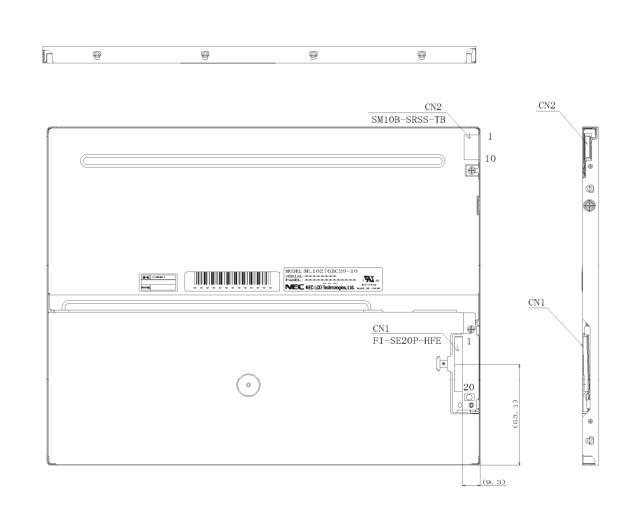
Measure the existing enclosure opening, support points, and cable exit before fitting the replacement module. The supplied specification does not give the NL10276BC20-10 outer envelope, active-area position, mounting-hole pattern, or fastener torque. Use the panel drawing and the equipment assembly drawing to set those limits. During a trial fit, check for contact along the viewing-area edge and verify that the cable can reach its connector without being folded against the enclosure.
Design Consideration: Tighten the mounting hardware in an even sequence and inspect a dark test field after each assembly stage. A new shadow or bright pressure mark near a fastener may indicate that the enclosure is loading the display unevenly; confirm by checking fit and support surfaces before changing the hardware. Do not apply a generic torque value as though it were an NEC mounting specification. The correct limit depends on the documented panel construction, fastener, and enclosure design.
Cold-condition evaluation also needs a documented temperature boundary. The supplied product data does not establish a minimum operating temperature or a liquid-crystal response-time rating for this model. If the host equipment must start in a cold cabinet, use the approved environmental procedure and compare image transition behavior at the required conditions. Slower-looking transitions should be documented alongside measured ambient conditions and video timing, rather than attributed to a single cause. Any heater or temperature-control arrangement belongs to the equipment design and should be checked against its own service documentation.
Before closing the enclosure, repeat the full-screen optical check with the bezel installed and the cable secured in its final route. Compare the result with the open-bench record. If a mark appears only after assembly, reopen the unit and inspect clearance, gasket contact, and cable strain before deciding whether the display itself has changed. For a CNC operator panel or robot teach pendant under evaluation, this assembled-state comparison is more useful than a loose-panel image alone: it tests the fit and visible output in the equipment configuration that technicians will actually service.