

Content last revised on October 9, 2026
Backlight Drive, Dimming Control, and Flicker Suppression
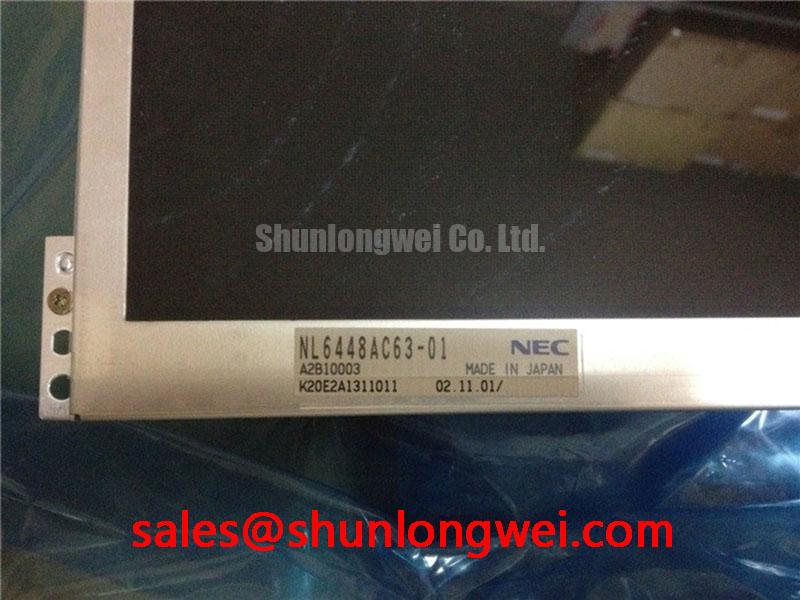
| Model | NL6448AC63-01 |
|---|---|
| Manufacturer | NEC |
| Product category | Industrial Grade LCD/HMI Panel |
| Display technology | TFT-LCD active-matrix color display module |
| Electrical and mechanical integration data | Consult the model-specific datasheet for resolution, supply ratings, connector assignments, backlight configuration, mounting dimensions, and operating temperature limits. |
Trace the backlight harness to its driver before changing brightness settings or connecting a replacement controller to the NL6448AC63-01. Keep the illumination circuit separate from the image-data path during troubleshooting: an illuminated screen without usable content calls for different checks from a correctly rendered image that remains difficult to see. This distinction helps avoid replacing the display when the fault belongs to the host controller, harness, or illumination supply.
Design Consideration: Start with the brightness command, driver enable signal, and supply behavior under the original operating conditions. Compare commanded brightness with the visible result across the adjustment range. A display that flickers only during dimming warrants observation of the control waveform and driver output; a disturbance present at every brightness setting also warrants examination of supply ripple, grounding, and connector contact stability. Neither pattern establishes a single cause without measurement.
Constant-current WLED driving and PWM dimming are system-level topics, not established specifications for this panel. When evaluating an illumination redesign, designers should select the driver around the actual light-source requirements and validate dimming behavior in the assembled enclosure. Dimming range, modulation frequency, acoustic behavior, and service-life claims require supporting specifications or testing rather than assumptions based on the TFT designation.
The image controller, panel supply, and backlight driver also need coordinated enable and shutdown behavior. As an Engineering Recommendation, observe their transitions together when investigating startup white screens or shutdown image persistence. Look for image data arriving before the panel is ready, interrupted supplies, or illumination remaining active after the image path stops. Set sequencing through the controller design and panel requirements, rather than treating a universal delay as suitable for every installation.
The NEC NL8060BC31-41D provides a separate display-module reference when reviewing another controller and illumination architecture; it is not established here as a companion backlight driver. For purchasing and maintenance records, retain the exact NL6448AC63-01 product reference alongside the host-controller revision and cable assembly identification.
Mechanical Stress Control and Image-Path Fault Isolation
Display full-screen red, green, and blue test images before disturbing the mounting arrangement, then compare any lines, shading, or missing image areas with the panel supported without enclosure preload. Record whether the defect stays at the same screen coordinates, follows displayed content, or changes with cable routing. These observations narrow the investigation without assuming a particular internal driver construction or declaring a glass-substrate fracture from appearance alone.
Design Consideration: A gently directed external light can help reveal whether recognizable image content remains when illumination is absent. Use the result to separate image generation from backlight operation, not to declare the backlight assembly defective immediately. The enable circuit, driver supply, harness, and light source remain separate candidates. Avoid pressing the display surface or twisting the frame to provoke a response; either action changes the mechanical conditions being investigated.
Route flexible cables so enclosure movement does not pull directly on the panel connector. Preserve the cable supplier’s bend requirements, provide strain relief outside the mating area, and inspect the latch engagement before closing the housing. Repeated movement concentrated at a crease can impair continuity, while an incompletely engaged connector can produce intermittent operation. Neither flex-cycle endurance nor latch retention force should be assigned to this module without a documented assembly specification.
Follow the actual signal interface when checking electrical integrity. Differential-pair impedance and skew targets belong to the selected interface and controller design; they should not be imported into this repair solely because other industrial displays use differential links. Compare signal activity at the controller and panel ends, maintaining suitable probe grounding and avoiding measurement arrangements that disturb the connection.
For alternative-panel assessment, compare the NEC NL8060BC21-09 against the original panel’s resolution, active area, outline, connectors, timing, and illumination requirements. It should not be treated as a verified direct replacement on the strength of a related model name. Railway passenger-information terminals and cab-signalling displays are possible compatibility-assessment contexts, but their environmental and system approval requirements must be evaluated separately from basic panel interchangeability.
Chassis Fastening, Gasket Fit, and Optical Mura Prevention
Check that the enclosure supports the panel evenly before tightening its fasteners, and inspect the gasket for folds, displaced corners, or uneven compression. A bezel that contacts the display unevenly can introduce local loading that changes image uniformity. The practical objective is a stable assembly without using the panel frame to compensate for a warped bracket or poorly aligned enclosure.
Design Consideration: Establish fastening torque from the actual fastener, thread engagement, bracket material, and approved assembly instructions. A generic M3 torque range is not a verified limit for the NL6448AC63-01. Where the assembly permits, progressive tightening across opposing positions can help distribute seating loads, but the final method remains dependent on the mounting design. Do not use additional tightening as a substitute for correcting a mounting gap.
Compare dark and neutral test images before and after mounting under consistent brightness and viewing conditions. A new localized patch that appears after installation is a reason to inspect bezel contact and support alignment, not proof of a particular internal optical defect. Keep photographs and mounting observations with the service record so later inspections can distinguish assembly-related changes from pre-existing nonuniformity.
Dust control depends on the enclosure’s sealing path, cable entries, and service access points. Optical bonding is a separate integration process; a TFT module does not by itself establish a bonded cover assembly or an airtight installation. When bonding is proposed, designers should evaluate adhesive compatibility, cure-related stress, optical uniformity, thermal expansion, and repair access. A front gasket can reduce an ingress path without establishing a certified enclosure protection rating.
Maintenance Note: During scheduled service, inspect cooling paths and gasket seating, and isolate power before reseating display cables. General manufacturer context is available through industrial TFT display solutions and NEC; model-specific mounting decisions still belong to the applicable panel and enclosure drawings.
Temperature Assessment, Condensation Control, and Image Readability
Allow a cold display assembly to reach a dry, stable condition before energizing it after transfer into a warmer maintenance area. Condensation can develop on cooler surfaces even when the surrounding air feels comfortable. Examine the enclosure, connector area, and viewing surface for moisture, and address the environmental transition rather than assuming that an industrial product category guarantees unrestricted cold-start operation.
Design Consideration: Liquid-crystal response generally slows as temperature falls, which can make changing symbols or scrolling information appear less distinct. Evaluate the actual screen content at the intended operating conditions, including startup behavior and transition readability. The proposed wide-temperature range is not established here as an operating rating for this model, and response-time compensation should not be introduced without understanding the panel and controller interaction.
Assess enclosure temperature with the equipment assembled and operating, because local heating depends on nearby electronics, airflow, and installation orientation. Check gasket condition and ventilation arrangements together: improving one ingress barrier can alter cooling behavior. Environmental qualification should also examine moisture exposure and repeated temperature transitions without assigning an undocumented sealant composition or lifetime to the panel.
For long-running HMI screens, consider reducing unnecessary static content and using screen-management functions that suit the operator’s workflow. If residual images appear, compare their behavior after content changes and under controlled viewing conditions; do not label every retained pattern as permanent damage. Likewise, assess off-axis color and contrast from the intended operator position without attributing IPS or MVA construction to this module.
The Industrial Display & HMI Solutions resource provides broader integration context. For this assembly, document temperature, brightness setting, viewing position, and displayed content when readability changes. Those observations give the maintenance engineer a repeatable basis for distinguishing environmental effects from mounting, illumination, or signal-path problems.