

Content last revised on October 19, 2026
Interface Timing, Pixel Clock & Skew Compensation
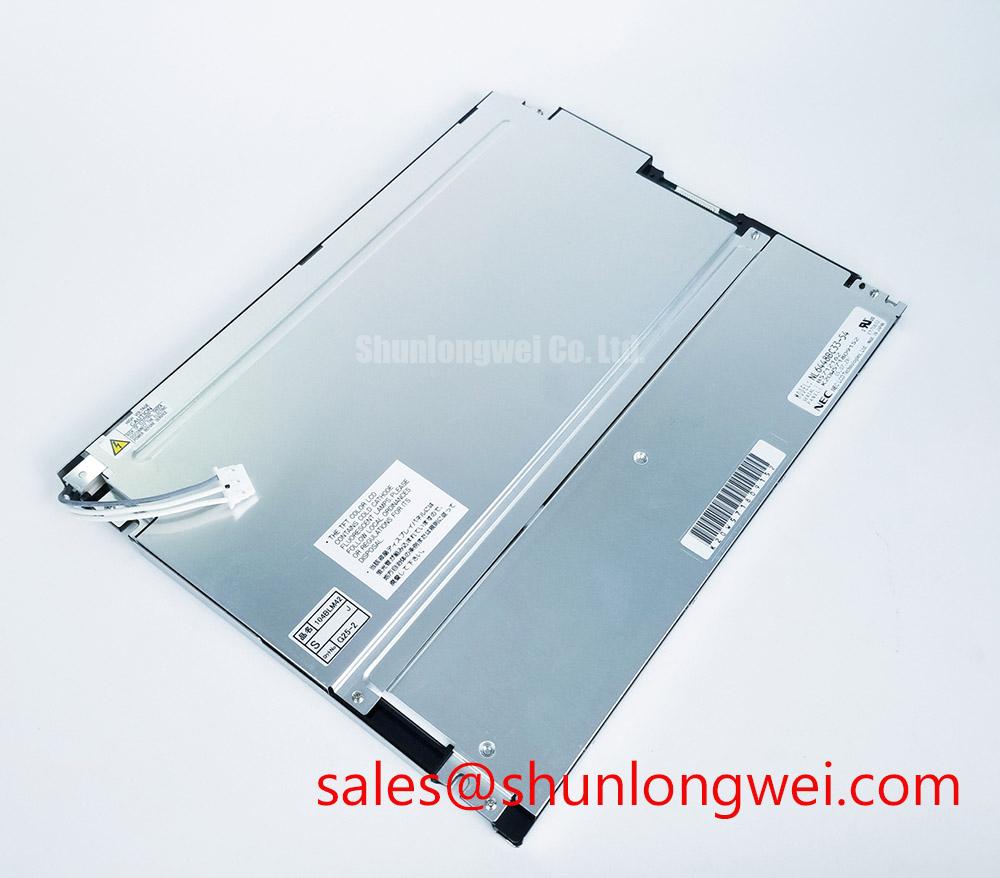
I compare the disconnected display harness with the equipment schematic before investigating a blank image or corrupted graphics. For the NEC NL6448BC33-70D, the connector assignment must govern that comparison: connector size alone does not establish the signaling protocol, supply connection or backlight wiring. Treat the confirmed product identity as an industrial TFT-LCD module, not as permission to apply a familiar controller configuration.
Design Consideration: Establish the actual interface before checking differential impedance, data mapping or inter-pair skew. LVDS-specific checks apply only when the module documentation identifies LVDS; JEIDA and VESA mapping are not interchangeable settings to try indiscriminately. Compare the controller output with the required pixel clock, synchronization signals and data assignment. A divided image, displaced colors or intermittent lines can have several causes, including timing mismatch, cable damage and incomplete connector engagement.
During a controlled startup, capture the panel supply and relevant control signals at the display connector rather than relying only on measurements at the power supply. Compare their order and settling behavior with the panel timing requirements. During shutdown, check that the controller does not continue driving an unpowered interface. These observations help separate supply sequencing problems from a backlight fault when the screen appears white, blank or slow to clear.
Inspect the flexible cable where it leaves its stiffener and passes through the chassis. As an Engineering Recommendation, retain the intended service loop, avoid loading the connector latch and keep the cable clear of sharp metal edges. Repeated flexing at one crease can produce movement-dependent faults; check continuity with the assembly isolated and compare operation with a known-good, correctly assigned harness.
Aluminum Heat Spreader Sizing & Thermal Interface Placement along Narrow Display Edges
Map the assembled enclosure’s temperature distribution before adding a heat-spreading rail beside the display. A narrow metal contact can redistribute heat, but it can also introduce mechanical loading or conduct heat from nearby electronics into the panel. Rail dimensions, attachment points and interface placement belong to the enclosure design; they are not established NL6448BC33-70D specifications.
Design Consideration: Where an aluminum spreader is being evaluated, use the actual heat-source location and measured enclosure temperatures to determine whether it helps. Keep added interfaces away from flexible circuits, connectors and unsupported surfaces. Compare temperatures after stabilization with the panel’s documented operating limits, including the conditions behind any published ratings. An enclosure air measurement alone does not reveal a local hot spot beside a power converter or backlight supply.
Cold-start evaluation should distinguish slow liquid-crystal transitions from delayed illumination and unstable supply behavior. Reduced temperature can slow liquid-crystal response, making moving text smear or a changing alarm field appear sluggish. Record the image behavior and electrical startup together so that a timing adjustment is not used to conceal a thermal limitation. A heater, if required by the equipment specification, needs system-level control and validation rather than an assumed installation on this module.
Condensation deserves separate attention when equipment moves between cold storage and warm, humid air. Allow the assembly to reach a suitable condition before energizing it, following the equipment’s environmental procedure. For enclosure sealing, thermal assessment and environmental test planning, Industrial Display & HMI Solutions provides broader integration context. Do not assign an LED lifetime metric or an internal optical material to this panel without model-specific documentation.
Dynamic Contrast Ratio Stabilization & Liquid Crystal Birefringence Temperature Tracking
Compare a grayscale pattern from the actual operator position before changing brightness or controller settings. Dark tones merging together at one viewing angle can differ from the behavior seen directly in front of the panel. The assessment should use the intended mounting orientation, normal viewing distance and enclosure window, rather than treating an unrelated panel technology’s viewing cone as an NL6448BC33-70D rating.
Design Consideration: Temperature-dependent liquid-crystal behavior can affect response and perceived grayscale separation, while ambient reflections reduce usable contrast. Evaluate these effects separately: repeat the same image after thermal stabilization, then repeat it under representative illumination. Manufacturer resources such as industrial TFT display resources offer industrial display context, but model-specific optical acceptance limits must remain tied to the applicable specification.
If the installed backlight controller supports dimming, compare commanded brightness with visible stability throughout its supported adjustment range. Check for flicker, low-level instability and audible behavior without imposing a generic PWM frequency on the panel. The correct control method and operating range depend on the documented backlight interface and the equipment electronics. Likewise, anti-glare treatment should not be inferred from appearance, and surface cleaning should follow the approved procedure.
For long-running static HMI screens, consider screen blanking or content movement where the control system permits it without hiding essential information. Image persistence should be assessed with changing test content before attributing a retained pattern to permanent damage. When comparing the NL6448BC20-08E, compare documented active area, outline, interface, mounting and optical characteristics; the related model name does not establish interchangeability.
Chassis Fastener Torque Assessment & Optical Mura Prevention
Seat the display against its intended supports before tightening the bezel, then inspect a uniform image as the assembly is secured. Changes in localized brightness during tightening can indicate uneven mechanical loading, although optical and electrical causes should also be considered. Do not use fastener torque to pull a misaligned chassis or distorted bezel into position.
Design Consideration: Fastener diameter alone does not determine permissible torque. Thread engagement, mounting material, bracket geometry and the panel’s mounting instructions govern the assembly limit. Where the chassis procedure specifies progressive tightening, distribute the load accordingly and check that the gasket contacts evenly without forcing the display frame. A generic torque range cannot guarantee the elimination of mura.
Check bezel clearance, cable exit space and gasket compression across the assembly’s environmental range. The gasket should serve the enclosure seal without concentrating force on the viewing surface. For a potential high-voltage substation protection or SCADA dispatch console installation, assess these mechanical interfaces alongside readability through the protective window; application suitability is an equipment-level decision, not a certification conferred by the display.
Maintenance Note: Periodically inspect ventilation paths and gasket condition so that dust accumulation or displaced seals do not compromise the established thermal and mechanical arrangement.
Before returning the assembly to service, compare uniform dark and mid-gray images with the bezel fitted, inspect connector retention and confirm that cable movement does not disturb the picture. Repeat the readability check under the installation’s expected ambient lighting. Accept the assembly against the equipment’s documented optical and mechanical criteria rather than an unsupported sunlight-contrast claim.