Content last revised on October 4, 2026
Surface Anti-Glare (AG) & Anti-Reflective (AR) Etched Coating for High Ambient Readability
Check the front surface under the same lighting that makes the operator panel difficult to read. With the display off, move a work light across it and note whether a reflected image is sharp or diffuse. Then repeat the observation with a test image running. This separates reflected-light complaints from low image output, poor viewing position, or an enclosure window that adds its own glare. The supplied specification does not identify an AG etch or AR coating for NL8048BC24-09BD, so neither treatment should be entered as a confirmed replacement requirement without the original panel drawing or an approved optical specification.
Viewing-angle checks need the same restraint. A gray field can appear to change contrast or tone as the observer moves above, below, or beside a display, but that observation alone does not establish TN, IPS, or MVA liquid-crystal technology. Do not assign this module a symmetric viewing cone or an IPS/MVA color-shift claim from its model number. As a Design Consideration, assess legibility from the operator’s actual standing and seated positions, with the machine’s front window and ambient lighting in place. If an alternate display is being evaluated, compare measured viewing behavior and the host’s mechanical and electrical requirements rather than treating a similar product listing as proof of compatibility. NL10276BC16-06 can be reviewed as a separate reference model, subject to its own documentation.
At a cold startup, record whether moving graphics appear slower after the image first becomes visible, then check them again as the enclosure reaches its normal operating condition. Liquid-crystal response can change with temperature, but no operating-temperature range, gray-to-gray response time, or heater requirement is established here for this NEC model. If the equipment has a heater strip, the system integrator should verify its controller settings and placement against the machine design before attributing a slow image to the panel. A heater that warms the enclosure is not evidence that this display is rated for any particular sub-zero ambient condition.
A long-held HMI image also deserves a controlled check. Display a neutral field after the usual operator screen and observe whether a faint pattern persists or clears with use. Record the image, operating state, and ambient conditions rather than assigning a lifetime or permanent-damage diagnosis from a brief inspection. If the interface permits screen rotation or a standby mode, those are system-level options to evaluate with the machine owner; they are not factory functions established for NL8048BC24-09BD.
Micro-Twist Mechanical Stress Fracture Prevention on Glass Substrate Driver Bumps
Before blaming the panel glass for a fixed line or dark region, run a bench image through solid red, green, and blue fields. Watch whether a defect stays at the same physical location, changes with the displayed color, or disappears when the cable is reseated. This primary-color sequence is a Design Consideration for separating image-path symptoms; it does not by itself identify a failed internal connection. Record photographs at a consistent viewing angle so a later test can be compared with the first observation.
For a black screen, confirm the host is issuing an image and check the panel supply at the points identified by the original equipment documentation. Next, inspect the backlight drive path using its documented test points. A flashlight held obliquely to the front surface can sometimes reveal a faint image when illumination is absent; changing the beam angle to about 45° is a practical starting point, not an NEC factory test limit. If an image is visible, continue testing the illumination circuit rather than immediately replacing the LCD module. If no image is visible, keep the host output, cable, connector, panel power, and display assembly in the fault tree.
A narrow, stationary line that survives the color sequence warrants inspection for glass damage and external mechanical stress, but it does not prove a fracture at a particular driver bump. The supplied specification does not document this model’s driver attachment method or internal substrate details. With power removed, check whether the chassis bears unevenly on the display frame, whether a cable pulls the module sideways, and whether the front window touches the active area. Photograph any contact marks before loosening hardware; they can explain why a replacement might encounter the same mounting condition.
Field Alert: Power down and verify the display connection is de-energized before unplugging or reseating its cable.
If a cold unit shows slow gray transitions as well as a fixed defect, log the two observations separately. Temperature-dependent motion in the image is not a reliable explanation for a line that remains in one location. Any heater-strip check should follow the host equipment’s control documentation; avoid heating the glass locally to accelerate a bench diagnosis. The aim is to establish which symptom follows the image signal, which follows illumination, and which remains tied to a physical area of the module.
Preventing Localized Light Guide Plate (LGP) Compression Warp on Dark Screen Fields
Display a uniform dark field with the module installed, then compare it with the same image under a mechanically supported bench setup. Note whether bright or dark patches cluster near enclosure contact points or change when the bezel is relieved. An uneven field can have several sources, including optical-stack pressure, illumination variation, image drive, and the front window. The supplied factory data does not identify the internal light-guide construction of NL8048BC24-09BD; treat LGP compression as a diagnostic possibility, not a confirmed failure mode.
Measure the host’s bezel opening and support surfaces against the original assembly drawing before fitting another module. Check that the frame rests where the equipment designer intended, that seals do not force the front face out of plane, and that fastening does not twist the assembly. No chassis-envelope tolerance or M3 fastener torque limit is established for this NEC panel in the supplied specification. As a Design Consideration, tighten applicable chassis fasteners in a balanced sequence and use the equipment manufacturer’s torque and mounting instructions; verify the dark-field image after the assembly is secured.
Thermal checks are useful when an uneven patch develops only after operation. Compare the display area, enclosure vents, nearby power electronics, and backlight driver location while the equipment is running under its normal conditions. Avoid inferring a specified backlight lifetime or a particular light-guide material from a warm area. Where the host uses a separate illumination supply, its voltage and current limits must come from the original circuit documentation. Another NEC display such as NL10276BC30-24D is a separate product reference, not evidence of a compatible backlight driver or interchangeable optical assembly.
White screens and residual images after shutdown should also be checked against the host’s power sequence. Observe whether the display supply, image signals, and illumination enter and leave operation in the order specified by the equipment designer. Incorrect sequencing can complicate diagnosis, but this page does not assign power-on delays, power-off intervals, or gamma voltages to NL8048BC24-09BD. If gray steps look compressed or tinted, compare a known-good image source and the documented display-control path before adjusting any accessible host settings. For broader enclosure and display-integration checks, see Industrial Display & HMI Solutions.
Optical bonding and enclosure sealing are separate compatibility questions. A bonded cover window can alter glare and service access, while a seal can affect how load reaches the display frame. Neither bonding nor a dust- or moisture-sealing rating is confirmed for this module by the supplied factory data. Inspect the actual assembly and consult its drawing before selecting adhesives, gaskets, or cleaning methods for a repair.
Eye-Diagram Voltage Margin & Differential Noise Floor Verification in High-Vibration Bays
When an image jitters or develops horizontal bands, begin at the accessible connections: check cable latches, strain relief, shield termination, and the host’s documented display supply while the machine is in the condition that produces the symptom. Compare observations with a known-good signal path if one is available. Do not label the NL8048BC24-09BD interface as TTL or LVDS from the model name alone; obtain the original pinout and timing documentation before attaching probes or selecting a replacement harness.
If the documented interface is differential, an eye-diagram check can help the system engineer assess signal quality at the receiver under operating conditions. Probe arrangement, voltage margin, clock jitter, and data hold-time limits must follow the actual transmitter, cable, and receiver specifications. A clean trace at an unloaded connector is not a substitute for a measurement in the assembled equipment. For a documented TTL interface, the engineer should instead evaluate its applicable logic levels and timing against the host design; the two interface types are not interchangeable troubleshooting assumptions.
In a vibrating enclosure, gently inspect the restrained cable path with power off, then observe the live image during normal machine motion without disturbing exposed conductors. If the symptom correlates with motor-drive operation, record that correlation and review routing and grounding against the equipment schematic. Continuous shield termination and common-mode suppression can be Design Considerations where the documented interface and system tests support them; neither a particular cable shield geometry nor a ferrite selection is a stated factory requirement for this panel. The system engineer should verify any change with the full harness installed and the machine operating in its relevant modes.
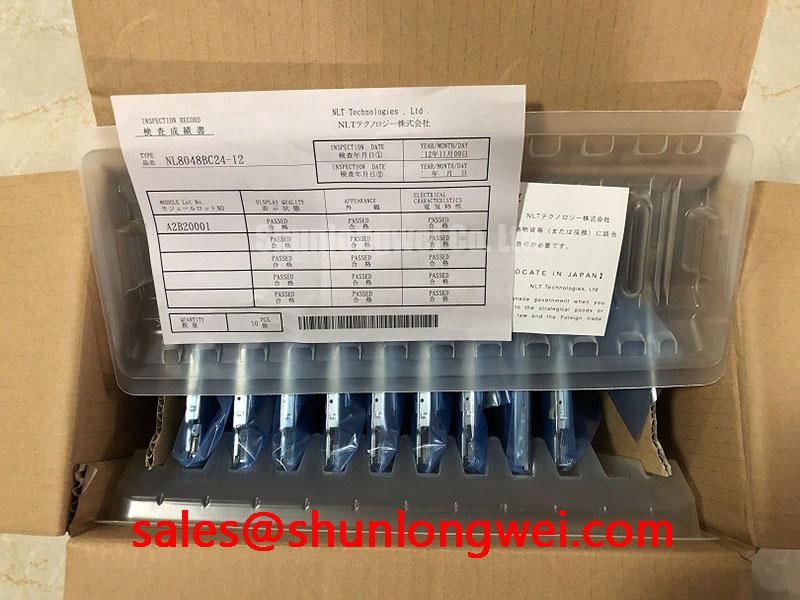
For a potential CNC operator panel or robot teach pendant installation, finish the assessment by matching the installed module’s documented connector, supply, timing, mounting envelope, and optical requirements to the host. The confirmed product identity is NEC NL8048BC24-09BD, an industrial-grade TFT-LCD display module. Unverified interface and mechanical details remain checks to complete before the panel is connected or secured.