Content last revised on October 8, 2026
Eye-Diagram Margin and Differential Noise Checks in High-Vibration Bays
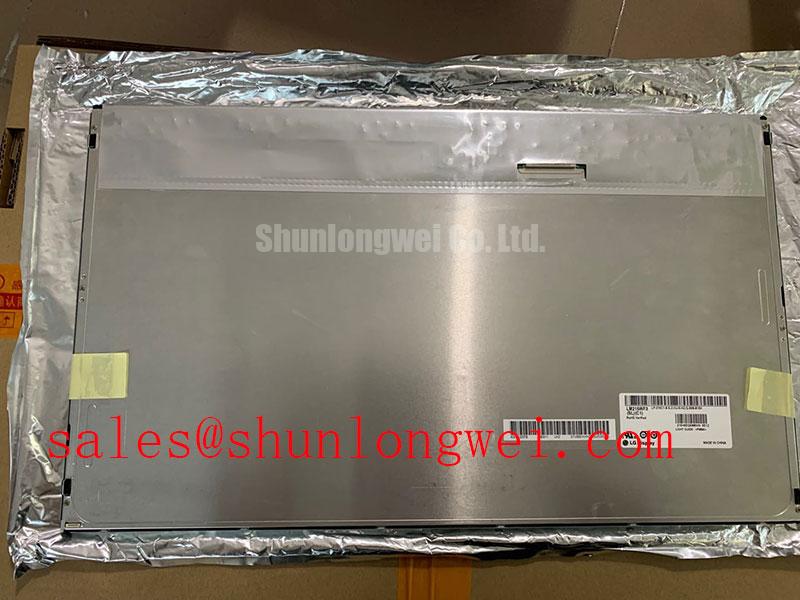
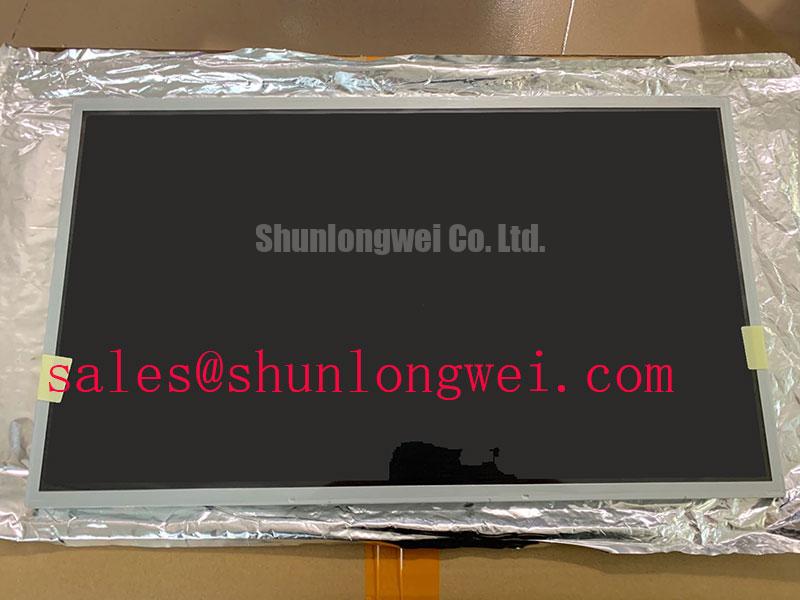
With the equipment isolated from power, inspect the display connector and cable seating before measuring the panel supply at the original harness. For LM215WF3-SLQ1, the verified product identity is an LG Display TFT-LCD display module categorized as an industrial-grade LCD/HMI panel (Official Specification). The supplied factory information does not establish its supply voltage, interface pinout, resolution, backlight type, optical ratings or environmental limits. Match those details against the original panel documentation and the equipment schematic before connecting a replacement.
When a machine display shows intermittent pixel jitter or horizontal noise bands, begin at the accessible cable path. Check that the connector is fully seated, its retention hardware is engaged and the cable has not been strained at a bend or mounting point. Compare the affected unit with a known-good signal path where one is available. If the original documentation confirms an LVDS interface, an oscilloscope examination at the receiver end can help distinguish loss of signal margin from a defect elsewhere in the video chain.
Shield continuity and grounding deserve attention when display wiring runs near motor-drive cabling. A shielded replacement cable or common-mode ferrite is a Design Consideration, not a specified requirement for this panel: either change should be assessed against the equipment grounding scheme and verified through switching and vibration tests. Do not assign an impedance target, skew allowance or eye-diagram pass limit to LM215WF3-SLQ1 without the applicable interface specification.
A black image also needs a different check from a noisy one. Confirm whether the panel is receiving video and whether its illumination is operating; a faint image visible under external light can guide the next measurement, but does not identify a failed part by itself. The display, cable, controller and backlight-driving circuitry form separate points of inspection. LQ10D321 is a separate display-panel reference for comparing equipment display architectures, not a documented backlight driver or plug-in companion to LM215WF3-SLQ1.
Data Mapping and Even/Odd Channel Alignment
If an image is split, displaced or rendered with incorrect colors, compare the controller configuration and harness wiring with the original LM215WF3-SLQ1 documentation before changing a board setting. Where the documented interface uses differential video, check pair continuity and polarity, clock presence and any channel assignment at the panel connector. A VESA or JEIDA mapping mismatch is a possible investigation path only when the documented interface and controller support those formats; the supplied factory parameters do not identify this module’s mapping.
Measure the panel supply at the connector during startup, rather than relying solely on a power-supply reading taken elsewhere in the cabinet. The system integrator should verify the required supply voltage and power sequence from the original panel documentation. If a controller starts before the supply has settled, capture the startup waveforms and compare them with the specified timing; do not apply a generic rise-time limit to this module. Likewise, clock jitter and data hold-time judgments require the documented transmitter and receiver limits.
⚠️ Field Alert: Disconnect equipment power before reseating the display cable.
For a replacement assessment, match the complete ordering suffix, active area, mechanical envelope, mounting points, connector location, pinout, video format and backlight requirements. LQ201U1LW31 can be examined as a separate display option, but its direct interchangeability with LM215WF3-SLQ1 is not established by the supplied specifications. A similar-looking panel is not sufficient evidence of electrical or mechanical compatibility.
Viewing-Angle and Surface-Glare Evaluation for Multi-Angle Consoles
View the powered panel from the positions operators actually use. Look for contrast loss, grayscale inversion and reflections across the displayed content, then compare the results with the original unit under comparable lighting. The supplied factory information does not confirm an IPS or MVA mode, a symmetric viewing-angle rating, or an anti-glare or anti-reflection surface treatment for LM215WF3-SLQ1. Those characteristics should not be treated as selection criteria until the applicable panel specification confirms them.
A marine radar or navigation bridge console is one possible compatibility evaluation, not a stated application rating for this panel. In that setting, designers should assess daylight readability, reflected light, enclosure sealing and the viewing positions around the console using the complete installed assembly. A surface treatment cannot compensate for an unsuitable illumination level, and the enclosure—not the panel identification alone—determines how exposed the assembly is to moisture and salt-laden air.
If the screen appears dark while image data remains present, check the backlight-driving circuit, its enable command and available fault indication against the equipment schematic. Whether that circuit provides dimming or open- and short-circuit protection must be established from its own documentation. Touch response should be evaluated separately: no capacitive or resistive touch function, glove response or wet-touch capability is established for LM215WF3-SLQ1 by the supplied factory parameters.
Humidity Storage and Cold-Start Checks
Before installing a stored panel, inspect accessible edges, connectors and the viewing surface for visible moisture, contamination or separation. Let a cold assembly reach the conditions required by its documentation before applying power. The supplied factory parameters do not specify humidity-storage limits, operating-temperature limits, seal construction or cold-start response times for this model, so none should be inferred from its industrial-grade category.
If motion smears after a cold start, record the ambient conditions and compare response with the equipment’s established behavior as temperature stabilizes. Slower liquid-crystal response in cold conditions is a Design Consideration; it does not establish a fault threshold for this panel. Any proposed heater, condensation control or enclosure change should be validated by the system designer against the panel’s documented limits and the equipment’s electrical and thermal design.
For continuing fault isolation, log whether the problem appears at startup, after warming, during vibration or only when nearby equipment operates. Those observations help separate environmental effects from intermittent supply, cable and controller faults. The broader inspection sequence in Industrial Display & HMI Solutions can support that system-level work; the acceptance limits for LM215WF3-SLQ1 still need to come from its applicable panel documentation.