
Content last revised on September 13, 2026
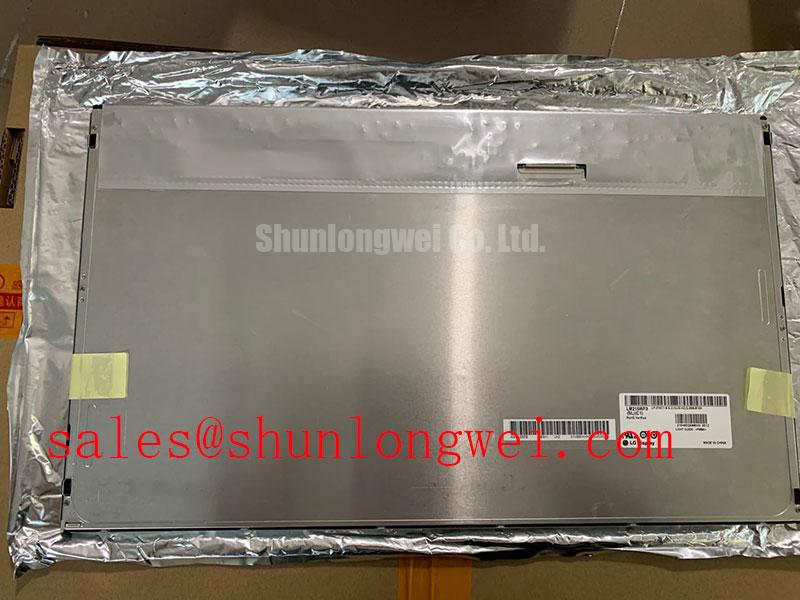
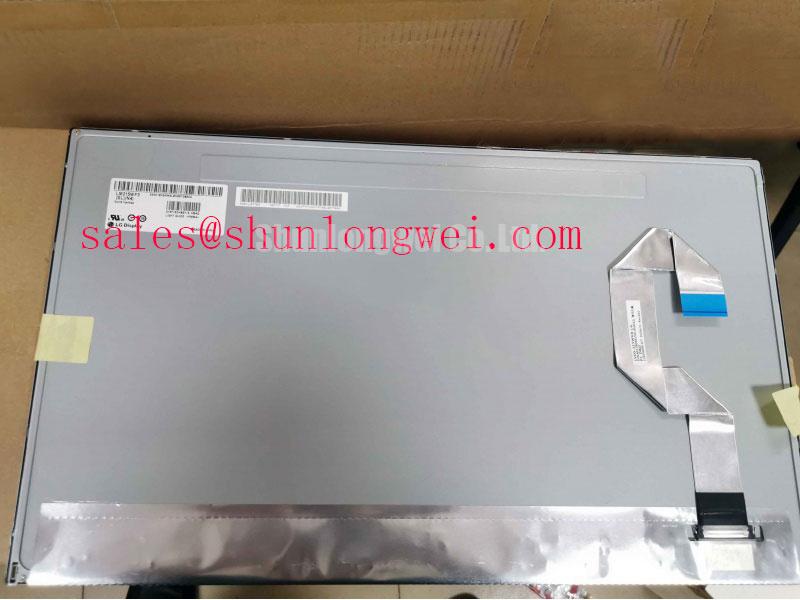
LM215WF3-SLC5 LG Display TFT-LCD Display Module for Industrial HMI
Begin a replacement check by isolating the HMI from power, inspecting the panel bezel and connector area, and comparing the installed identification label with LM215WF3-SLC5. A dark industrial screen can result from the display module, backlight supply, signal cable, controller board, or upstream power circuit, so the first useful measurement is taken at the system interface rather than assumed from the symptom.
The LM215WF3-SLC5 is an LG Display Industrial Grade LCD/HMI Panel supplied as a TFT-LCD Display Module. The available factory context identifies the manufacturer, product category, enclosure form, and official specification status. Interface mapping, native resolution, luminance, contrast ratio, viewing angle, operating temperature, backlight architecture, and mechanical drawing should be checked against the original panel documentation before installation.
| Parameter | Product information |
|---|---|
| Model | LM215WF3-SLC5 |
| Manufacturer | LG Display |
| Product category | Industrial Grade LCD/HMI Panel |
| Package or enclosure | TFT-LCD Display Module |
| Specification status | Model-specific details to be verified from applicable factory documentation |
| Typical evaluation targets | Industrial automation CNC operator panels and robot teach pendants, subject to system compatibility verification |
For a field replacement, the panel label alone is not enough. Confirm the connector family, cable orientation, signal standard, power rail requirements, mounting points, active display area, and controller compatibility from the original equipment records. If the host system uses a panel-specific timing profile, the replacement must be evaluated with that profile loaded rather than connected as a generic monitor.
Backlight and Flicker Evaluation
Do not treat the backlight description in a machine service menu as proof of the panel’s internal light source. The supplied product information identifies this unit as a TFT-LCD Display Module but does not provide a confirmed backlight type, LED current, PWM range, optical half-life, or backlight driver specification. The system integrator should verify the required backlight architecture from the original panel documentation and from the equipment wiring diagram.
During a black-screen investigation, separate image generation from illumination. A faint image visible under an inspection light can indicate that the LCD data path is active while the backlight circuit requires further testing. No visible image does not identify one failed part by itself. Check the host controller output, panel supply, enable signals, cable seating, and backlight driver input as separate points. Measurements should be compared with a known-good machine or the approved service documentation.
Where the host uses a constant-current LED driver, the driver’s output compliance, enable behavior, dimming method, and protection response must match the replacement panel. A PWM frequency or dimming ratio should not be assigned to LM215WF3-SLC5 without a supporting factory document. The frequently quoted 1000:1 PWM figure is therefore a system-level value to verify, not an official specification for this model.
Flicker evaluation should be performed with the panel installed in its normal bezel and viewed at the intended operating brightness. A phone camera can reveal some modulation but is not a substitute for an oscilloscope or photometric measurement. If brightness changes coincide with motor acceleration, relay operation, or supply loading, inspect the backlight driver supply and grounding arrangement before replacing the LCD module.
Long service performance also depends on enclosure temperature, operating brightness, driver regulation, ventilation, and mechanical stress. No field-life or half-life value is assigned here because the available factory parameter set does not provide one. Engineers assessing a CNC operator panel or robot teach pendant should record the actual enclosure temperature and supply behavior during machine operation, then compare those results with the approved panel documentation.
When the original assembly includes an external backlight driver, preserve the manufacturer’s connector pinout and enable polarity. When the driver is integrated into the panel assembly, use the documented panel interface rather than adapting an unverified supply. A compatible mechanical size does not prove electrical compatibility.
Logic Supply Voltage Sequencing to Eliminate Driver IC Latch-Up Risks
Power sequencing is a common source of failed replacement tests. Before applying power to LM215WF3-SLC5, identify which rails belong to the panel, which rails belong to the timing or interface board, and which signals are driven by the host controller. The supplied specification context does not confirm a 3.3 V or 5.0 V logic supply for this model. The system integrator should verify the required supply voltage from the original panel documentation.
Measure the rail rise and signal activity with the panel disconnected first where the equipment design permits. Then reconnect the panel with current-limited test conditions approved for the equipment. Look for a supply that collapses when the panel is enabled, a reset line that remains asserted, or interface activity that begins before the panel is ready. These observations can point toward a sequencing or loading problem, but they do not identify a single failed device without comparison measurements.
The timing controller and source interface must also be matched. Native resolution, pixel clock, color depth, LVDS or TTL selection, data mapping, lane arrangement, and connector orientation are not stated in the supplied factory parameter set. Do not select JEIDA or VESA mapping by trial and error when the equipment can be damaged by an incorrect connection. Confirm the panel timing file and signal map from the original machine documentation.
For differential signaling, designers should keep the pair routing controlled and continuous, minimize unnecessary stubs, and return the cable shield or reference according to the host equipment’s grounding design. A nominal impedance target, skew limit, or clock-jitter margin must come from the panel and controller interface requirements. Those values are system design conditions, not confirmed product parameters for this page.
If the screen shows split images, unstable color blocks, intermittent vertical lines, or a missing section of the picture, inspect the connector latch, contact pressure, cable bend radius, and controller configuration. Verify the waveform at the known-good signal path with suitable probing. A visual artifact may result from interface mapping, timing, supply integrity, connector contact, or a damaged panel input, so replacement should follow measured evidence.
Mechanical installation can also affect logic reliability. The panel should sit evenly in its frame without concentrated pressure on the glass or flex area. Fasteners should be tightened according to the equipment manufacturer’s service instruction. If that instruction is unavailable, the installer should obtain an approved mechanical limit rather than applying a generic torque value to the display module.
For a neutral comparison during a same-class repair assessment, engineers may review LQ201U1LW31 as another display option, but electrical, mechanical, optical, and firmware compatibility must be verified independently before any substitution decision.
Humidity, Storage, and Delamination Considerations
Storage and installation conditions deserve attention when a display has been held as a maintenance spare. Inspect the front surface, edge seals, connector region, and rear frame for visible contamination or mechanical distortion before connecting it to a powered system. The available official product information does not state a humidity limit, condensation rating, storage profile, thermal cycle qualification, optical bonding construction, or delamination life for LM215WF3-SLC5.
Humidity control should therefore be handled as a design consideration rather than a guaranteed product capability. Keep the module within the storage conditions specified by LG Display or the equipment manufacturer, allow temperature equalization before power is applied, and prevent condensation from reaching the connector or controller area. A panel that has been moved from a cold storage location directly into a warm, humid enclosure requires particular care before energization.
Dark patches, uneven brightness, edge haze, or visible layers may require inspection under controlled lighting. These symptoms can involve contamination, optical stack damage, pressure from the bezel, cable interference, temperature history, or a panel fault. Avoid pressing the glass to test a suspected contact issue. Use the host diagnostic screen, an approved test image, and comparison with the removed unit where practical.
Liquid crystal response can change with temperature, but the exact response-time behavior and usable operating range for this model must be confirmed from the original factory documentation. A slow image transition in a cold workshop should not automatically be attributed to a defective panel. Record the panel temperature, display content, supply state, and time from startup before deciding whether the behavior is outside the approved limit.
If a machine requires a heater, enclosure heater, or controlled warm-up routine, its operation must be evaluated as part of the complete HMI assembly. The heater control method, temperature sensor location, airflow, and safety interlock are determined by the equipment design. Do not attach a heater strip directly to the display module or alter the bezel without a documented mechanical and thermal assessment.
Optical bonding and anti-glare construction should also be confirmed rather than assumed from the product category. A standard TFT-LCD Display Module does not, by itself, confirm full optical bonding, a particular coating, a sunlight contrast ratio, or a specific sealing method. For CNC operator panels and robot teach pendants, inspect the enclosure window, gasket compression, ventilation path, and cable entry points because these external details can influence the panel environment.
For additional installation and evaluation context, engineers can consult The Ultimate Guide to Industrial TFT-LCD Technology. It should be used as general technical reference material; the model-specific limits remain those defined by the applicable LG Display documentation and the host equipment manufacturer.
FFC/FPC Cable Routing and Grounding Considerations
Inspect the flat cable routing before condemning the panel. Look for an incomplete insertion, a reversed contact orientation, a damaged locking bar, contamination on exposed contacts, or a bend that transfers force into the connector. For an HMI mounted near variable-frequency motor drives, separate the display cable from switching power conductors where the machine layout permits and follow the equipment grounding design.
The supplied data does not confirm whether this model uses LVDS, TTL, a particular FFC or FPC pinout, shield termination, differential impedance, or a defined skew budget. Those details must be taken from the original panel drawing and host controller documentation. Do not apply a generic cable solely because the connector appears mechanically similar.
Shielding is a system decision. A cable shield may require termination at a connector shell, chassis reference, or another point defined by the equipment EMC design. Adding an improvised ground wire can create a new current path and may increase interference. Engineers should assess the complete cable route, chassis bonding, drive cabinet layout, and reference planes while observing the signal with appropriate differential probing.
Pixel jitter, horizontal noise bands, intermittent color changes, and a picture that recovers when the cable is moved can justify a detailed connector and signal-integrity inspection. They do not establish one root cause without measurement. Compare the display signal at the controller and panel ends, check the power rail during the disturbance, and inspect whether the event tracks motor switching, contactor operation, or cabinet vibration.
Ferrite components should be selected only after the interference path and frequency range are understood. An unsuitable common-mode component can affect signal quality or provide little benefit. The same principle applies to cable replacement: preserve the documented pair order, reference conductors, shielding arrangement, and length requirements instead of relying on appearance.
Field Alert: Disconnect equipment power and follow the machine’s discharge procedure before inserting or removing the panel cable, because live contact movement can expose the interface to unintended electrical stress.
After installation, run the HMI through its normal display pages, startup sequence, brightness range, and machine motion states. Check the image while the CNC operator panel or robot teach pendant is stationary and while nearby drives operate under normal load. Record any repeatable disturbance with the associated machine state so the repair decision remains tied to observed evidence rather than a connector or panel assumption.