



Content last revised on October 4, 2026
Localising a Vertical Hairline or Sub-Pixel Defect
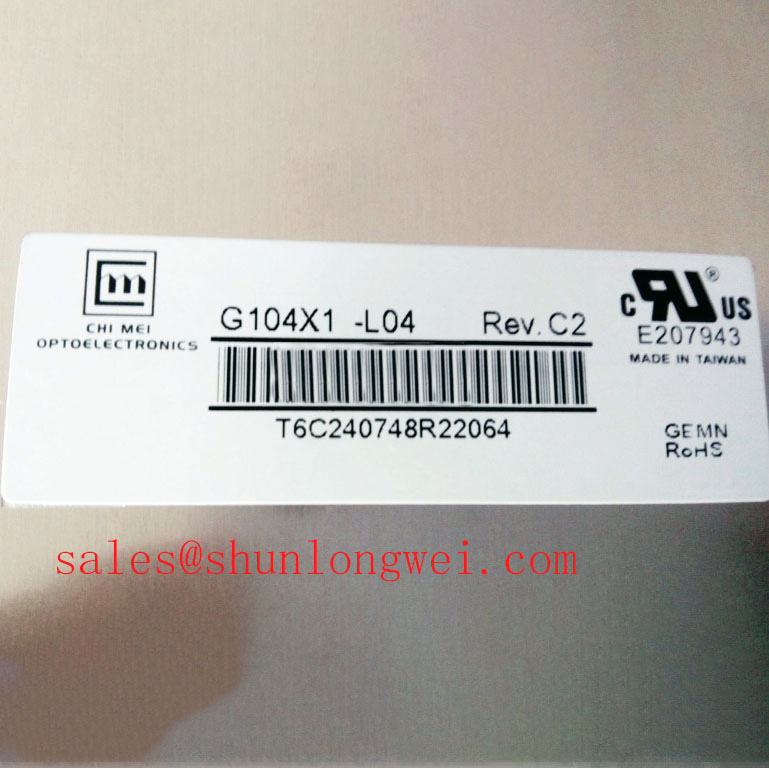
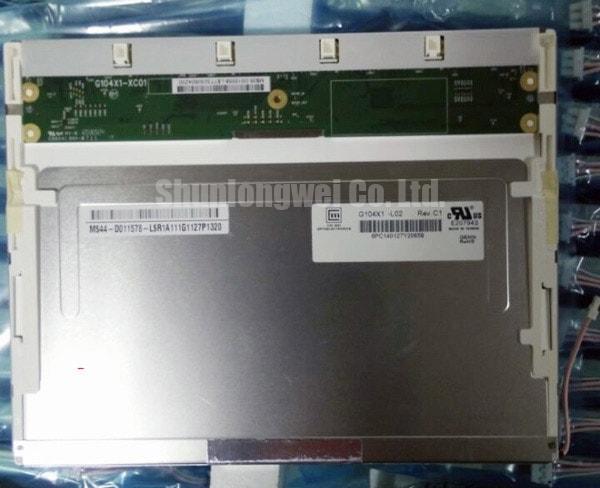
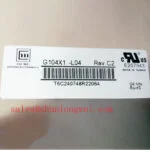
Inspect the connector and display face of the G104X1-L02 under good bench lighting before applying power, then compare its label and mechanical fit with the panel removed from the equipment. AUO identifies this model as a TFT-LCD display module for industrial display applications (Official Factory Specification). The supplied specification does not establish its electrical supply, video interface, backlight type, dimensions, or optical ratings, so those details must be checked against the original panel documentation before an energised test.
Begin image inspection with full-screen red, green, and blue patterns, followed by white and black fields. Record whether a suspected line stays at the same screen position, changes with the displayed colour, or appears only at certain brightness settings. A fixed hairline and an unevenly illuminated strip call for different follow-up checks, but neither observation alone identifies a failed internal part. Photograph the pattern and location so the incoming panel can be compared with the equipment’s known-good image path.
For a narrow dark feature, shine a handheld light across the unpowered display face at an oblique angle. Look for a surface mark or enclosure shadow that coincides with the reported line. Repeat the image test after checking that the panel is seated without local pressure from the bezel. This is a Design Consideration: pressure, illumination nonuniformity, incoming video data, and a panel defect can produce superficially similar complaints. A flashlight observation helps separate external shadows from displayed-image behaviour; it does not prove that a particular column-driver connection is open.
Inspect the mating cable for skew, damaged contacts, incomplete latch engagement, and strain where it leaves the connector. Consult the original AUO documentation and the host controller drawing before probing: the supplied product details do not confirm whether this revision accepts TTL or LVDS video, nor do they specify pin assignments or timing limits. If a line changes when the cable is reseated with power removed, document the change and inspect the entire signal path rather than treating the panel as the sole cause. Where the confirmed interface permits waveform testing, compare transmitter clock quality and data timing with the documented limits across the equipment’s intended temperature range.
💡 Bench Tip: With power removed and ESD precautions in place, align the display cable evenly with its connector before closing the latch.
Investigating Pixel Jitter and Horizontal White Lines Near Motor Drives
Run the same stationary test pattern first with nearby motor equipment idle, then under its normal operating conditions, provided the machine can be tested safely. Note whether horizontal bands move, disappear, or remain fixed. A change correlated with a nearby variable-frequency drive supports an investigation of conducted or radiated interference, but it is not proof that electromagnetic interference is the only fault. Check the host video source and panel connection against a known-good signal path before changing the display assembly.
For an installation adjacent to a 400 V motor drive, a Design Consideration is to inspect cable routing, shielding continuity, connector bonding, and the controller’s grounding arrangement. Keep observations specific: record where the display cable runs relative to motor wiring and whether disturbance follows motor switching. Shield termination and common-mode suppression, if considered, must be selected and validated by the system engineer for the confirmed video interface. The G104X1-L02 listing does not establish an EMC rating for the completed equipment or prescribe a shielded cable or ferrite.
Separate signal noise from backlight behaviour during this test. If the picture geometry remains stable while light output fluctuates, measure the backlight drive using the original panel and driver specifications. Check for intermittent connectors and any diagnostic output provided by the host driver; do not infer that the panel itself supplies open-circuit, short-circuit, or overvoltage fault reporting. The driver’s protection response depends on the driver fitted to the equipment.
For procurement comparison, G104VN01 V1 is another display listing that engineers can examine alongside the removed unit. Model proximity is not interchangeability: verify the active image area, outline, mounting points, connector orientation, electrical interface, timing, and backlight requirements from both sets of documentation before approving any replacement.
Checking Enclosure Clearance and Pressure-Related Optical Mura
Place the unpowered module into the enclosure without drawing down its retainers, and check whether the chassis contacts an edge or twists the display frame. Compare the cutout, support points, and cable exit against the removed panel and the original mechanical drawing. The supplied G104X1-L02 specification identifies the product as a TFT-LCD display module (Official Factory Specification), but provides no outline tolerances or fastener torque. Those values cannot be inferred from its model name.
After assembly, show a uniform mid-tone image and inspect the screen from the intended viewing position. Note whether a dark or bright patch appears only after the bezel is secured, especially near a clamp or contact point. Loosening the enclosure in a controlled bench check may help establish whether mechanical pressure is involved; it does not identify the panel’s internal optical materials. As a Design Consideration, allow for enclosure and display-frame expansion over the equipment’s operating conditions, with final clearances and fastening practice determined from the applicable drawings and system tests.
Also distinguish a panel blemish from an external optical stack. Gloved or wet-touch behaviour belongs to the fitted touch sensor and controller, not to the LCD module by itself. Likewise, anti-glare or anti-reflection performance should not be attributed to G104X1-L02 without a documented surface specification. For a prospective ultrasound diagnostic display or surgical-navigation terminal, engineers should evaluate those properties at the assembled-device level, alongside image visibility and enclosure cleaning requirements; this panel listing alone does not establish suitability for that use.
Tracking Edge Heating and Long-Duty Brightness Changes
With the module installed as intended, compare a uniform white image after startup and after the equipment reaches a stable operating condition. Record brightness and colour differences using the same measurement position, ambient lighting, display pattern, and host settings each time. A repeatable shift near an edge calls for checks of enclosure airflow, nearby heat sources, mounting pressure, and backlight drive. It does not, on its own, demonstrate buckling of a diffuser or prism sheet.
Review heat spreading only against the panel’s documented mechanical clearances and the equipment’s thermal measurements. An added rail or pad can change contact pressure as well as temperature, so any proposed change should be verified with optical images and measured temperatures in the assembled system. The supplied specification does not identify the internal optical materials of G104X1-L02; claims about material yellowing or a particular backlight lifetime would therefore be unsupported. For background on interpreting LCD construction and test claims, see The Ultimate Guide to Industrial TFT LCD Technology.
When brightness drifts or flicker is reported, verify the installed driver’s output and dimming method before attributing the symptom to the panel. The original panel documentation must establish the required backlight input, while the equipment design determines its driver, protection behaviour, and dimming settings. LMS700KF01-001 is a separate display listing for evaluating system-level display requirements, not evidence of a compatible driver or mating panel. Keep the repair record tied to measured light output, observed image defects, connector condition, and the confirmed electrical documentation.