Content last revised on October 18, 2026
20-Pin/30-Pin Differential LVDS Timing, Pixel Clock & Skew Compensation
- Disconnect equipment power, check the KCG047QV1AA-A21 label, and inspect the display cable and connector latch before disturbing the installation.
- Identify the logic supply and return on the equipment schematic; compare the measured supply with the panel’s 3.3 V typical VDD specification.
- Confirm that the controller provides the specified single-channel, 8-bit parallel interface with 20 pins, rather than assuming compatibility from connector appearance.
- Check clearance around the 122.4 × 90.0 × 11.4 mm module and look for bezel contact that could load the display unevenly.
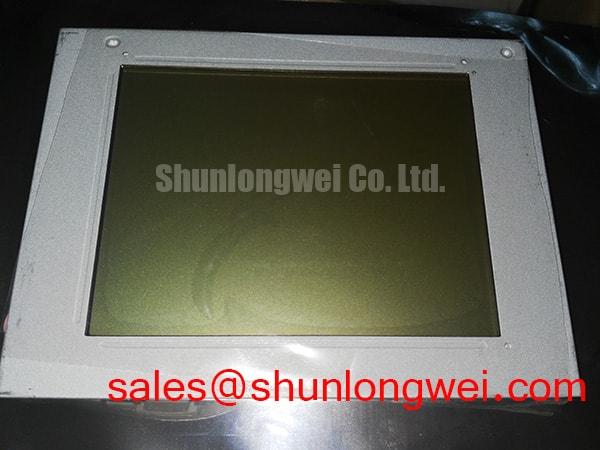
The Kyocera KCG047QV1AA-A21 is a 4.7-inch color CSTN-LCD with 320(RGB) × 240 QVGA resolution. For repair evaluation, the useful starting point is its actual electrical interface and mechanical envelope—not a generic display replacement checklist. Its parallel connection, modest typical luminance, and CSTN display technology establish different integration requirements from an LVDS TFT panel.
Field Alert: Disconnect power before reseating the display cable to avoid applying uncontrolled signal levels during connector engagement.
| Parameter | Official Specification |
|---|---|
| Manufacturer and model | Kyocera KCG047QV1AA-A21 |
| Display technology | Color CSTN-LCD |
| Screen size | 4.7 inches |
| Resolution | 320(RGB) × 240 pixels, QVGA |
| Active area | 95.98 × 71.98 mm |
| Outline dimensions | 122.4 × 90.0 × 11.4 mm |
| Weight | 120 g |
| Brightness | 160 cd/m², typical |
| Contrast ratio | 30:1, typical |
| Signal interface | Parallel data, single channel, 8-bit, 20 pins |
| VDD logic voltage | 3.3 V, typical |
| Power consumption | 132 mW, typical |
| Additional integration details | Consult the model-specific datasheet for connector pin assignments, timing limits, supply sequencing, backlight requirements, and operating temperature limits. |
Separate the 20-pin parallel interface on this module from differential LVDS before checking controller timing. The KCG047QV1AA-A21 is not specified as a 30-pin LVDS display. LVDS termination, JEIDA/VESA mapping, and differential-pair skew prescriptions therefore do not describe its connection requirements. A connector adapter alone cannot establish electrical or protocol compatibility.
Design Consideration: Trace the host schematic through the cable to the panel connector, identifying supply, return, data, and timing functions individually. Pin count does not establish pin order. A cable that fits mechanically can still carry incompatible signals, so the comparison should follow signal names and connector orientation rather than wire color or physical similarity.
With the correct connection established, compare the logic rail at the controller and at the panel during startup. The specified 3.3 V typical VDD is a reference operating value, not permission to substitute a different supply. Observe startup behavior and signal activity together: a stable supply measured after boot can conceal a disturbance that occurred while the controller initialized the display.
Engineering Recommendation: For an unstable image, inspect parallel data and timing signals at the receiving end using suitable probing. Compare clock relationships and data stability against the panel timing requirements and a working host configuration. Keep signal returns continuous and control cable routing to reduce interference; acceptable timing margins must come from the controller-panel combination, not from a borrowed LVDS design rule.
In replacement planning, LQ057Q3DC03 can be included in a separate display comparison, but it is not established here as a drop-in substitute. Compare technology, interface, dimensions, connector assignment, and optical behavior before considering an adaptation. The shared presence of a display connector or a familiar resolution is insufficient evidence of interchangeability.
Flashlight Dark-Shadow Optical Diagnostic to Isolate Logic vs. Backlight Failure Modes
Illuminate the display obliquely while the controller sends a known image, then look for recognizable text or image boundaries rather than brightness alone. A faint image can help separate image formation from illumination performance, but the observation does not identify a failed component by itself. Viewing direction, ambient reflections, image content, and controller state all influence what the technician sees.
Design Consideration: Use a repeatable pattern sequence containing solid primary colors, a light field, and a dark field. Compare color consistency, missing image regions, persistent lines, and illumination uniformity under the same viewing conditions. Photographing each pattern with unchanged exposure can make comparisons more useful than relying on visual memory between power cycles.
If image content remains recognizable while illumination is weak, inspect the equipment’s illumination supply, enable path, connectors, and driver behavior against its schematic. If content is missing or corrupted, return to logic supply integrity and parallel-interface timing. Persistent lines warrant comparison with another cable or a known-good signal path; they do not independently prove an internal driver fracture.
The optical reference points are 160 cd/m² typical brightness and 30:1 typical contrast ratio. These figures do not establish sunlight readability. Strong ambient light can reduce perceived contrast, so an enclosure evaluation should include the actual cover window, viewing direction, and illumination conditions. A generic high-contrast sunlight target must not be presented as a capability of this CSTN module.
Engineering Recommendation: When comparing power arrangements with another display such as TX17D02VM2CAA-2, treat it as a separate display solution, not as a backlight driver for this panel. Compare each system’s supply and illumination requirements independently. Likewise, the specified 132 mW typical power consumption should not be used as the complete equipment power budget without establishing its measurement scope.
For equipment using dimming, check brightness stability through the host’s supported adjustment range. Any modulation settings belong to the actual illumination driver and system validation; assigning a universal dimming frequency or a backlight lifetime to this model would not resolve the fault.
Preventing Localized Light Guide Plate (LGP) Compression Warp on Dark Screen Fields
Compare dark-field uniformity with the display supported normally and with external bezel pressure relieved using the equipment’s service procedure. A change associated with enclosure loading can direct attention toward the mounting arrangement, but it does not prove deformation of a particular internal optical layer. Avoid pressing the viewing surface to reproduce a defect.
Design Consideration: Use the 122.4 × 90.0 × 11.4 mm outline and 95.98 × 71.98 mm active area as separate mechanical references. The outer envelope determines installation space; the active area determines the visible image window. A bezel opening aligned only to the housing can obscure image edges or place its contact surface over an unsuitable region.
Check that brackets support the module without twisting it and that cable tension does not pull one side out of alignment. Inspect for trapped wiring, uneven gasket contact, and interference introduced when the cover closes. Tightening limits must follow the actual mounting hardware and equipment drawing; a generic screw size or torque value is not a Kyocera mounting specification.
Display geometry also matters when an older controller image is retained. The QVGA raster uses the familiar landscape proportion explained in Display Aspect Ratio and Standard Screen Form Factors. Matching that proportion helps assess image layout, but it does not establish connector compatibility or identical viewing-window dimensions.
Engineering Recommendation: During cold-start evaluation, compare image establishment, visible response, and uniformity at temperatures permitted by the equipment and panel documentation. Separate a slow optical response from missing controller activity by observing the interface while displaying a repeatable pattern. Do not compensate by changing timing or drive settings without checking the permitted operating conditions.
For a potential AGV or forklift telematics installation, evaluate this module’s readability, retention, cable support, and environmental limits as part of the complete enclosure. That is a compatibility assessment, not evidence that the panel itself carries vehicle vibration, ruggedness, or outdoor-use qualifications.
High-Nits Edge-Lit LED Rail Thermal Dissipation & PMMA Light Guide Plate Preservation
Base the thermal assessment on measured enclosure temperatures and the actual illumination assembly, not on an assumed high-output LED rail. The KCG047QV1AA-A21 has a specified typical brightness of 160 cd/m²; the supplied specifications do not identify a PMMA light guide, edge-lit LED construction, or an associated lifetime classification. Those descriptions should not become purchasing requirements attributed to this model.
Design Consideration: Inspect the installed display’s surroundings for blocked ventilation, nearby heat sources, and cable routing that changes when the enclosure is closed. Compare startup behavior with behavior after thermal stabilization under a repeatable image and brightness setting. Record where temperature is measured so that subsequent observations refer to the same physical locations.
If illumination changes as the assembly warms, compare the driver supply and control signals with the optical change. A temperature-related symptom can involve the power supply, connection resistance, illumination subsystem, or display operation. Measuring those paths separately is more useful than replacing the panel solely because the fault appears after warmup.
For manufacturer-level display context, Kyocera Industrial TFT-LCD Display Technologies provides background on its display portfolio. Keep the technology distinction intact: this product is specified as CSTN-LCD, so characteristics discussed for TFT products do not automatically transfer to it. The same distinction applies when using The Ultimate Guide to Industrial TFT LCD Technology to organize broader display evaluation questions.
Engineering Recommendation: Complete the repair check with the enclosure assembled, the production cable routed normally, and the host running representative screen content. Confirm repeatable startup, stable image positioning, readable contrast, and unchanged connector seating. Record the controller configuration and test conditions alongside the panel model so that another technician can repeat the acceptance check without introducing undocumented timing, dimming, or mounting changes.