

Content last revised on October 4, 2026
Viewing Direction and Grayscale Inversion Checks
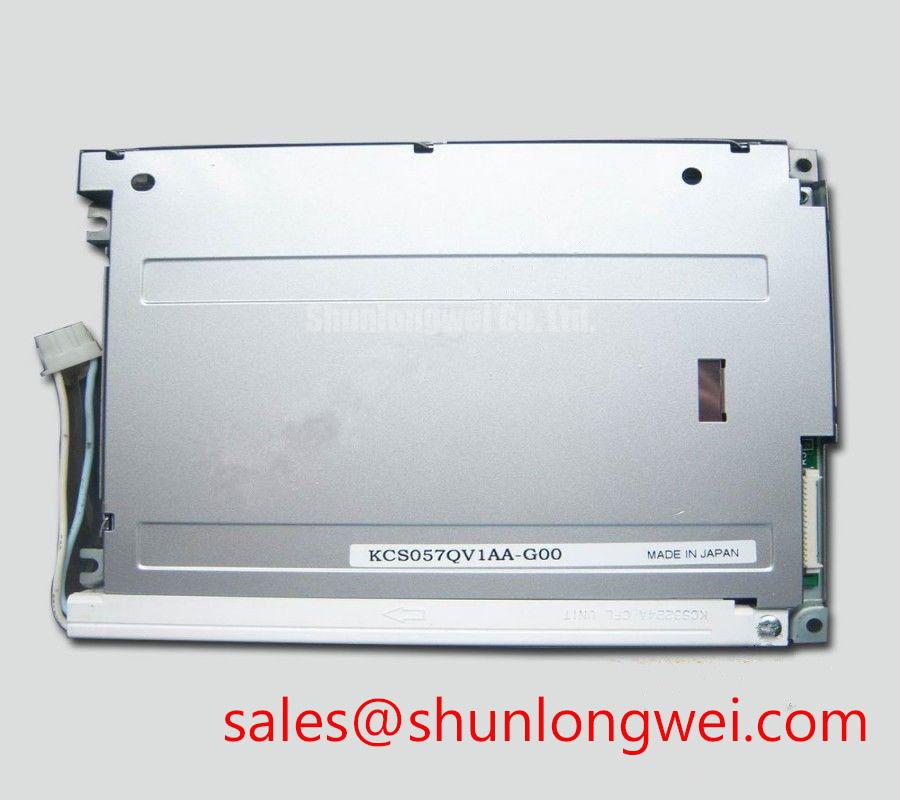
Inspect the KCS057QV1AA-G00 connector, display face and mounting edges against the removed panel before connecting it to an operator station. Kyocera identifies this part as a TFT-LCD display module for industrial display use (Official Factory Specification). That identification does not, by itself, establish its interface pinout, supply voltage, viewing characteristics or backlight requirements. Treat those as replacement checks against the original panel documentation and the host equipment.
Start with the installed viewing position rather than a display technology assumption. With the module showing a grayscale ramp, inspect it from the operator’s normal standing and seated positions. Watch for tones that reverse order, lose separation or become difficult to read as the viewing angle changes. A normally white TN panel can exhibit directional grayscale inversion, whereas other LCD modes can behave differently. The available factory information does not confirm the LCD mode or preferred viewing direction of KCS057QV1AA-G00, so neither should be presented as an established rating for this model.
For a replacement assessment, place the candidate behind the intended bezel and compare the actual sightline with the previous installation. A catalog viewing-angle figure from another panel is not a substitute for this check: the enclosure angle, operator height and screen graphics determine whether critical text remains legible. Where a wider viewing cone is necessary, document that requirement in the equipment specification before evaluating panel compatibility.
Inspect reflections with the enclosure window fitted. Surface glare can obscure alarm text even when the image appears clear on an open bench. Do not assume that this module has an anti-glare treatment or a particular sunlight contrast rating without the applicable Kyocera documentation. A window coating, protective cover or enclosure geometry also changes the result, so assess readability in the assembled equipment under representative lighting.
Cold operation calls for the same distinction between observation and specification. Liquid-crystal transitions can slow at low temperature (Design Consideration), making moving graphics or changing values harder to interpret during startup. The verified information provided here does not establish a minimum operating temperature, gray-to-gray response time or heater requirement for this part. If the station must start in sub-zero conditions, obtain the panel’s temperature limits and test its displayed alarms through the equipment’s cold-start sequence. Any enclosure heater and its controls are system-level choices, not attributes to infer from the module name.
Controlled Differential Impedance Flex Routing to Suppress High-Frequency Jitter
Trace the existing display cable from the host board to the panel connector before ordering or powering a replacement. Record connector orientation, contact count, cable entry direction and the host’s signal assignments. The designation KCS057QV1AA-G00 does not establish whether its video input is LVDS, parallel TTL or another interface. The system integrator should verify the required supply voltage from the original panel documentation and confirm connector pin functions against the host schematic.
If the documented interface is LVDS, compare the host transmitter and panel receiver requirements, including differential routing, clock behavior and data mapping. JEIDA and VESA describe different color-bit arrangements; selecting the wrong mapping where those formats apply can produce incorrect colors without a visibly damaged image. Split or displaced image regions likewise warrant checks of timing and cable continuity before assigning a cause to the panel. If the documented interface is not LVDS, LVDS routing guidance must not be applied to it.
Preserve the intended cable geometry during integration. For a differential link, impedance control and pair-length matching help maintain timing margin (Design Consideration), but the required cable construction and acceptance limits come from the confirmed interface specification and host design. 💡 Pro Tip: Keep a documented differential pair together through the cable transition, then compare the received clock and image with a known-good installation before changing the routing.
Verify power sequencing as carefully as signal mapping. Capture the host supply, video activity and any backlight-enable signal during startup and shutdown, then compare the traces with the panel documentation. No supply value or rise-time limit has been verified here for this model. A display that works after a warm restart but not after a cold power-up may justify a sequencing investigation; that symptom alone does not identify a failed module.
Backlight control needs its own interface check. Confirm the specified backlight connection and whether current regulation resides in the module or in the host assembly before connecting a driver. If the documented system uses PWM dimming, evaluate visible flicker, brightness response and audible behavior over the equipment’s operating range. Its PWM frequency and duty limits should be set from the relevant panel and driver requirements, not from an assumed value for KCS057QV1AA-G00.
Full-Screen Primary Color AOI Screening: Stuck Sub-Pixels & Background Uniformity Audit
Run a controlled image check before fastening the panel into the enclosure. Display full-screen red, green and blue fields, followed by dark, bright and grayscale fields at a documented brightness setting. The primary colors make persistent sub-pixel anomalies easier to locate; the other fields expose uneven illumination, unwanted lines and text-contrast problems. Record the viewing position and ambient light so that a later inspection can reproduce the conditions.
Keep image-path and illumination findings separate. A region that changes when the test image changes points toward a different investigation from a dark region that remains in place across all fields. Compare the behavior with a known-good host output and inspect the cable seating and connector contacts. An angled flashlight inspection with the display unpowered can help reveal surface marks or shadows, but it cannot establish an internal driver fracture or identify the backlight as the sole cause.
Check uniformity with the intended window and bezel installed as well as on the bench. Bezel pressure, cable strain and window reflections can alter the apparent result. Use the equipment’s mechanical drawing to verify the active-area opening, support points and clearance around the module; do not derive an opening tolerance from the TFT-LCD category alone. Where vibration is expected, assess retention and strain relief in the complete assembly without loading the display face.
For a petrochemical operator station, this screening supports a compatibility decision; it does not establish suitability for a hazardous location. The enclosure, associated electronics and installation must be assessed against the equipment’s applicable approval requirements (Design Consideration). No hazardous-area certification or direct-sunlight contrast rating is established for KCS057QV1AA-G00 by the verified product information given here.
Eye-Diagram Voltage Margin & Differential Noise Floor Verification in High-Vibration Bays
When the documented host interface is differential, inspect signal quality at the receiver under the conditions that produce the reported fault. Compare clock and data waveforms with the interface limits and a known-good signal path. An eye diagram can help distinguish reduced timing or voltage margin from a purely optical display complaint. Do not treat horizontal bands or intermittent pixels as proof of cable noise until supply behavior, timing and connector contact have also been checked.
Route the display cable with attention to the equipment’s existing grounding scheme, particularly if nearby motor drives switch high currents. Shield termination and common-mode suppression are system-design decisions (Design Consideration): their effectiveness depends on the documented interface, chassis bonding and measured disturbance. Adding a ferrite or changing a shield connection without checking the return path can obscure the original fault. Reproduce the complaint with the enclosure closed and the machine in its relevant operating states.
Vibration testing should include the cable transition, connector retention and mounting features, not just the image on the glass. Observe the display while exercising the assembly within the equipment’s approved test procedure, and inspect for movement or contact intermittency afterward. If a line defect persists on a stable test source, document its location across multiple image fields; if it changes with cable movement, investigate the connection before attributing it to the panel.
For extended service, track brightness and readability against the station’s acceptance criteria rather than assigning an unsupported lifetime or failure rate to this module. The same discipline applies to cold-start response and backlight dimming: record the conditions, measure the assembled equipment and compare results with the applicable component documentation. Broader methods for planning those equipment-level checks are discussed in Industrial Display & HMI Solutions.




