

Content last revised on October 6, 2026
Optical Luminance Degradation and Backlight Retrofit Evaluation
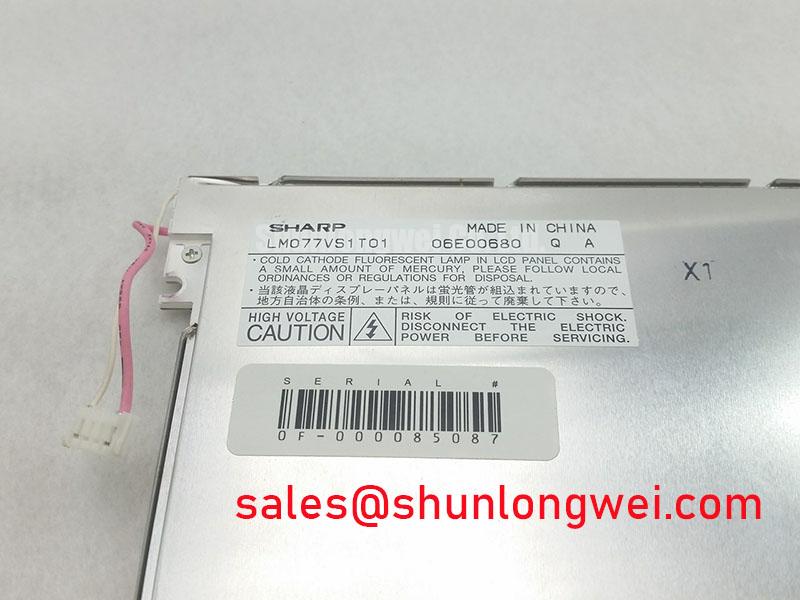
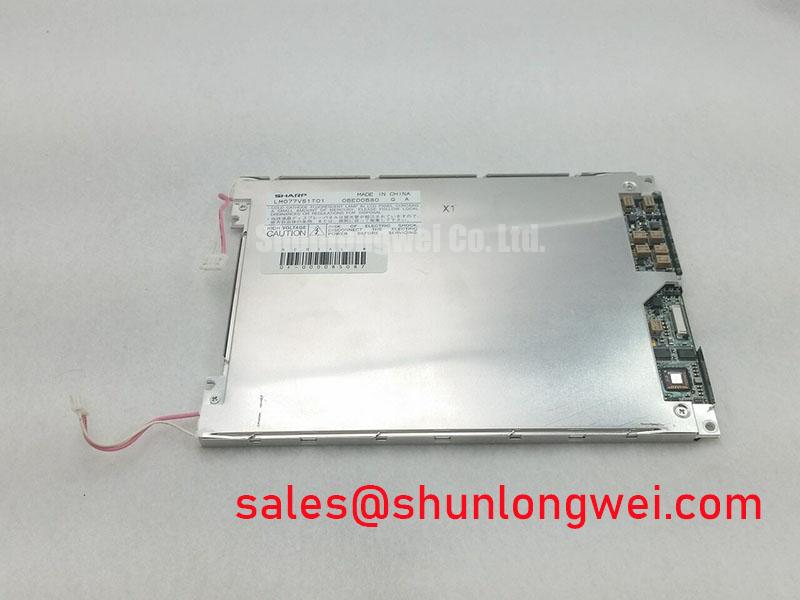
Inspect the LM077VS1T01 connector and glass edges under angled light before powering the panel, then compare its label and mating cable with the equipment documentation. Sharp identifies the LM077VS1T01 as a TFT-LCD display module in the industrial LCD/HMI panel category (Official Factory Specification). That identification establishes the product type, but it does not establish the supply voltage, pinout, resolution, backlight technology, optical ratings or environmental limits needed to approve an installation. Keep those values tied to the original panel documentation and the host equipment drawing.
Start an incoming inspection with a clean, stable image source and a uniform full-screen pattern. Let the assembly reach a repeatable operating condition before judging brightness; otherwise, a change in the backlight drive or ambient light can be mistaken for panel degradation. View the center and edges from a fixed position, then record any dim areas, color shift or intermittent illumination. A photograph can help compare later inspections, but lock its exposure and white balance so that camera adjustments do not conceal the change being measured.
For the Sharp LM077VS1T01, a backlight replacement must begin with identification, not an assumption that a particular lamp or LED assembly is fitted. The original panel documentation and the existing equipment wiring should establish the light source, driver connections and service procedure. A change to LED illumination, if proposed for a documented lamp-based installation, is a system retrofit rather than an interchangeable panel specification. Designers should check mechanical fit, optical uniformity, heat distribution and electrical isolation in the completed display assembly. No backlight lifetime or brightness-retention figure should be assigned to this module without a source that applies to its actual configuration.
Observe a dim image and a missing image separately. If characters remain faintly visible when the illumination appears absent, investigate the backlight supply and its control path alongside the display signal path. If the screen is illuminated but shows no valid image, check the host’s enable and data behavior against the equipment schematic. Where dimming is used, sweep the available range while watching for visible flicker, uneven brightness and audible noise. The appropriate driver behavior is determined by the documented backlight and the finished equipment, not by a generic retrofit setting.
Signal integrity deserves its own check before a panel is blamed for unstable brightness or a flickering picture. Confirm that the installed cable, connector orientation, shielding and signal assignments match the original drawing. Probe suspect signals using methods appropriate to the documented interface, and compare observations with a known-good signal path when one is available. Do not apply a differential-pair impedance or timing target to the LM077VS1T01 until its interface has been confirmed.
Glass Stress Prevention and Primary-Color Bench Inspection
Support the module evenly during handling and avoid twisting its frame while engaging the display cable. Glass-edge damage, pressure marks and connection faults can produce different visual patterns, yet they may first appear during the same post-installation test. Check the module’s seating and the cable’s insertion before attributing a line defect to the panel itself. When a retained connector is used, verify that the cable is square to the housing and that its latch closes as intended by the connector manufacturer.
Run full-screen red, green and blue patterns as a practical incoming-QA sequence, followed by a dark field and a bright field. The color patterns help reveal pixels or columns that do not follow the commanded image; the dark and bright fields make uneven illumination and pressure-related shading easier to see. Mark each finding on an image map rather than relying on memory. If a line changes when the cable is gently repositioned within its permitted movement, inspect the signal connection and strain relief. A persistent line still calls for comparison with the host output before a fault is assigned to the panel.
An oblique flashlight can help locate surface marks and shadows with the display off. Keep that observation separate from the powered image test: a reflection or surface blemish seen under a flashlight is not proof of an internal driver defect. Avoid pressing on the viewing area to make a symptom reappear. That action changes the mechanical loading and can obscure the original condition you are trying to document.
💡 Bench Tip: Disconnect power and use ESD-safe handling before reseating the display cable, then align it evenly with the connector before closing its latch. After reassembly, repeat the same color and brightness patterns. If the result changes, record which connection was disturbed and inspect the cable’s bend path. For a flexible cable, the equipment drawing and connector documentation should govern routing and retention; an unsupported bend-life claim cannot establish reliability for this particular installation.
Power sequencing is another useful comparison point when a panel briefly turns white or retains part of an image during shutdown. Check the documented relationship between panel power, image data, enable signals and backlight control. Observe both startup and power-down on the assembled equipment, because a steady-state picture alone cannot show whether the host releases signals in the intended order. Treat a residual image as a symptom to investigate, not as a diagnosis: the displayed content, drive sequence and duration of the condition all matter.
Frame Lag and Image Smearing in Cold-Environment Evaluation
Liquid-crystal response can change with temperature, so motion that looks acceptable on a warm bench should be checked again at the temperatures specified for the actual panel and host assembly. No operating-temperature range or gray-to-gray response time is established here for the LM077VS1T01. A system integrator should obtain those limits from the original Sharp documentation before considering cold-storage or outdoor use. Do not treat a proposed environmental test range as permission to operate the display across it.
Use a repeatable moving test image and note the temperature, warm-up state and host settings whenever text trails or frames appear delayed. Compare the same image at the same settings after the assembly has stabilized. This separates an observable change from differences caused by the video source, controller processing or camera exposure. If the picture appears to lag while control inputs remain responsive, inspect the signal chain and display behavior together rather than assigning the effect to liquid-crystal viscosity alone.
Also inspect the perimeter and mounting arrangement after any equipment-level thermal testing authorized by the manufacturer. Look for changes in the visible image, cable retention and fit within the enclosure. Seal construction and thermal-cycle endurance cannot be inferred from the TFT-LCD product category. As a Design Consideration, the system engineer should compare any observed changes with the panel’s documented environmental limits and the enclosure’s own test requirements.
A petrochemical Zone 2 operator station is a possible compatibility-evaluation case, not an approved application for the bare panel. Suitability depends on the complete station, including its enclosure, wiring, temperature conditions and applicable approvals. For an equipment replacement, compare the original module identification and mechanical drawing before reviewing another display such as LM64P10. Its interface, viewing area, mounting arrangement and electrical requirements must be checked independently; a similar product listing does not establish interchangeability. Broader display-selection considerations are covered in The Ultimate Guide to Industrial TFT LCD Technology.
Surface Glare, Viewing Angle and High-Ambient Readability
Test readability with the panel mounted behind the intended cover window, not only on an open bench. Move the light source and viewing position to reproduce the reflections an operator would encounter. Note whether characters disappear because the image itself loses contrast, because the cover window reflects the surroundings, or because the viewing angle changes the appearance of the displayed colors. Those observations lead to different integration checks.
Do not assume that the LM077VS1T01 has an etched anti-glare surface, an anti-reflective coating, a particular liquid-crystal mode or a stated viewing cone. None of those properties follows from its identification as a TFT-LCD module. If a cover treatment is being considered, evaluate it as part of the complete HMI stack: compare reflections, text clarity and cleanability with the cover in its installed position. The equipment team should confirm any optical specification against the original panel documentation before setting an acceptance limit.
Long-duration static HMI screens also merit an operational check. Display a representative interface, then switch to uniform test fields and look for image retention under repeatable lighting and drive conditions. Record whether the effect clears and whether it returns with the same content. As a Design Consideration, interface teams can review content changes and idle-screen behavior where persistent graphics are expected, while the panel’s documented operating instructions remain the authority for permitted use.
Finish the bench record with the conditions that make it reproducible: module identification, installed cable and controller, image patterns, viewing position, ambient lighting and any observed connector movement. If brightness or color uniformity changes over time, repeat the measurement under those same conditions before comparing results. The observations can support a repair or integration decision; they do not, on their own, establish a backlight lifetime, coating specification or environmental rating for the Sharp LM077VS1T01.