Content last revised on October 11, 2026
LM170E03-TLL2 Integration Checks
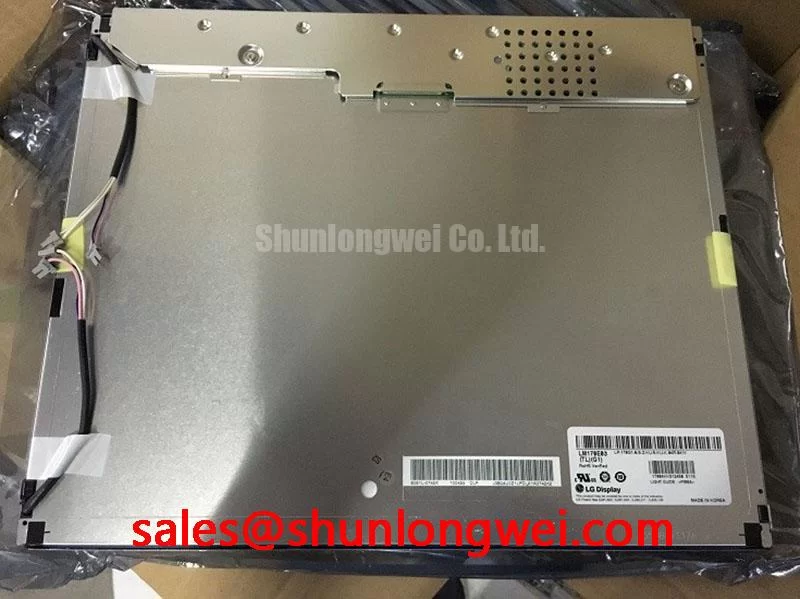
- Confirm the installed panel marking matches LM170E03-TLL2 before disconnecting the display assembly.
- Inspect the mounting frame for uneven compression, damaged sealing material, and evidence of localized panel stress.
- Trace the display interface and backlight wiring separately before applying test power.
- Check cabinet airflow, grounding continuity, and clearance around the panel’s rear electronics.
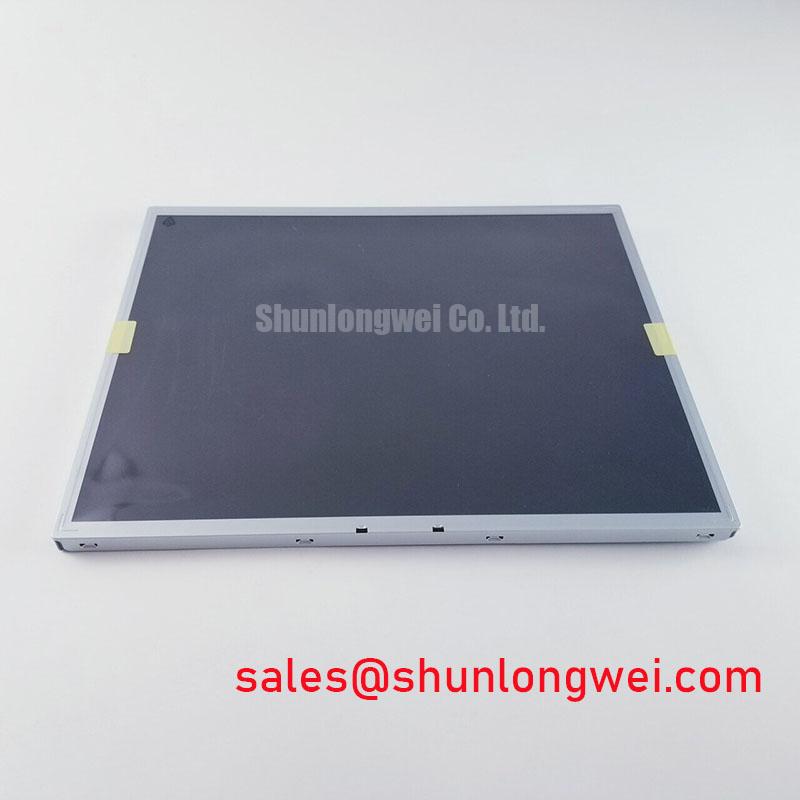
The LM170E03-TLL2 is an LG Display TFT-LCD active-matrix color display module classified for industrial LCD and HMI panel applications. The part should therefore be evaluated as a display assembly within the original equipment architecture, with the host system determining interface timing, supply sequencing, backlight control, and mechanical integration.
| Model | LM170E03-TLL2 |
| Manufacturer | LG Display |
| Product category | Industrial Grade LCD/HMI Panel |
| Construction category | TFT-LCD Active Matrix Color Display Module |
For a surgical navigation monitor, ultrasound diagnostic terminal, CNC operator pendant, or industrial HMI console, replacement work should begin with a comparison of the original panel documentation and the host controller. A same-size or same-resolution reference such as TX17D02VM2CAA-2 may assist a system engineer during a compatibility review, but it should not be treated as an automatic substitute.
CCFL Backlight Inverter Striking Voltage and Ignition Debugging
Cold-start troubleshooting must separate the panel image path from the backlight inverter path. The supplied product classification identifies the unit as a TFT-LCD module, but it does not establish a universal inverter voltage, lamp current, ignition waveform, or half-life rating for the complete display assembly. The replacement engineer should compare the original inverter harness, connector arrangement, enable signal, dimming signal, and protection behavior before applying a replacement panel.
When the display flashes briefly, remains dark while image data is present, or produces audible inverter noise, inspect the resonant inverter, lamp connections, and grounding path as one system. A high-voltage probe and isolated measurement arrangement are appropriate for observing cold ignition behavior; direct probing with ordinary bench equipment can create a serious safety hazard and may disturb the inverter waveform. The measured ignition profile should be compared with the known-good equipment rather than assigned to this panel as an assumed factory value.
Constant-current LED driver terminology should not be mixed with a CCFL inverter diagnosis. If the host system has been modified from fluorescent backlighting to LED backlighting, the engineer must verify the new driver’s current regulation, enable logic, dimming method, thermal behavior, and connector pinout. The related TX18D35VM0APB-2 can be reviewed as a separate display-system reference when assessing backlight and driver topology.
Optical inspection should include brightness uniformity, visible lamp shadowing, and contrast under the actual enclosure lighting. Backlight optics, diffuser layers, and brightness enhancement elements influence the result; general background on these functions is available through Optical Prisms and Brightness Enhancement Films. Do not use a replacement inverter or altered dimming circuit until the panel’s original electrical interface has been mapped.
Suppressing Pixel Jitter and Horizontal White Lines Induced by Adjacent 400V Motor Drives
Pixel jitter and horizontal white bands near variable-frequency motor drives require attention to the complete signal return path, not only the LCD module. Route the display cable away from motor output conductors and switching nodes, maintain a continuous shield termination strategy, and prevent the cable from sharing a noisy protective-earth path with high-current drive equipment.
The controller may use LVDS or another display signaling arrangement, but the exact interface must be confirmed from the original system documentation and connector identification. An LVDS receiver expects controlled differential routing, consistent pair assignment, and a suitable termination environment. A legacy TTL interface follows different voltage and timing rules, so substituting one transmitter type for another without a signal-level review can produce unstable images or permanent interface stress.
Use an oscilloscope with appropriate differential probes to compare clock quality, data eye opening, and display enable timing at the controller output and panel input. Check whether the disturbance follows motor acceleration, regenerative braking, or cabinet contactor operation. If the noise appears only during drive switching, common-mode coupling and shield current should be investigated before changing panel settings. A ferrite component may be considered as part of the cabinet EMC design, but its impedance behavior must be selected for the actual interference spectrum rather than assumed from its physical size.
The display frame should be bonded according to the host equipment’s grounding architecture. Avoid creating a second uncontrolled shield path through mounting hardware when the cable shield already has a defined termination. The Ultimate Guide to Industrial TFT-LCD Technology provides additional context for interface selection, optical behavior, and common integration errors.
Bright Backlight Rail Thermal Dissipation and Light Guide Plate Preservation
Bright industrial displays can develop visible edge-to-center variation when heat from the backlight rail is trapped by a tight bezel or poorly ventilated cabinet. For this LG Display module, the mechanical team should inspect the actual backlight construction before selecting an aluminum spreader, thermal pad, or revised rail. The internal light-guide material and approved thermal interface are not established by the supplied product identity and should not be inferred from the model number.
A practical integration review measures temperature at the bezel, rear frame, driver area, and nearby enclosure surfaces during the equipment’s normal duty cycle. The objective is to identify localized hot spots and preserve uniform optical output without pressing the panel cell. Excessive frame compression can create mura, bright corners, or nonuniform color even when the electronics operate correctly.
Ambient sunlight also changes perceived contrast and black-level visibility. The LCD polarizer and optical glass reference explains why optical stack behavior affects viewing performance. An anti-glare surface may help in a bright operator environment, but the system designer should evaluate it against image sharpness, cleaning method, ambient reflections, and the original panel surface.
Maintenance Note: Inspect the cabinet air path and panel sealing material during scheduled service so dust accumulation or compressed gasket areas do not create uneven thermal and mechanical loading.
Preventing Frame Lag and Image Smearing in Cryogenic Storage and Outdoor Industrial Facilities
Low-temperature operation can slow liquid-crystal response and make moving diagnostic or machine images appear smeared, especially immediately after cold start. This behavior should be evaluated at the complete equipment level, including the panel, timing controller, image source, backlight, enclosure, and condensation controls. The supplied specification context does not assign a certified operating range, gray-to-gray response figure, or guaranteed performance across a specific thermal cycle.
During environmental evaluation, record the time from power-up to stable image formation and compare static text, grayscale transitions, and moving test patterns. Observe whether the apparent lag changes as the enclosure reaches thermal equilibrium. A change that follows temperature may point toward liquid-crystal response behavior, while a change linked to the controller or cable may require a separate timing investigation.
Cold storage also creates a condensation risk when a chilled display is moved into warmer humid air. The enclosure should manage moisture ingress without blocking the panel’s intended heat path. Inspect perimeter seals, cable entry points, mounting pressure, and any optical bonding interface for signs of trapped moisture or mechanical distortion. Optical bonding may improve resistance to internal reflections and dust in a suitable assembly, but the bonding construction must match the original mechanical design.
For medical imaging equipment such as ultrasound consoles and surgical navigation displays, image persistence should be assessed with the actual grayscale calibration and timing controller rather than with a generic monitor setting. Verify gamma behavior, gray-level transitions, and power sequencing after the panel is installed, then document the result under the intended operating temperature and enclosure conditions.