
Content last revised on October 15, 2026
Flashlight Dark-Shadow Optical Diagnostic to Isolate Logic vs. Backlight Failure Modes
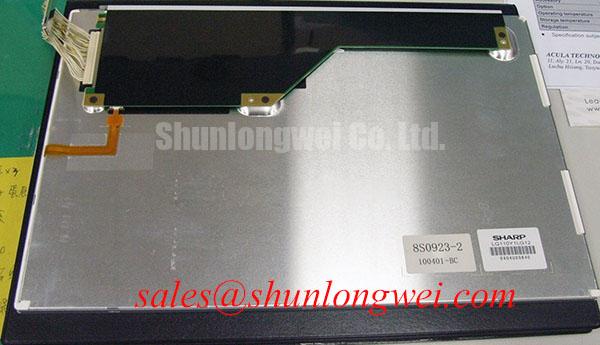
- Disconnect equipment power, allow stored energy to discharge, and inspect the LQ110Y1LG12 label, display connector, and cable locking mechanism before disturbing the assembly.
- Check the display supply path for damaged contacts, contamination, and abnormal resistance against the equipment service procedure.
- Inspect mounting points, bezel clearance, and cable routing for pressure, abrasion, or movement that could affect the image.
- Prepare a compatible image source and a flashlight to distinguish a missing image from missing illumination.
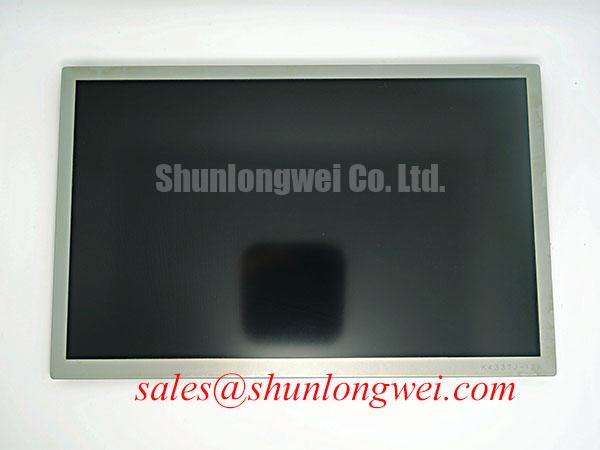
The Sharp LQ110Y1LG12 is a TFT-LCD active matrix color display module for industrial display and HMI evaluation. Its replacement assessment should connect the observed fault to the panel, cable, controller, or illumination circuit before parts are selected.
Product specification reference: Manufacturer: Sharp; model: LQ110Y1LG12; category: LCD Display; module type: TFT-LCD active matrix color display. Electrical ratings, dimensions, resolution, connector assignment, interface, backlight configuration, and operating limits: Consult Datasheet.
Illuminate the powered display obliquely with a flashlight while the controller presents a recognizable image. As a Design Consideration, a faint image visible under external illumination supports investigating the illumination path, but does not establish that every panel logic function is healthy. An absent image warrants checking image generation, panel power, and signal delivery together.
Use successive red, green, and blue test images from a compatible source, then inspect a neutral image for line defects and uneven illumination. Record whether an abnormality stays at the same screen position or follows changing content. Persistent lines can involve the signal path, panel drive circuitry, or connections; their appearance alone cannot identify an internal fracture.
Compare screen regions under consistent ambient lighting and viewing position. Avoid pressing the panel edge to provoke a response: pressure can change the symptom while introducing another variable. If brightness changes during warmup, record the equipment state and illumination command alongside the observation.
Engineering Recommendation: distinguish measured luminance deterioration from electrical interruption before choosing a repair path. A brightness maintenance curve describes optical output under stated conditions; it is not interchangeable with mean time between failures. Assess brightness history using documented test conditions rather than assigning the LQ110Y1LG12 an unsupported service life.
Display Cable Engagement, Shielding, and Grounding Checks
Inspect cable engagement, contact orientation, and latch retention before changing shielding or grounding arrangements. As a Design Consideration, intermittent pixels or horizontal bands can arise from signal integrity problems, supply disturbances, or connection faults. Compare the symptom with a compatible reference cable while maintaining the original routing and grounding arrangement.
Field Alert: Disconnect power and allow stored energy to discharge before inserting or removing the display cable.
Where the equipment uses shielded cabling and conductive connector shells, examine shield continuity through the intended chassis connection. Circumferential shield termination depends on connector construction; it is not an assumed feature of this panel. Designers should evaluate ferrite additions against the actual interference path and signal behavior before adopting them.
Engineering Recommendation: provide cable strain relief that prevents enclosure movement from loading the connector. Preserve the cable manufacturer's bend requirements, avoid repeated folding at the contact reinforcement, and check that the latch remains secure after assembly. A flexible cable's appearance does not establish its suitability for continuous motion.
For mechanical integration, allow the enclosure and mounting structure to accommodate thermal movement without twisting the display frame. Evaluate vibration using the assembled mounting arrangement. The broader Industrial Display & HMI Solutions resource provides context for planning environmental checks and documenting acceptance criteria.
Display Interface Synchronization & Logic Power Rail Verification
Establish the actual connector assignment and controller output format before interpreting a synchronization fault. Parallel RGB timing and differential link mapping require different checks; applying one interface's assumptions to another can invalidate the diagnosis.
Engineering Recommendation: measure the supply at the panel connection during startup, normal operation, and shutdown, then compare those waveforms with the applicable panel and controller requirements. Observe when image signals become active relative to panel power and illumination enable. A white screen or residual image during transitions should prompt examination of sequencing, discharge behavior, and signal activity.
For a confirmed parallel interface, inspect clock quality and data setup and hold relationships at the receiving connection. For a confirmed differential interface, assess the specified mapping, termination, and pair continuity. Route geometry, timing margin, and permissible skew belong to the complete interface design and should be validated over the equipment's operating conditions.
When considering another display, compare resolution, active area, outline, mounting points, connector pinout, timing, supply requirements, and illumination control. The Sharp LQ104V1LG81 can be included in that documented comparison; its model designation does not establish interchangeability with the LQ110Y1LG12.
For potential surgical navigation or ultrasound diagnostic display integration, assess image performance and equipment qualification requirements separately from basic electrical compatibility. Color response, viewing position, and calibration must satisfy the host equipment's acceptance criteria rather than being inferred from the TFT-LCD category.
Optical Luminance Degradation & Backlight Retrofit Assessment
Measure luminance under repeatable image content, illumination command, ambient conditions, and warmup state before considering a backlight retrofit. As a Design Consideration, falling brightness can involve the light source, its driver, optical contamination, or control behavior. Compare electrical operation and optical output before assigning the fault to a single assembly.
A CCFL-to-LED conversion is a system modification requiring optical, electrical, thermal, and mechanical evaluation. It is not an established requirement or approved modification for this model. Designers should match the replacement illumination assembly to the optical arrangement and verify uniformity, dimming behavior, temperature, and startup operation.
In a driver comparison, the Sharp LQ10D41 is a separate display reference, not a backlight driver or confirmed compatible accessory. Consult Sharp Devices Europe Industrial Display Solutions for manufacturer display resources when assessing documented technologies and integration requirements.
Engineering Recommendation: evaluate any added optical bonding process for panel stress, adhesive compatibility, and enclosure performance; bonding alone does not establish a moisture seal. For persistent static HMI content, compare image retention after changing the displayed pattern and following the equipment's recovery procedure. Validate viewing angle behavior and residual image acceptance on the assembled display before returning the equipment to service.