Content last revised on October 9, 2026
Surface Anti-Glare and Anti-Reflective Coating Evaluation for High Ambient Readability
Inspect the display surface with the console switched off and again with a stable test image displayed. Reflections from bridge windows, protective glass, and overhead lighting can obscure information even when the panel produces an otherwise satisfactory image. Separate the contribution of the LCD surface from that of the enclosure window: changing the observer position or temporarily evaluating the panel outside the protective window can help identify where reflections originate.
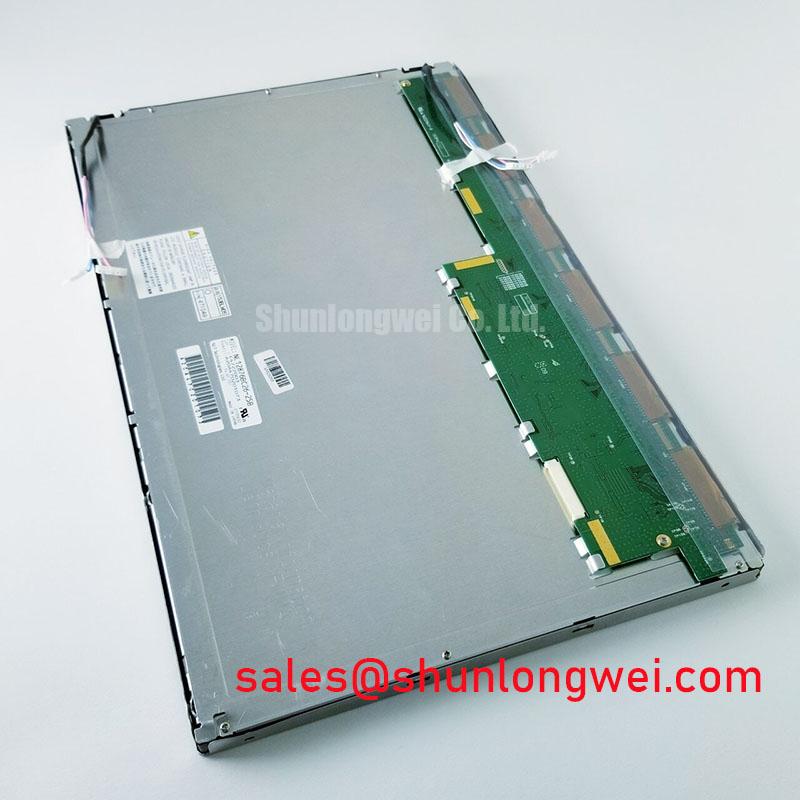
The confirmed product information establishes the identity of the Sharp LQ121K1LG53, but does not establish its surface treatment, viewing-angle limits, optical contrast, brightness, or liquid-crystal operating mode. An anti-glare finish, anti-reflective coating, symmetric viewing cone, or sunlight-readability rating should therefore not be presented as an official specification for this model. These properties require the corresponding Sharp documentation and its measurement conditions.
| Product attribute | Confirmed information or integration requirement |
|---|---|
| Model | LQ121K1LG53 |
| Manufacturer | Sharp |
| Product category | Industrial Grade LCD/HMI Panel |
| Module construction category | TFT-LCD Display Module |
| Electrical interface and supply | Verify against the model-specific documentation before connection |
| Optical properties and mechanical dimensions | Use the original specification and mechanical drawing for acceptance |
| Backlight configuration | Confirm the specified light source, connections, and driver requirements |
Design Consideration: Anti-glare surface treatment and anti-reflective coating address different optical effects. Anti-glare treatment redistributes reflected light, while an anti-reflective treatment reduces reflection through its optical coating design. Neither description, by itself, establishes how clearly an operator can distinguish chart symbols or radar targets through an installed protective window. Evaluate readability at the actual operator positions and under representative ambient illumination.
Liquid-crystal mode also matters when assessing off-axis image changes. TN, IPS, and MVA displays can exhibit different grayscale and color behavior, but those general distinctions do not identify the construction of this particular Sharp module. Use grayscale ramps and representative interface colors to examine the candidate display from the console’s intended viewing positions. Controller-side color adjustments should follow that assessment; they cannot automatically correct every angle-dependent optical effect.
When comparing candidates, the LMS700KF01-001 is a separate display model to examine against the same compatibility checklist, not an established replacement for the LQ121K1LG53. Compare documented resolution, active area, outline, mounting features, interface, and backlight requirements before considering any substitution. A similar product description does not establish interchangeability.
Design Consideration: Optical bonding can reduce reflections at an air gap, but a bonded display assembly requires its own material, process, and serviceability assessment. It does not independently establish moisture sealing or salt resistance. For a bridge-console installation, inspect the complete enclosure window, perimeter seals, cable entries, and mounting stack. Avoid using mounting pressure to compensate for a poorly fitting bezel, since enclosure loads should not be transferred unpredictably into the display.
Shielded FFC/FPC Cable Grounding and Connector Shield Continuity
Trace the existing harness from the controller to the display before choosing a replacement cable. Record the connector reference, contact orientation, shield terminations, and any separate backlight wiring. A flexible cable’s appearance does not establish its signal assignment, and matching connector geometry does not prove that the connected pins carry the same functions. The LQ121K1LG53 interface and pinout should be confirmed from its original documentation rather than inferred from other Sharp panels.
Design Consideration: If the documented interface uses differential signaling, preserve the intended pair routing, return paths, and cable construction. Shield continuity can influence common-mode coupling, but a circumferential shield connection is an assembly design choice rather than a confirmed feature of this module. The appropriate termination depends on the controller, connector construction, chassis arrangement, and installation grounding strategy.
💡 Pro Tip: Preserve the documented differential-pair geometry when repairing a display harness, and validate the repaired link under representative operation before returning the console to service.
Where the controller and panel use LVDS, verify the documented data mapping, channel allocation, color depth, and timing compatibility. JEIDA and VESA mapping differences can produce incorrect colors even when an image appears stable, so the mapping must be checked rather than selected by trial alone. If the model documentation specifies another interface, follow that interface’s requirements instead. Connector contact count is not sufficient evidence of either signaling method or mapping.
Horizontal noise bands or intermittent pixel disturbance can have several causes, including connection quality, signal integrity, supply disturbance, or controller configuration. Compare the symptom with a known-good harness where available, inspect the power rails during the event, and examine the relevant signals using suitable measurement techniques. Nearby drive equipment is a possible interference source, not an automatic diagnosis. Cable relocation, shield changes, or ferrite additions should be evaluated through controlled comparisons rather than treated as guaranteed remedies.
Power sequencing belongs in the same interface review. Designers should verify the specified relationship between panel supply, valid image signals, and backlight enable at startup and shutdown. Incorrect sequencing is one possible contributor to a white screen or a transient image, but those observations do not establish a single cause. Capture the actual control and supply behavior and compare it with the panel and controller requirements. Do not introduce guessed delays or supply levels.
For a cold installation, assess the complete assembly only within its documented operating limits. Liquid-crystal response can change with temperature, but no low-temperature rating or response-time curve is established here for the LQ121K1LG53. A heater, if part of the console design, requires system-level temperature sensing and control; it should not be used to justify operating the module outside its stated limits.
Single Vertical Hairline Defect and Sub-Pixel Column Fault Localization
Begin a persistent-line investigation with full-field red, green, and blue images, then use a grayscale pattern to examine whether the defect changes with image content. Record its location relative to the active display area and determine whether it remains fixed as the displayed content moves. This separates a reproducible screen-coordinate defect from an artifact associated with a particular graphic, video source, or processing path, without assigning a premature failure mechanism.
A narrow vertical line can be consistent with a column-related fault, but visual appearance alone cannot identify an internal open circuit or a particular bonding defect. First inspect the accessible connectors with power removed, check the harness for damage, and verify that the controller is producing the expected output. Where practical, compare operation using a compatible known-good signal path. Avoid pressing the panel edge to provoke a response; that is not a controlled localization method.
Design Consideration: An oblique flashlight examination can help establish whether image information remains visible when illumination is missing. Its usefulness depends on ambient light, the protective window, and the display’s optical arrangement. A faint visible image can support further investigation of the backlight path, but cannot independently prove which driver, connection, or light-source element has failed. Inspect the illumination system separately from the image-data path.
For intermittent faults, document whether the symptom follows harness movement, startup, temperature changes, or a controller mode transition. Check timing at the receiver against the applicable interface requirements, including the documented clock relationship and data setup and hold conditions. No numerical jitter margin or timing tolerance should be assigned to this module without its specification. Probe loading and measurement location also matter when interpreting a marginal waveform.
Acceptance testing should retain the same controller settings, test images, cable arrangement, and environmental conditions when comparing results. The Industrial Display & HMI Solutions resource provides broader integration context, while model-specific limits and console qualification requirements remain the basis for acceptance. A successful bench image does not establish marine environmental qualification or a predicted service life.
Backlight Starting Requirements and Driver Insulation Assessment
Identify the specified backlight architecture before testing its driver. The confirmed information does not establish whether the LQ121K1LG53 uses a particular lamp or LED configuration, so neither a lamp striking voltage nor an LED operating current can be assigned here. Use the panel documentation, equipment schematic, and driver identification together to establish the correct test method.
Design Consideration: A lamp inverter and an LED driver require different electrical checks. Lamp systems involve starting and running behavior, while LED systems require compatible current regulation and protection behavior. Brightness-control inputs must also match the documented driver requirements. Do not assume a particular PWM range, dimming ratio, or enable polarity from the appearance of the connector.
The Sharp LQ9D03B provides another display-module reference when reviewing related display and backlight arrangements. It is not identified here as a backlight driver or a compatible accessory for the LQ121K1LG53. Any controller, inverter, or LED-driver pairing requires a comparison of the actual electrical interfaces and operating requirements.
If the installed driver produces audible noise, unstable illumination, or repeated protection shutdowns, examine supply behavior, control signals, connections, and the specified load before attributing the symptom to a single component. Insulation testing requires the equipment manufacturer’s procedure and defined test boundaries; an arbitrary test voltage can damage connected electronics. Use appropriately rated instruments and avoid applying a system-level insulation test through the display’s signal connections.
Complete the repair assessment by checking controlled startup, brightness changes, image stability, and shutdown behavior with the intended controller and harness. Where residual images or white-screen transients appear, compare panel power, image validity, and backlight control against the documented sequence. Record the tested configuration and unresolved conditions so the next engineer can distinguish a verified compatible installation from an assembly that still requires electrical or environmental qualification.