Content last revised on October 13, 2026
Single Vertical Hairline Defect & Sub-Pixel Column Driver Open-Circuit Localization
Display solid red, green, and blue test images on the LQ121K1LG61 and record whether a thin vertical line remains at the same screen position before disturbing the signal cable. A repeatable column defect and an intermittent image disturbance require different investigations; replacing the backlight cannot resolve every visible line.
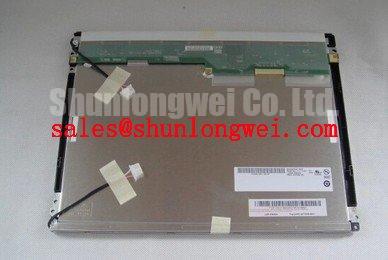
The Sharp LQ121K1LG61 is a TFT-LCD active matrix color display module in the industrial LCD/HMI category. Replacement evaluation should connect that product identity to the host’s electrical interface, optical opening, and mounting arrangement rather than treating the model number alone as proof of compatibility.
Compare the line across the red, green, and blue fields, then inspect the same location on neutral and dark images. As a Design Consideration, a defect confined to one color component can help narrow the investigation toward its column data path. A fixed line across several patterns supports further panel-side investigation, but does not by itself establish an open circuit or identify a damaged internal bond.
Next, illuminate the screen obliquely with a flashlight while a recognizable image is displayed. A faint image visible beneath a dark region suggests that image generation and illumination need separate checks. The flashlight angle is a practical viewing aid, not a calibrated diagnostic threshold. Record whether the dark region follows the image content, remains fixed, or changes with backlight adjustment.
Before attributing the symptom to a column driver, compare the test-pattern output with a known-good signal path and inspect accessible connectors with power removed. Cable disturbances, controller faults, and panel faults can produce overlapping symptoms. Avoid pressing the display edge or flexing the assembly to provoke a response; mechanically induced changes are not a reliable acceptance test.
For repeatable assessment, keep camera exposure, viewing position, and ambient illumination consistent. Surface reflections can exaggerate apparent brightness differences. Anti-glare and anti-reflection treatments have different optical effects, so an enclosure window or added protective overlay should be evaluated separately rather than assumed to be a factory feature of this module.
Dual-Channel CCFL High-Voltage Resonant Inverter Striking Voltage & Ignition Debugging
Trace the installed backlight power circuit before interpreting a brief flash followed by darkness. This heading concerns troubleshooting an external CCFL inverter arrangement; it does not establish a dual-channel CCFL configuration for the LQ121K1LG61. The relevant driver architecture must come from the panel’s backlight specification and the equipment schematic.
As a Design Consideration, distinguish driver enable, input supply stability, dimming control, and protection response during startup. An inverter that starts and then stops can be reacting to its load or protection circuitry. Audible buzzing is another observation to correlate with switching behavior, mounting, and dimming state, not proof of a particular lamp fault. High-voltage measurements require suitable probes and the equipment manufacturer’s service procedure.
For an external constant-current LED driver, the corresponding investigation concerns current regulation and open-load or short-load protection. Read any documented fault output alongside the measured enable and supply signals. Driver efficiency, PWM dimming range, and brightness maintenance belong to the specified driver-and-backlight combination; brightness decay and MTBF describe different properties and should not be used interchangeably.
The NL6448BC26-27D provides a separate display option for comparing complete panel-and-driver arrangements. It is not a backlight driver accessory for this Sharp module. Reviewing the two assemblies separately helps prevent transferring lamp, connector, or protection assumptions between unrelated display systems. Disconnect power and follow the equipment’s discharge procedure before handling backlight connections.
Suppressing Localized Thermal Gradients to Prevent Chronic Optical Yellowing (Color Shift)
Map temperature around the installed display perimeter and compare it with the location of any persistent color or brightness change. As a Design Consideration, an uneven thermal environment can affect optical performance, but yellowing alone does not identify the affected material or prove a heat-related failure. Compare the image after stabilization under consistent ambient conditions.
If the enclosure uses heat-spreading rails, evaluate their contact arrangement, mechanical clearance, and effect on frame loading. A thermal improvement should not introduce edge pressure, twist the module, or obstruct connector access. Size and mounting geometry should follow measured heat distribution and the mechanical drawing rather than a generic rail prescription.
The following comparison separates the supplied product identity from the information needed for a replacement decision. “Consult Datasheet” identifies an acceptance item, not an interchangeable specification.
| Selection item | LQ121K1LG61 | LQ104V1LG81 comparison candidate |
|---|---|---|
| Product identity | Sharp TFT-LCD active matrix color display module | Separate display model for compatibility review |
| Resolution and active display area | Consult Datasheet | Consult Datasheet |
| Outline, mounting, and connector location | Consult Datasheet | Consult Datasheet |
| Signal interface and supply requirements | Consult Datasheet | Consult Datasheet |
| Backlight requirements and temperature limits | Consult Datasheet | Consult Datasheet |
The LQ104V1LG81 can enter a comparative sourcing review, but should not be treated as a drop-in substitute. For potential CNC operator panel or robot teach pendant integration, designers should compare the viewing aperture, bracket clearance, cable exit, and any separate touch overlay. Glove and wet-touch behavior belongs to the touch sensor and controller combination, not the LCD model designation.
At low ambient temperature, assess image transitions and startup behavior within the panel’s specified operating envelope. Added heating is a system-level option requiring its own control and condensation assessment, not an assumed panel accessory. The Industrial Display & HMI Solutions resource provides broader integration context for organizing environmental checks; model-specific acceptance limits remain separate.
VESA vs. JEIDA Data Mapping Alignment & Even/Odd Channel Signal Integrity
Match the host connector assignments to the panel interface definition before changing data mapping settings. JEIDA/VESA selection and even/odd channel allocation are relevant only where the documented interface implements those arrangements. An apparent split image or incorrect color does not establish that this particular module uses a dual-channel LVDS link.
As an Engineering Recommendation, compare controller output format, pixel timing, channel assignment, and cable wiring as one signal path. For a documented LVDS implementation, assess differential continuity, pair polarity, and termination against the receiver requirements. For another interface, follow its own electrical specification rather than importing LVDS routing assumptions.
Pro Tip: Where LVDS is specified, control differential-pair skew and preserve the return path, then validate waveform quality with the installed cable.
Check supply startup and shutdown at the panel connector, including signal activity while the panel supply is absent. Rise-time limits and sequencing delays must come from the applicable interface specification, not a generic display timing rule. During interference testing, correlate image disturbances with nearby switching equipment and evaluate shielding, grounding, and cable routing at system level; the display alone does not establish equipment EMC compliance.
Sharp Devices Europe Industrial Display Solutions provides manufacturer-level industrial display context. For replacement acceptance, retain the applicable panel specification alongside the host configuration and test records, including stable colors, correct image positioning, repeatable startup, and behavior across the required brightness settings.