Content last revised on October 2, 2026
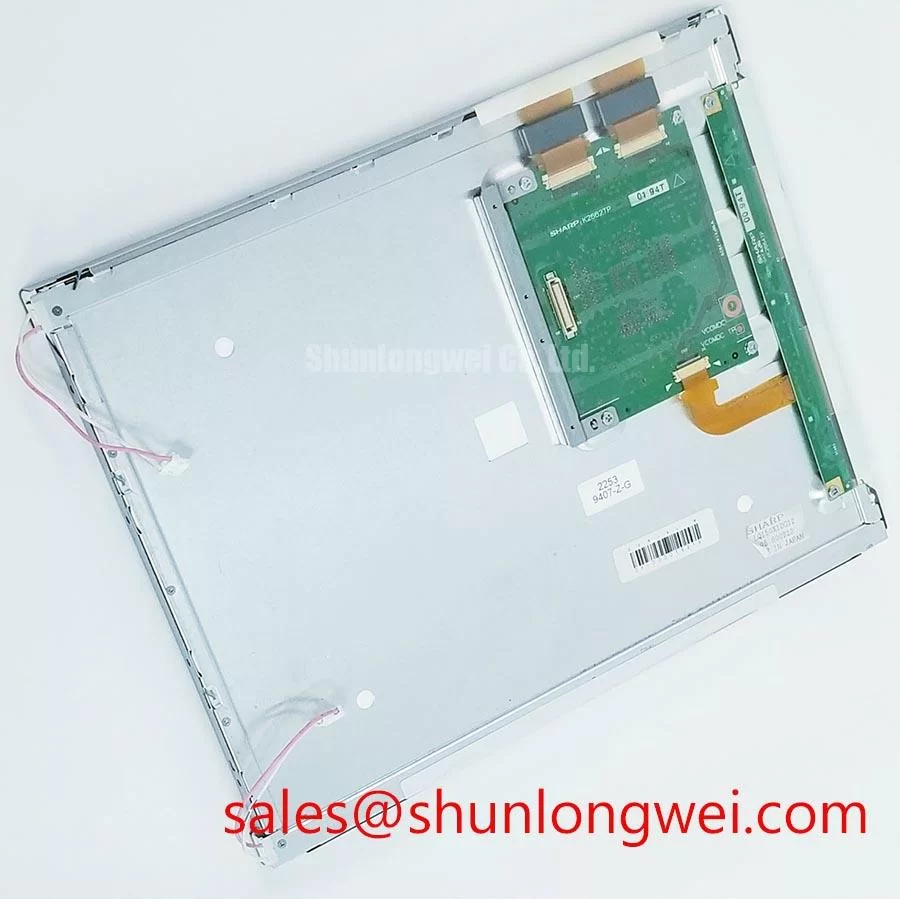
Sharp LQ150X1LG55 Industrial LCD Display for Incoming QA
Begin the incoming inspection by checking the Sharp LQ150X1LG55 module for visible bezel damage, connector displacement, cracked glass, and contamination before applying power. This product is described as an Industrial Grade LCD/HMI Panel with a TFT-LCD Display Module construction.
For maintenance engineers, the first compatibility decision is physical and electrical rather than visual. Confirm that the replacement matches the original panel documentation, mounting envelope, connector position, signal interface, backlight arrangement, and system power requirements. The available product data does not establish a universal supply voltage, pin assignment, resolution, luminance rating, viewing angle, contrast ratio, or operating-temperature range for this specific model. Those values should be checked against the equipment maker’s original panel documentation before installation.
| Parameter | Specification status |
|---|---|
| Model | LQ150X1LG55 |
| Manufacturer | Sharp |
| Product category | Industrial Grade LCD/HMI Panel |
| Module type | TFT-LCD Display Module |
This panel may be evaluated for industrial HMI and monitoring assemblies, including operator displays used in heavy mining shovels and earthmoving equipment telematics, provided that the host enclosure, vibration isolation, sealing, electrical interface, and thermal conditions are validated by the system integrator. It should not be treated as a drop-in replacement solely because the diagonal size or connector appearance seems similar.
Flashlight Dark-Shadow Optical Diagnostic to Isolate Logic and Backlight Faults
A dark-screen inspection is a useful first separation test after confirming the panel’s approved power and signal conditions. Display a known-good black, white, red, green, and blue test sequence from the host controller. Observe the full active area in a controlled environment, then place a flashlight at approximately 45 degrees to the viewing surface while the panel remains in the dark-screen state. A faint image that becomes visible under oblique illumination can indicate that image data is reaching the liquid-crystal layer while the illumination path requires further investigation. This observation alone does not identify a failed LED driver, cable, connector, or panel-side circuit.
Repeat the same check with primary-color fields. A stable color field with a dark region can point the inspection toward the illumination or optical path, while a missing column, row, partial image, color contamination, or fixed line should prompt signal-path checks before any panel replacement decision. Inspect the FPC seating, connector latch position, host-side output, and panel enable sequence. If the symptom changes when the cable is gently observed without applying mechanical force, record the condition and stop testing rather than flexing the assembly repeatedly.
The supplied factory information does not publish a measured contrast ratio at 50,000 lux, nor does it confirm a particular anti-glare coating. Do not write a value such as “greater than 500:1” into an equipment acceptance record unless it is supported by the original Sharp documentation or a controlled optical measurement. Direct sunlight can reduce perceived contrast even when the panel electronics are functioning correctly, so acceptance testing should define the light source, viewing angle, test image, and measurement method.
For pixel screening, use full-field red, green, blue, white, and black images at a stable signal condition. Record fixed bright points, dark points, intermittent lines, color nonuniformity, and areas that appear only after the panel warms. A localized mark may arise from contamination, mechanical pressure, signal integrity, or panel damage; a single visual symptom should not be assigned to one cause without comparison with a known-good display or signal path.
💡 Bench Tip: Use ESD protection, keep the FPC flat during insertion, and close the connector lock evenly without pulling on the flexible cable.
Optical Stack Thermal Checks During Continuous Full-Duty Operation
Continuous operation should be assessed as a complete display assembly rather than as an isolated panel. Confirm that the enclosure does not press against the active area, optical edges, FPC, or connector. Localized pressure can produce visible nonuniformity, while uneven heat removal can alter the appearance of the display during extended operation. The supplied data does not confirm the internal diffuser material, prism-sheet construction, LED lifetime rating, L70 value, B50 value, or a panel-specific MTBF. These characteristics must not be inferred from the model number.
A practical thermal inspection begins with a cold-start image check, followed by repeated observations during the equipment’s normal operating cycle. Record the display image, ambient condition, enclosure condition, and time at which any brightness variation or color shift appears. Use non-invasive surface measurements only where the test method is suitable for the assembly. The system designer should determine whether heat spreader rails, ventilation paths, or enclosure changes are required after reviewing the measured thermal distribution and the manufacturer’s installation guidance.
Backlight behavior also depends on the host driver. If the equipment uses PWM dimming, verify the actual driver frequency, duty-cycle range, enable timing, and current regulation from the system schematic. A proposed working range such as 200 Hz to 1 kHz must be treated as a system-level design target, not as an official specification of the LQ150X1LG55 unless confirmed by the panel documentation. Check the display through a camera-based flicker assessment or an appropriate photometric method when operator comfort and machine-camera interaction are important.
Do not assume that a reference panel uses the same backlight drive method as the original assembly. The integrator should verify whether the existing system supplies the required backlight current, dimming control, enable signal, and fault response. If the backlight driver is external, compare its output behavior with the original panel requirements before connecting the replacement. A related Sharp display option, LQ150X1LG11, may be reviewed as a separate display solution, but its electrical and mechanical data must be evaluated independently.
Long-duration static HMI screens also require a content-management review. Use suitable screen refresh practices, moderate brightness where the application permits, and clear alarm-state logic. These are design considerations for reducing visible image retention in display systems; they are not a guaranteed lifetime or burn-in rating for this model. Any claim involving 50,000-hour operation, LED degradation, or field failure probability requires a model-specific manufacturer source.
Industrial Bezel Mechanical Envelope and Mounting Stress Control
Before fitting the Sharp LQ150X1LG55 into a bezel, compare the original display’s mounting points, aperture, edge clearances, connector access, and cable bend path with the replacement assembly. The available factory parameter set confirms the module category but does not provide the outer dimensions, mounting-hole pattern, bezel tolerance, glass thickness, or approved screw torque. These values should be taken from the applicable mechanical drawing rather than estimated from photographs or from another 15-inch class panel.
A rigid bezel can transfer enclosure distortion into the display edges. During a trial fit, confirm that the panel rests evenly and that no fastener, bracket, gasket, or cable clamp touches the active viewing area. Use a cross-pattern tightening sequence only as a general mechanical installation practice, with the final torque determined by the panel drawing, fastener size, bracket material, and enclosure design. Do not treat a generic torque range as an official LQ150X1LG55 limit without a Sharp source.
For vibration-prone equipment such as mining shovel or earthmoving telematics consoles, the mechanical review should include cable retention, connector latch engagement, bracket stiffness, and isolation from direct shock loads. Designers should validate the complete assembly under the equipment’s actual vibration and temperature profile. The panel itself should not be assigned a transport or operating shock rating unless that rating is present in the original documentation.
Check the enclosure after installation by displaying white, gray, and black test fields. Look for edge brightening, pressure marks, corner nonuniformity, or changes caused by tightening. If an artifact appears only after the bezel is secured, release the mechanical load in a controlled test and compare the result. This procedure helps distinguish an installation interaction from an electronic image fault without assuming a single failure mechanism.
When another display option is being assessed, the LMS700KF01-001 should be treated as a separate reference model. Verify its connector, optical performance, dimensions, signal mapping, backlight requirements, and mounting details independently before considering any substitution.
Controlled Differential Routing and Signal Integrity Verification
Signal verification should start at the host transmitter and continue through the cable, panel connector, and display response. Confirm the interface type from the original panel documentation instead of assuming LVDS, TTL, JEIDA, or VESA mapping from the connector shape. The supplied product information does not state the LQ150X1LG55 logic voltage, data mapping, clock frequency, timing limits, differential impedance, skew allowance, or power-on rise-time requirement.
For a differential interface, the PCB and cable should be routed as a controlled pair with a continuous reference path and minimal discontinuities. A nominal 100-ohm differential impedance may be a system design target for some display links, but it must be confirmed against the transmitter, cable, connector, and panel interface specification. It is not an official LQ150X1LG55 parameter based on the information available here. The same principle applies to a 100-ohm tolerance band or a 50 ps skew budget: these are engineering constraints only when required by the verified interface design.
Observe the clock and data lines with suitable probing techniques while the panel displays moving and static patterns. Look for ringing, intermittent loss of lock, unequal transition behavior, or artifacts that change with cable position. Probe loading, ground connection, cable length, and connector discontinuity can affect the measurement, so compare the result with a known-good path under identical conditions.
Power sequencing should be checked from the equipment schematic and the panel documentation. Do not choose between 3.3 V and 5.0 V based on general LCD practice, and do not apply a guessed voltage to the module. The system integrator should verify the required supply voltage, reset behavior, enable timing, backlight control, and allowable startup sequence from the original panel documents. A host controller that reaches the correct image timing can still fail to start the display if the control sequence is incompatible.
Cold-start testing deserves a separate record. Test the display at the equipment’s approved low-temperature condition, monitor the first valid image, and note any delayed synchronization, dim backlight response, or temporary artifacts. The available specification context does not provide a guaranteed cold-start response time or operating-temperature range for this model. Temperature compensation, cable selection, enclosure heating, and power sequencing therefore remain system-level decisions requiring measured validation.
For preventive troubleshooting, maintain a wiring record showing connector orientation, cable routing, ground references, power sequencing, and the test image used. The The Ultimate Guide to Industrial TFT-LCD Technology provides additional background for reviewing display interfaces, optical behavior, and integration assumptions. Use the original Sharp documentation as the controlling source for model-specific limits.