


Content last revised on September 12, 2026
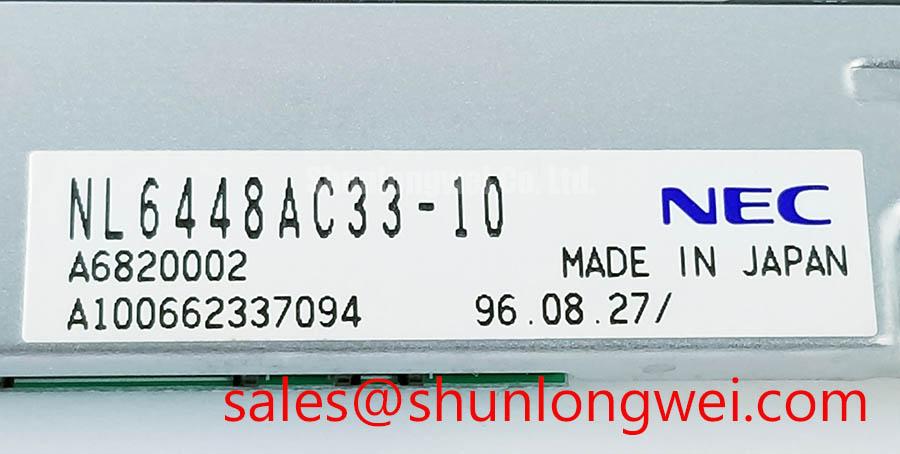
Replacement Verification for NEC NL6448AC33-10 Display Module
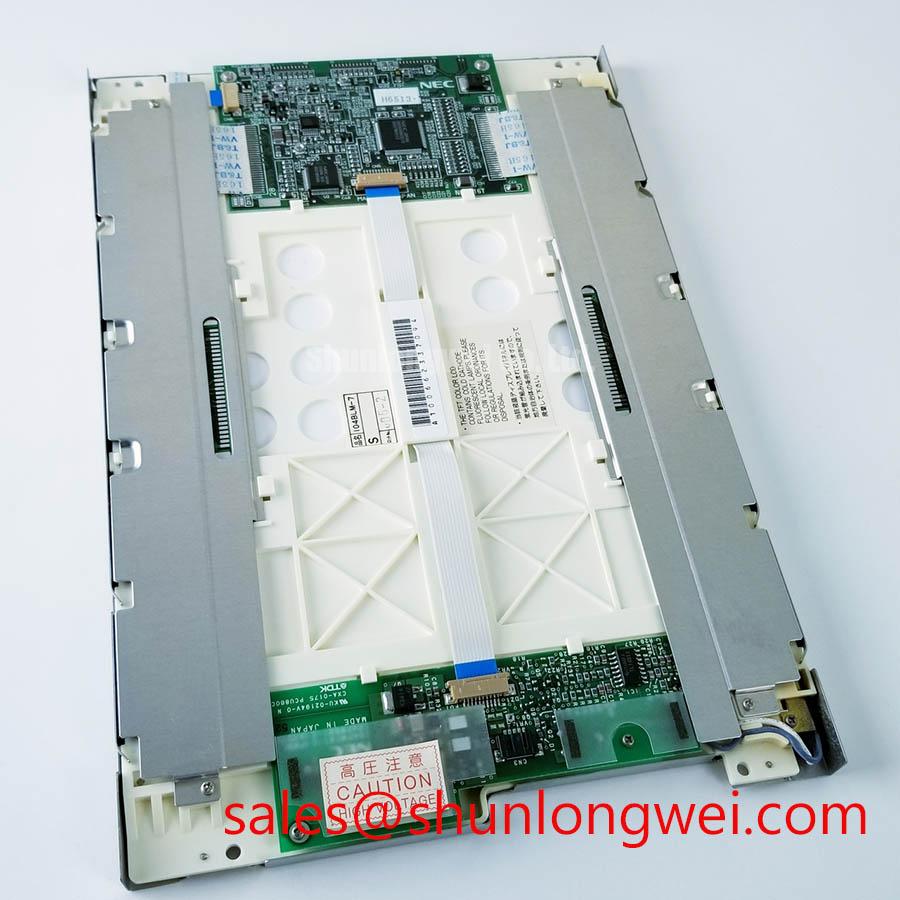
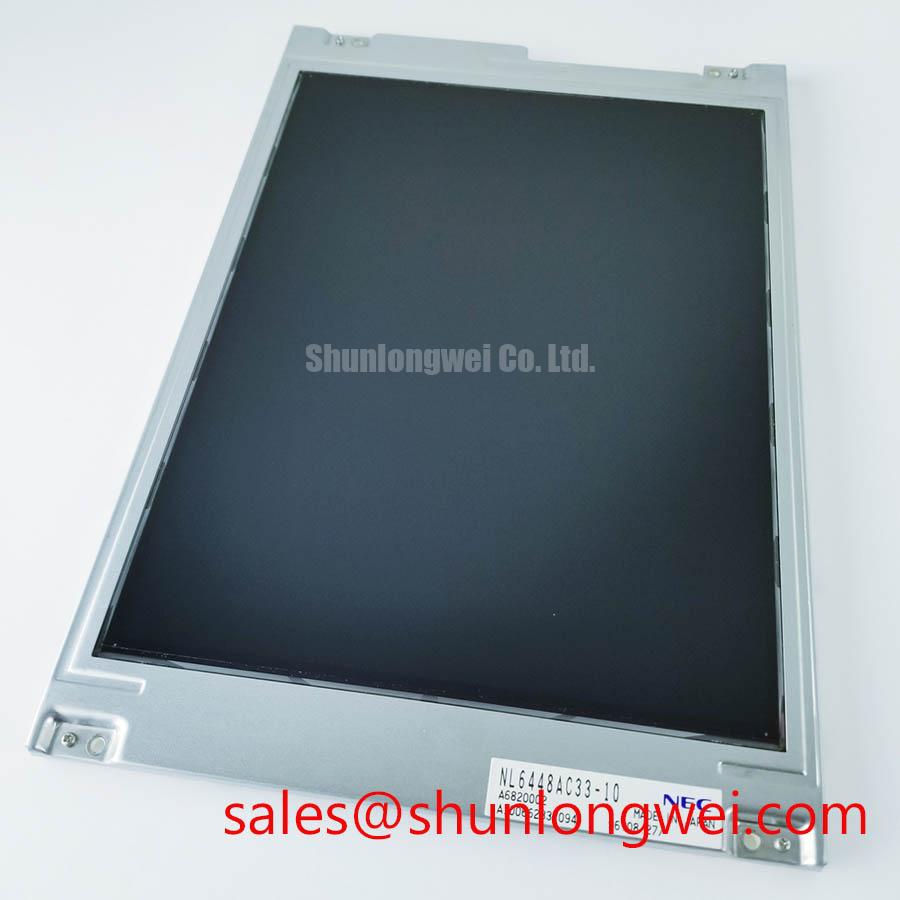
Before connecting the replacement, inspect the NEC NL6448AC33-10 module under controlled bench lighting, check the frame for distortion, and compare the original panel documentation with the replacement connector, display timing, supply requirements, and backlight arrangement. The available factory-verified product identity classifies this unit as an Industrial Grade LCD/HMI Panel in a TFT-LCD Display Module package. No unverified electrical voltage, current, resolution, interface pinout, backlight rating, viewing-angle value, or environmental limit should be assigned without the applicable NEC documentation.
This distinction matters when an engineer is repairing an AGV or forklift telematics display. A mechanically compatible LCD module can still fail to produce a stable image if the host controller, timing configuration, backlight circuit, or power sequence is different. Treat the original panel label, connector drawing, and equipment service record as the controlling references before energizing the assembly.
| Item | Verified information or required engineering check |
|---|---|
| Model | NL6448AC33-10 |
| Manufacturer | NEC |
| Product category | Industrial Grade LCD/HMI Panel |
| Package | TFT-LCD Display Module |
| Identity and specification status | Product identity is verified; detailed operating specifications require the applicable NEC documentation |
| Before installation | Verify connector assignment, signal format, display timing, supply voltage, backlight type, mounting geometry, and host compatibility from the original panel documentation |
Full-Screen Primary Color AOI Screening: Stuck Sub-Pixels and Background Uniformity Audit
Begin the optical inspection with the module disconnected from the machine and protected from electrostatic handling risks. After confirming the host interface and supply conditions from the original equipment documentation, display full-screen red, green, blue, black, and white images in sequence. This three-primary-color bench check is useful because a pixel defect that is difficult to see on a normal HMI screen may become visible against a uniform primary field. Record the position, color, and persistence of any abnormal point before making a replacement decision.
A dark-room inspection can then be performed with a flashlight held at approximately a 45-degree angle as a Design Consideration, rather than as a factory acceptance limit. A shadow, bright edge, or uneven region that changes as the illumination angle moves may belong to the backlight or front optical stack. A line that remains fixed in the same coordinate across several test images requires further investigation around the panel driver-bond region, connector seating, and signal integrity. This method can help separate probable illumination non-uniformity from image-line defects, but it does not prove a specific internal failure mechanism.
For field replacement work, photograph the screen at each test stage and compare it with a known-good display path where available. A full-white image is helpful for locating broad luminance variation, while black and primary-color fields expose different classes of visual irregularity. Do not use a single dark spot or line as a complete diagnosis. Verify the result with the host controller, cable routing, connector contact condition, and a second display source when the equipment design allows it.
Cold testing needs additional caution. Liquid-crystal response can become slower as ambient temperature falls, so a screen that appears sluggish during a cold start should be assessed against the system’s actual operating requirement rather than judged by a universal response-time assumption. If the AGV or forklift display is expected to start near sub-zero conditions such as −20°C to −30°C, those values must be treated as a system-level validation range unless they are explicitly stated in the applicable NEC specification. A controlled heater strip may be considered by the equipment designer, but its location, control logic, temperature sensor, and protection method must be established through the complete display assembly design.
Suppressing Localized Thermal Gradients to Prevent Chronic Optical Yellowing and Color Shift
Inspect the rear of the display enclosure for uneven contact, blocked airflow, cable pressure, and heat sources positioned close to a narrow panel edge. A bezel that presses harder on one side can create mechanical stress and may produce visible non-uniformity even when the electronic signal is correct. When integrating the NL6448AC33-10, designers should support the module evenly, allow the display frame to sit naturally in its mounting opening, and verify that fasteners do not twist the chassis.
An aluminum heat-spreader rail may be evaluated as a Design Consideration where the enclosure creates a localized thermal gradient along an edge. The purpose is to distribute heat rather than to impose a fixed thermal solution on this model. The rail must not obstruct the connector, clamp the LCD glass, or transfer enclosure vibration into the display. Thermal measurements should be taken at several locations during startup and steady operation, with the results compared against the documented limits for the complete panel assembly.
Do not attribute a color change to a specific internal optical material unless the manufacturer’s documentation identifies that material and its limits. Yellowing, brightness drift, or color shift can also be influenced by the backlight source, diffuser condition, adhesive aging, enclosure temperature, contamination, or unequal mechanical loading. For this reason, the repair record should distinguish between a uniform change across the screen and a localized change near an edge or mounting point.
Industrial HMI installations often remain powered for long periods with fixed status pages. Static graphics should be reviewed during equipment acceptance, and the system developer should consider screen rotation, subdued inactive elements, or controlled display blanking where the application permits. These are application-level recommendations, not guaranteed anti-burn-in characteristics of the LCD module. The display controller and backlight control must be evaluated together because an apparently optical fault may originate in timing, image data, or illumination regulation.
When the module is considered for a rugged telematics display, the enclosure sealing method also deserves inspection. The NL6448AC33-10 product identity alone does not establish a particular optical-bonding construction, IP rating, gasket compression requirement, or condensation limit. If the equipment requires a sealed front panel, the system integrator should verify the bonding process, gasket material, venting strategy, and condensation control with the complete assembly supplier. The broader Industrial Display & HMI Solutions reference can be used as a practical framework for evaluating display integration in demanding enclosures.
⚠️ Maintenance Note: Inspect the enclosure airflow path and display sealing gasket during scheduled service because dust accumulation or a displaced gasket can alter both thermal behavior and optical cleanliness.
Mitigating Gray-to-Gray Response Time Escalation during Cold-Start Machine Power-Up
Cold-start evaluation should begin with the complete power-up sequence, not with the LCD alone. Observe the host controller reset, display enable behavior, video-data activity, and backlight activation using the equipment’s approved test procedure. A white screen, delayed image, residual frame, or unstable start can involve incorrect sequencing, an absent synchronization condition, connector interruption, or a backlight control issue. The applicable timing relationships and supply voltage must be taken from the original panel documentation; this model identity does not by itself confirm a universal interface or sequence.
At low temperature, liquid-crystal viscosity can increase and gray-to-gray transitions may appear slower. This is a Design Consideration for any system expected to operate in cold warehouses or outdoor loading areas, not a published performance claim for the NL6448AC33-10. Test representative gray transitions, text movement, warning icons, and rapidly changing telemetry values after the machine has reached the intended cold condition. Compare the result with the same display after thermal stabilization and record whether the delay is uniform, intermittent, or limited to particular image transitions.
If the equipment specification calls for a thermal cycle from approximately −30°C to +85°C, the complete display assembly, seal, cable, bracket, and controller should be tested as a system. The stated range is a validation example from the requested application context and must not be treated as an official rating for this NEC module without documentary confirmation. Perimeter sealant stability, enclosure contraction, connector retention, and condensation behavior should be checked after cycling. A display that works on a warm bench may still require a different startup strategy when moisture and rapid temperature change are present.
Power-down behavior deserves the same attention as power-up. Confirm that the backlight is disabled in the intended order, that the controller does not continue sending an invalid frame during supply decay, and that the host does not reconnect the cable while residual energy remains. White-screen events and visible after-images should be correlated with oscilloscope records of the relevant supply and control signals, using the known-good equipment waveform as the comparison reference. No single symptom should be assigned to one component without checking the full signal path.
PWM dimming is a system-design topic unless the applicable NEC backlight documentation specifies the supported method. A designer may evaluate a control frequency in the 200 Hz to 1 kHz range when reviewing visible flicker, camera interaction, or audible behavior, but that range is not an NL6448AC33-10 factory parameter. Duty-cycle linearity should be measured at the actual backlight driver and correlated with perceived luminance. A constant-current LED driver must not be substituted for a documented fluorescent backlight arrangement without confirming electrical compatibility, connector wiring, insulation, thermal behavior, and control polarity.
Backlight Inverter Striking Voltage and Ignition Debugging
Identify the installed backlight architecture before applying any diagnostic voltage. The supplied product information confirms a TFT-LCD display module but does not confirm the NL6448AC33-10 backlight type, inverter topology, lamp count, ignition voltage, operating current, or dimming interface. The original panel label, inverter board marking, service manual, and wiring diagram must therefore control the diagnosis. Do not connect a generic LED driver or a dual-channel fluorescent inverter based only on connector shape.
For a suspected fluorescent backlight system, inspect the inverter input supply, enable signal, lamp connectors, cable insulation, and chassis clearances with power removed. During an approved high-voltage test, use the measurement method and probe rating specified for the inverter service procedure. A failed ignition attempt may involve lamp aging, open wiring, insufficient input power, inverter protection, connector contamination, or an incorrect enable sequence. Acoustic buzzing can also originate from the inverter transformer, mounting resonance, or a control-loop condition; it should be evaluated with waveform and mechanical inspection rather than assigned automatically to the LCD module.
Values such as 1500 to 1650 Vrms for cold ignition, a 1000:1 PWM dimming ratio, or a backlight life claim above 50,000 hours must not be presented as specifications for this model without a matching NEC or inverter datasheet. They describe possible engineering topics for a particular backlight system, not verified characteristics supplied here. If the original assembly uses a constant-current LED driver, the integrator should verify the driver’s current regulation, enable logic, dimming behavior, thermal dissipation, and protection response from the relevant documentation.
Before installing a replacement, compare the old and new module’s connector keying, cable length, mounting aperture, frame contact points, and display timing. A same-family reference such as NL10276BC16-06 may be reviewed during a documented replacement assessment, but compatibility must be established from electrical and mechanical records rather than assumed from brand or appearance. In the power topology review, NL10276BC30-24D can be examined as a related NEC display solution reference; it is not a substitute recommendation for the NL6448AC33-10.
After installation, run the full-screen inspection again, verify the cold-start sequence, check the backlight control at several operating states, and monitor the enclosure for condensation or uneven heat. The acceptance record should identify the exact host equipment, documented supply conditions, display interface, backlight arrangement, and test temperature. This gives repair engineers and procurement teams a traceable basis for deciding whether the module is suitable for the intended AGV or forklift telematics application.