Content last revised on October 16, 2026
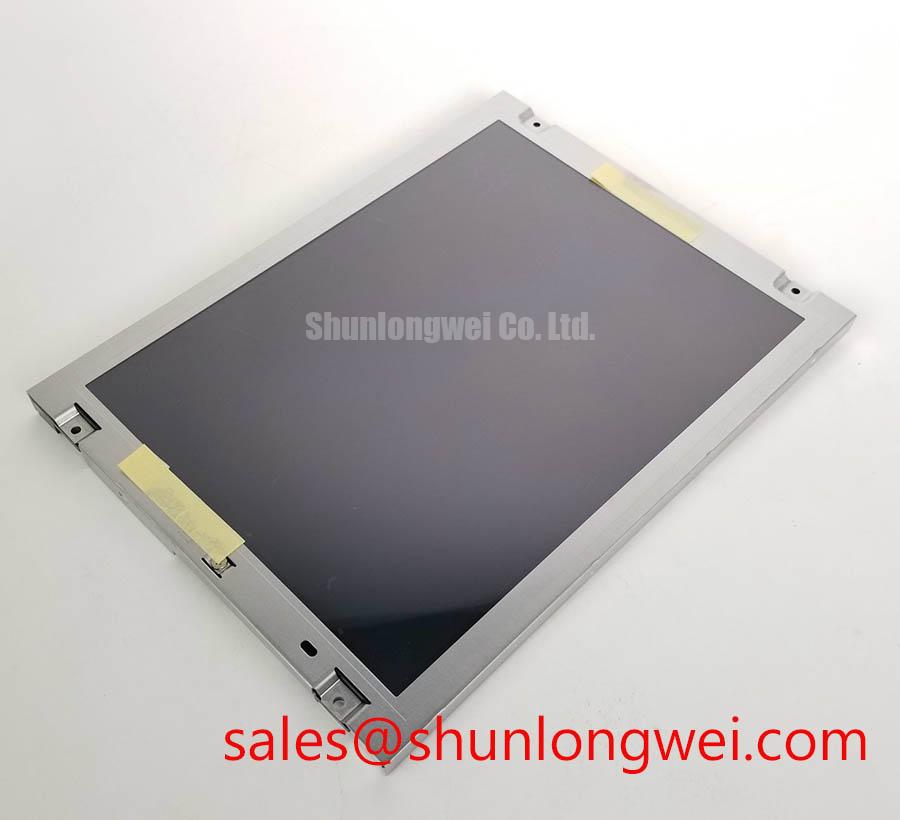
Model: NL8060BC26-35BD | Manufacturer: NEC | Category: Industrial LCD/HMI panel | Construction: TFT-LCD active matrix color display module | Electrical, optical and mechanical ratings: Consult the model-specific datasheet.
Operating Temperature Margin and Sub-Zero Liquid Crystal Response
I compare a moving grayscale pattern before and after a controlled cold soak when assessing a NL8060BC26-35BD that displays readable menus but leaves trails behind changing graphics. Record panel temperature alongside the displayed transition, keeping the source image and camera settings consistent. This separates temperature-dependent optical response from image processing delays elsewhere in the equipment.
Design Consideration: Liquid crystal viscosity generally increases as temperature falls, slowing optical transitions. A delayed transition therefore requires comparison with the same panel under stable warmer conditions before attributing it to a defective driver. Designers should evaluate any controller response compensation against the panel’s supported timing and resulting image quality; compensation settings can introduce visible overshoot when the operating temperature changes.
Operating limits, storage limits and qualification test conditions describe different boundaries. A temperature range appearing in an equipment requirement should remain a system qualification target until matched to the panel’s specified operating conditions. During thermal evaluation, inspect the perimeter for changing light leakage, condensation and mechanical distortion. These observations support an assembly assessment without establishing the composition or durability of the internal edge seal.
For ambient-light evaluation, compare readable contrast at the intended viewing angle with the enclosure window installed. Reflections from the cover can obscure dark detail even when the backlight operates normally. An anti-glare surface, optical bonding and a sealed front window each require separate assessment: bonding alone does not establish enclosure sealing or moisture protection. The Industrial TFT Display Solutions resource provides industrial display context; acceptance criteria should remain specific to the panel and completed assembly.
Single Vertical Hairline Defect and Column Signal Localization
Display solid red, green and blue fields in sequence, recording whether a vertical hairline remains at the same horizontal position and whether its appearance changes with color. Follow with a neutral grayscale image to distinguish a persistent column defect from content-dependent artifacts. Keep the source timing unchanged during this comparison so that a changing test configuration does not obscure the fault.
Design Consideration: A stationary line can involve the incoming signal path, connector contacts or panel-side column circuitry. Its appearance alone cannot identify an internal open circuit or microscopic fracture. Compare the image using a verified source and correctly matched harness, then inspect connector seating with power removed. Avoid pressing the display edge as a diagnostic shortcut; pressure can change the symptom while introducing additional mechanical stress.
For a dark screen, direct an external light obliquely across the viewing surface while a recognizable image is commanded. A faint visible image helps distinguish an illumination problem from complete loss of image generation, although it does not identify the failed backlight component. Check the illumination power path and enable controls separately from the video path.
When evaluating replacement material, compare connector position, signal assignment, active area, mounting geometry and supported image timing. The NL6448BC33-71 can be included in a separate sourcing comparison, but its model designation does not establish interchangeability with NL8060BC26-35BD. A precision electronic test and measurement instrument also requires verification that displayed traces, labels and touch coordinates retain their intended alignment after integration.
Logic Supply Sequencing and Interface Timing Verification
Capture the panel supply, image-source activity and backlight enable during startup and shutdown when investigating a white screen, intermittent image acquisition or a lingering image after power removal. Measure at the panel connector so that harness voltage drop and connector behavior are included. Compare the observed sequence with the panel’s specified supply and signal timing rather than assigning a generic rise-time target.
Design Consideration: Signals driven into an unpowered input can create unintended current paths. Controller configuration should coordinate supply establishment, valid image data and illumination enable, with shutdown behavior checked independently. A successful cold start does not establish correct recovery after a brief interruption. Observe whether the controller and panel return to a defined state following the interruption conditions specified for the equipment.
Identify the actual electrical interface before applying routing or data-format rules. JEIDA/VESA mapping is relevant to an LVDS implementation that specifies those conventions; parallel interfaces instead require their documented channel assignments and sampling relationship. For the implemented interface, evaluate clock quality and data setup and hold at the receiving connector across the intended temperature conditions. Data corruption that changes with cable position warrants inspection of the harness and return path before changing controller timing.
Pro Tip: Preserve the specified clock-to-data relationship through the harness and connector, then verify receiving-end timing under the intended operating conditions. In the illumination circuit, assess driver compatibility independently from logic compatibility. The LQ104S1DG61 is a separate display module for comparison of display and illumination requirements, not a backlight driver accessory for this NEC panel.
Preventing Assembly Pressure and Dark-Field Optical Nonuniformity
Compare a dark grayscale field before installation and after the bezel is secured, using the same brightness setting and viewing position. New bright patches, edge shading or pressure-sensitive regions point toward an assembly interaction that requires further investigation. Inspect contact between the enclosure, panel frame, cable exits and mounting features before attributing the pattern to a particular internal optical layer.
Design Consideration: Establish bezel clearance and fastener tightening from the panel drawing, mounting arrangement and enclosure material. Apply load through the intended mounting features, keeping the viewing surface free from concentrated pressure. Cable strain relief should prevent connector loading while allowing the flexible cable to follow its documented bend requirements. Repeated service movement should be assessed using the actual cable assembly rather than an assumed flex-life figure.
When adjusting brightness, evaluate the installed illumination driver for stable operation throughout its supported dimming range. Check visible flicker, camera banding and audible behavior under the equipment’s operating conditions. PWM frequency, current regulation and brightness response belong to the selected driver and backlight combination; a generic dimming prescription cannot establish compatibility.
Use The Ultimate Guide to Industrial TFT LCD Technology as supporting integration guidance when planning enclosure and display checks. After thermal or mechanical testing, repeat the dark-field inspection and connector checks. For persistent interface graphics, consider idle-screen changes and evaluate image retention using the intended content, allowing recovery observations to distinguish temporary retention from a persistent display defect.