Content last revised on October 4, 2026
Display Edge Heat Spreading and Optical Inspection
Begin the optical check with the module supported evenly and the display driven from a documented, compatible test fixture. Present full screen dark, light, and primary color patterns, allowing the image and backlight to stabilize before recording observations. A dark image can reveal edge glow or localized bright patches; a light image makes dark spots, uneven illumination, and visible contamination easier to locate. Record each observation by position and test pattern rather than assigning a cause from appearance alone. A mark visible with power removed, for example, calls for a different investigation from a mark that appears only while a particular pattern is displayed.
When checking brightness and color uniformity, hold the viewing angle, camera exposure, and ambient lighting constant. Compare the center with corresponding positions near opposite edges. If a meter is available, keep its measurement geometry consistent and retain the readings with the test record. Visible edge discoloration can prompt an enclosure and thermal review, but it does not establish the composition of this module’s optical layers or prove that heat caused the change. The available factory data does not identify a light guide material or publish a backlight lifetime rating for TM101JVHG32.
For an enclosure that places a heat spreader near the panel, Design Consideration: provide a heat path without transferring concentrated load into the viewing area or connector edge. The rail length, contact material, and clearance are system decisions to verify on the actual assembly under its expected ambient conditions. Check the temperature pattern at the display edges while the intended brightness control is operating, and repeat the optical patterns after the assembly reaches a stable condition. If dimming produces visible flicker or audible noise, compare the behavior across the controller’s settings and consult the documented backlight drive requirements before changing the waveform. No PWM frequency, duty cycle response, or LED lifetime figure is established by the supplied specifications.
A substation protection or SCADA dispatch console is one possible compatibility assessment, not a stated application qualification for this module. In that setting, the enclosure designer should check whether neighboring electronics, ventilation, and continuous display use alter the observed edge temperature or image uniformity. Broader questions about display operation in demanding installations are covered in Industrial Display & HMI Solutions; acceptance limits for this particular panel still need its original documentation and the equipment’s test criteria.
Industrial Bezel Fit and Mounting Load
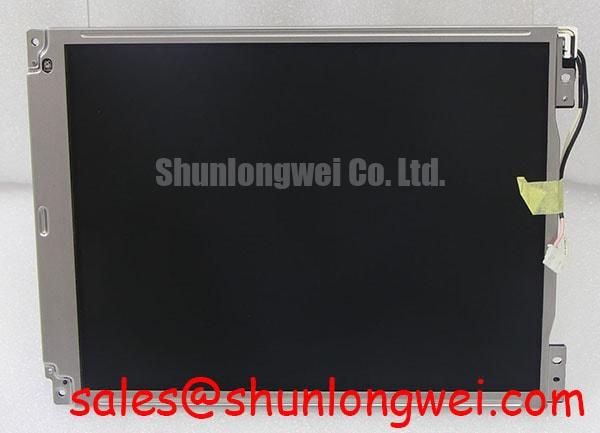
Check the chassis opening against the actual module outline before tightening the bezel. Measure the supported edges, connector clearance, and cable exit path on the physical unit, then compare them with the equipment drawing and the manufacturer’s mechanical drawing. The supplied factory data identifies the device as a TFT LCD display module (Official Factory Specification), but provides no outline dimensions or mounting tolerance. A nominal fit inferred from a model name is not a substitute for a drawing.
During a trial fit, look for rocking on the support surface and for contact between the bezel and the active viewing area. Apply the intended retention method evenly, then repeat the dark and light screen tests. If a blotch appears or changes with assembly pressure, loosen the fixture and compare the image again before attributing the symptom to the panel. This isolates an assembly variable without assuming a particular internal light guide or bonding construction. Specify final clearances and fastener settings from the enclosure design and approved mechanical instructions; the supplied specifications give no TM101JVHG32 screw torque.
💡 Bench Tip: Remove power, use ESD protection, and seat the display ribbon squarely before closing its connector latch.
The ribbon deserves a separate visual and retention check after bezel assembly. Confirm that it enters straight, that the latch closes uniformly, and that normal service access will not pull the cable sideways. A connector that looks seated at one edge can still give an intermittent image when the cable is moved. If that happens, document the symptom and compare the connector engagement, cable routing, and known good signal path rather than immediately replacing the panel.
For a purchasing comparison, G104VN01 V1 can be placed alongside TM101JVHG32 on a qualification worksheet. Treat it as a comparison candidate, not an approved substitute: match the mechanical drawing, connector and pinout, electrical supply, interface timing, backlight drive, and optical requirements from the respective original documents before making an interchange decision.
Backlight Driver Identification Before Inverter Testing
Identify the documented backlight technology before connecting a driver or approaching an exposed backlight circuit. The supplied TM101JVHG32 data does not establish whether its backlight requires an inverter or a constant current driver. It therefore cannot support a CCFL striking voltage, an LED current setting, a dimming ratio, or a backlight half-life claim. A test setup chosen from the appearance of the connector risks applying the wrong electrical conditions.
Start with the panel label, the original connector drawing, and the equipment’s existing driver documentation. Trace the backlight connection separately from the image interface and confirm the relevant pins before energizing either circuit. If the existing equipment displays an image under external illumination but not under its own backlight, that observation helps separate the image path from the illumination path; it does not by itself identify a failed lamp, driver, cable, or supply. Measure the driver input and output using a procedure appropriate to the confirmed technology and the equipment’s safety controls.
In incoming optical QA, compare backlight behavior at a fixed command setting after stabilization. Note delayed illumination, brightness changes, color shifts, and audible sounds with their operating conditions. Repeat observations using the same fixture and ambient light so that a difference can be investigated. Design Consideration: if a host controller supplies dimming, assess visual stability and acoustic behavior across the required operating range; the acceptable waveform and limits must come from the confirmed panel and driver documentation and be validated in the assembled system.
Long duration service decisions need the same separation between observation and rating. A measured brightness difference between two units is a test result under stated conditions, not a published lifetime or reliability curve. Without a sourced factory rating or controlled lifetime study, no operating hours to a specified brightness level can be assigned to this model. For a repair record, retain the driver identification, test conditions, images, and measurements so a later unit can be compared on the same basis.
Logic Supply Sequencing and Image Signal Checks
Confirm the required logic supply voltage from the original panel documentation before connecting TM101JVHG32 to a host controller. The supplied factory data gives no supply value, pin assignment, power rise time, or interface standard. It also does not establish an LVDS mapping, so JEIDA or VESA format must not be selected by assumption. Keep the panel unpowered while checking connector orientation and continuity against the approved wiring information.
Once the documented interface is known, capture the host’s actual power sequence during startup and shutdown. Compare logic supply, image signals, and backlight enable at their accessible test points with the sequence required by the panel documentation. A brief image flash, blank display, or intermittent startup may warrant investigation of that sequence, but none is a unique diagnosis of driver latch-up. Record both successful and unsuccessful startups under the same conditions to identify what changes.
For a confirmed differential image link, Design Consideration: maintain controlled routing and avoid connector transitions that disturb the intended pair geometry. The target impedance and allowable skew are determined by the documented interface and host design, not by the model name alone. If noise or split screen artifacts appear while adjacent equipment operates, compare the signals at the source and panel end with suitable instruments and a known good assembly. Check cable seating, mapping, clock behavior, and grounding before assigning the fault to electromagnetic interference or to the panel. Compliance of a completed console requires system level assessment; it cannot be inferred from this display module’s product category.
If the assembly includes a touch overlay, identify its controller and interface as separate items before testing glove or wet touch behavior. Neither a capacitive nor a resistive touch function is established by the supplied TM101JVHG32 specification. For display only faults, retain full screen pattern photographs and note whether grayscale transitions fail consistently. That evidence can guide checks of source timing and the documented panel drive path without inventing grayscale voltage or gamma calibration values for this model.