Content last revised on October 16, 2026
Thermal Cycling Degradation of Polarizer Adhesives & Sealant Gasket Integrity
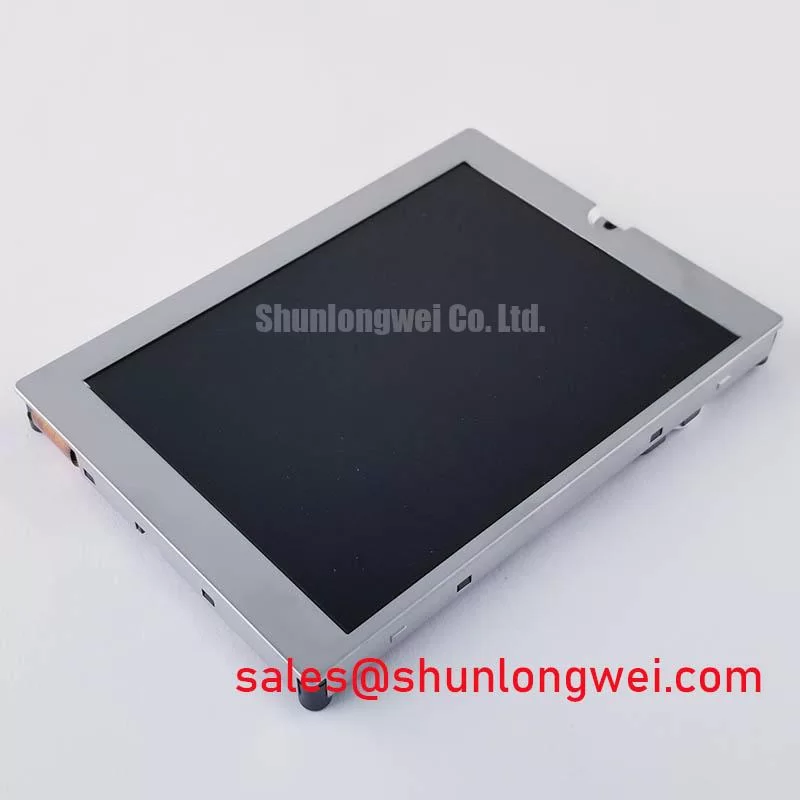
Begin a cold-start investigation by observing the image during cabinet temperature transition rather than judging the panel only after it has stabilized. A transmissive CSTN display can show slower liquid-crystal response as temperature falls, so gray transitions and small text should be checked at the same temperature and drive timing used by the installed controller. The KCG057QV1DC-G50 specification identifies the display technology and optical format, but it does not establish a guaranteed operating range, a gray-to-gray response-time limit, or a specific polarizer adhesive construction.
For equipment exposed to a design envelope such as −30 °C to +85 °C, the enclosure engineer should evaluate condensation control, gasket compression, and the transition rate between cabinet states. Inspect the perimeter seal after thermal cycling for lifting, gaps, or compression set. Moisture at the bezel can create optical haze, touch instability, or corrosion risk at the connector area without proving that the LCD cell itself is defective.
Backlight control also needs to be separated from LCD response. If the external backlight driver accepts PWM dimming, a 200 Hz to 1 kHz frequency range is a reasonable Design Consideration for reducing visible flicker and avoiding audible interaction with some driver assemblies. The system integrator must tune duty-cycle linearity against the actual driver, camera-based inspection requirements, and the panel’s optical response. The KCG057QV1DC-G50 listing does not specify a backlight technology, PWM input, dimming range, or acoustic limit.
For industrial HMI and protection-console integration, Kyocera’s display technology information provides useful manufacturer-level context on industrial display evaluation. Optical bonding is a separate assembly decision; the general concept of bonding a cover glass and touch sensor is described in Optical Bonding of Cover Glass and Touch Sensor Assemblies. It should not be treated as evidence that this panel includes an optically bonded construction.
Chassis M3 Fastener Torque Sizing (0.35–0.45 N·m) to Eliminate Optical Mura Defects
Uneven bezel loading should be addressed before changing display settings. Mount the panel against a flat chassis, confirm that the opening supports the stated active area, and tighten opposing fasteners progressively so the frame does not pull toward one corner. The 0.35–0.45 N·m M3 range is a Design Consideration for the specified chassis installation method, not an identified Kyocera factory parameter for this model. The final value depends on the bezel, threaded insert, washer, gasket, and screw material.
Use a dark-field image to inspect corner shading and narrow pressure bands, then repeat the check after loosening and re-seating the bezel. A change after mechanical re-seating may indicate stress transfer through the mounting stack. It does not by itself identify a damaged LCD cell or light-guide assembly. Keep the gasket continuous around the opening and prevent cable folds from pushing against the panel rear surface.
| Parameter | KCG057QV1DC-G50 | Integration Check |
|---|---|---|
| Manufacturer | Kyocera | Match the original equipment documentation |
| Display technology | Transmissive CSTN-LCD | Confirm the optical path and external backlight arrangement |
| Resolution | 320(RGB) × 240, QVGA | Confirm controller timing and image mapping |
| Data interface | 20-pin parallel data, 8-bit | Verify connector pinout and logic-level compatibility |
| Logic levels | 3.3 V / 5.0 V | Confirm the selected controller supply and signal levels |
| Active area | 115.2 mm × 86.4 mm | Check aperture, gasket contact, and bezel clearance |
| Touch input | Analog touch panel, non-glare | Validate touch controller wiring and calibration |
For a same-format comparison during a repair assessment, engineers can review NL8048AC19-13 as a separate reference model. It should be evaluated by connector, timing, touch construction, mechanical envelope, and backlight compatibility rather than by resolution alone.
Maintenance Note: Check the cabinet airflow path and gasket seating during scheduled service because blocked ventilation and uneven sealing can turn a display replacement into a recurring panel fault.
Full-Screen Primary Color AOI Screening: Stuck Sub-Pixels & Background Uniformity Audit
Run full-screen red, green, blue, white, and black test images after the panel reaches the intended operating condition. The first pass should record fixed bright or dark points, vertical or horizontal line features, corner shading, and touch response. A 45-degree flashlight inspection with the display dark can help separate a surface reflection, cover contamination, or backlight irregularity from a line defect visible through the LCD aperture.
Repeat the same images through the installed controller and through a known-good test source. A defect that follows the controller path may require investigation of data timing, connector contact, or signal integrity. A defect that remains fixed at the same panel location warrants closer inspection of the panel assembly and its mechanical loading. These observations are diagnostic indicators, not single-cause failure rules.
The parallel 8-bit interface is not a differential-pair interface. Therefore, differential routing targets such as 100 Ω ± 10% impedance and a 50 ps skew budget should not be assigned to this panel interface as though they were factory requirements. For a high-EMI cabinet, the system designer should control return paths, cable length, edge rate, shielding, and connector grounding according to the controller-board design, then verify the actual data waveform at the panel connector.
For broader enclosure, sealing, and HMI integration considerations, see Industrial Display & HMI Solutions. The manufacturer’s general display information is available from Kyocera Industrial TFT-LCD Display Technologies; the KCG057QV1DC-G50 itself is identified here as a CSTN-LCD.
Dual-Channel CCFL High-Voltage Resonant Inverter Striking Voltage & Ignition Debugging
Do not assume a CCFL inverter topology from the LCD model number. The available product parameters identify a transmissive CSTN-LCD, but they do not specify CCFL tubes, LED strings, dual-channel ignition, cold-strike voltage, constant-current regulation, PWM depth, or a 50,000-hour half-life rating. The system integrator should verify the required backlight supply and ignition method from the original panel documentation and the equipment schematic.
During a no-light or intermittent-light fault, first determine whether the panel receives valid display data and whether the touch interface remains responsive. Then inspect the external backlight driver for open-load, short-load, overvoltage, and thermal-protection status outputs where those functions are provided by the driver. A protection indication can result from the lamp or LED assembly, wiring, connector seating, or driver feedback, so the measured condition should be compared with the driver manufacturer’s diagnostic limits.
If the replacement assembly uses a constant-current LED driver, assess efficiency, thermal dissipation, dimming linearity, and fault recovery at the system level. A 200 Hz to 1 kHz PWM range may be used as a starting Design Consideration only when supported by the actual driver. Verify visible flicker, camera-band interaction, acoustic behavior, and recovery from open or short load conditions on the completed console before release.
For the surrounding display power and interface topology, LQ057Q3DC12 can be reviewed as a separate complementary display reference. It is not a substitute for confirming the KCG057QV1DC-G50 connector, touch wiring, controller timing, and backlight arrangement.