Content last revised on September 14, 2026
High-Nits Edge-Lit LED Rail Thermal Dissipation and Light Guide Preservation
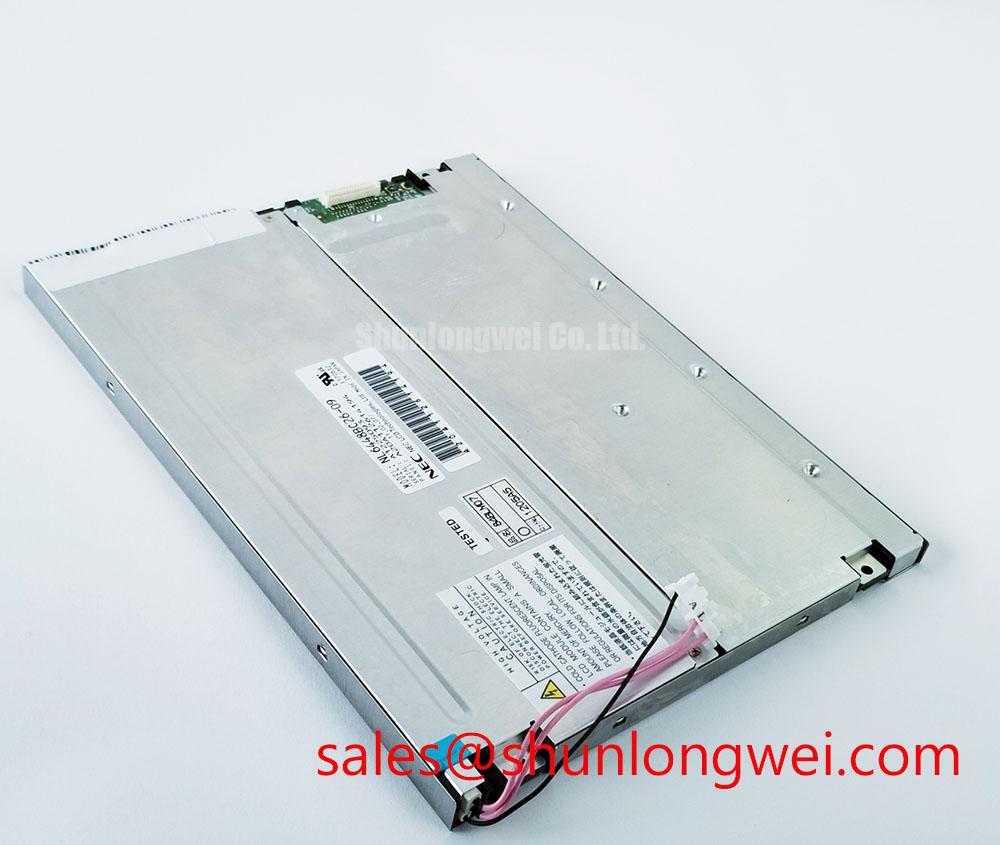
The available factory data classifies the NL6448BC26-26C as a TFT-LCD display module, but it does not verify a high-nits rating, an edge-lit LED arrangement, a PMMA light guide plate, or a specified LED lifetime. These construction details should not be assumed from the model number. When a failed CNC display is being replaced, the integrator should first identify the installed backlight arrangement from the original panel documentation and from the existing wiring harness.
At the machine, check whether the backlight supply is routed through a dedicated driver, a dimming input, or a board-mounted controller. A backlight that remains dark can result from a missing enable signal, an unsuitable driver, a disconnected harness, or a failure elsewhere in the display assembly. Measure the driver output only with instruments and procedures suitable for the circuit under test. Do not connect an unverified supply to the replacement module simply because the connector appears mechanically similar.
If the original equipment uses LED dimming, the control method and polarity must be confirmed from the equipment schematic. PWM frequency and duty-cycle behavior are system-level design considerations rather than official specifications for this model in the supplied data. Engineers evaluating text-heavy HMI screens should verify that the selected driver avoids visible flicker, unstable brightness, and unwanted acoustic behavior in the complete enclosure. The display module alone cannot guarantee those results.
Thermal evaluation should focus on the assembled panel rather than on an assumed internal structure. Inspect the metal bezel, driver board, nearby power components, and enclosure airflow for localized heating. If a heat spreader or edge rail is part of the existing design, its contact pressure and electrical isolation should be checked before reuse. Any thermal modification must preserve the manufacturer’s mechanical clearances and avoid loading the glass or flexible connections.
For long periods of fixed HMI content, use the machine manufacturer’s display-management settings where available. Screen blanking, controlled brightness, and varied maintenance screens may reduce operating stress, but the suitability of these measures depends on the panel technology and the application. No burn-in, L70, B50, MTBF, or half-life value is established by the factory information supplied for this page.
Dynamic Contrast Behavior and Temperature-Related Image Verification
Do not diagnose a dark, washed-out, or unstable image from contrast appearance alone. Start by comparing the failed station with a known-good signal path. Confirm that the host controller is running, inspect the display cable for bent contacts or incomplete locking, and verify that the video format matches the original NEC panel documentation. The supplied data does not state whether this model uses TN, IPS, MVA, or another liquid-crystal mode, nor does it provide a viewing-angle specification such as a symmetrical 85-degree value.
Temperature can change the visual response of an LCD assembly, especially when the panel is mounted behind a warm industrial enclosure. During a controlled test, allow the unit to reach a representative operating condition and observe grayscale transitions, uniform fields, character edges, and any change in image stability. Record the equipment temperature and supply condition with the observation. This is a practical diagnostic method, not a claim about a specific liquid-crystal compensation circuit inside the NL6448BC26-26C.
Contrast and readability also depend on the cover window, surface treatment, ambient light, graphics settings, and viewing position. Anti-glare treatment is not confirmed in the supplied official parameter set. If the display is used on a CNC operator panel near overhead lighting or on a robot teach pendant used beside bright machinery, the integrator should assess reflections with the final cover, bezel, and lighting arrangement installed. A numerical outdoor contrast target should come from the applicable panel documentation or the equipment specification, not from a general LCD assumption.
When a screen shows partial characters, intermittent bands, or an image that changes when the enclosure is moved, inspect the FPC route and connector lock before replacing the panel again. The flexible cable should not be folded against a sharp edge or trapped under the bezel. Connector retention should be checked with the power removed, followed by a controlled signal test. An oscilloscope or appropriate host-side diagnostic tool can help compare the suspect channel with a known-good channel when the interface documentation is available.
For a same-class sourcing review, engineers can also examine NL10276BC16-06 as a separate display option. It should not be treated as a drop-in replacement without confirming resolution, connector assignment, timing, mounting dimensions, backlight requirements, and system firmware behavior against the original installation.
Optical Luminance Degradation and Backlight Modernization Assessment
Before considering a backlight conversion, identify what is actually installed in the equipment. The available factory record for NL6448BC26-26C confirms the product category and manufacturer but does not confirm whether the particular module uses CCFL, LED, an integrated driver, or a separate backlight assembly. A CCFL-to-LED retrofit therefore requires documentation-based compatibility review rather than a generic wiring change.
Inspect the existing power path for a dedicated inverter, high-voltage wiring, current-control circuitry, enable input, and dimming connection. If a CCFL inverter is present, its output must be handled using the equipment manufacturer’s service procedure and suitable measurement equipment. If an LED driver is present, verify its required current regulation, control logic, connector assignment, and fault behavior from the driver documentation. The replacement panel and its backlight must be evaluated as one electrical load.
Brightness loss should be measured consistently. Use the same display pattern, brightness setting, viewing geometry, and ambient-light condition when comparing the installed panel with a serviceable reference. A dirty cover, aged diffuser, incorrect driver current, or enclosure reflection can resemble optical degradation. The supplied factory parameters do not provide a luminance curve, LED decay profile, 50,000-hour rating, contrast guarantee, or backlight MTBF for this specific model.
Static machine screens create a separate service concern. If a CNC status page or robot program screen remains unchanged for long periods, the system designer should verify whether the panel documentation specifies any image-retention behavior and should configure screen-saving functions where the control system permits. Persistent image retention cannot be assigned to one cause without checking the panel technology, operating temperature, drive conditions, and duration of the displayed pattern.
Power sequencing deserves the same care. The host controller should follow the original panel’s documented order for logic power, video signals, backlight enable, and shutdown. If the original timing information is unavailable, the system integrator should obtain it from the panel documentation or NEC service information rather than inserting assumed delays. White-screen events, residual images, or a backlight that starts before valid video may involve the host board, cable, timing controller, or driver. Compare the complete startup waveform and enable states with a known-good assembly.
Field Alert: Disconnect power and allow the equipment to discharge before inserting, removing, or reseating the display cable, because live connection can expose signal and power contacts to unintended electrical stress.
For broader selection guidance on TFT display interfaces, optical behavior, and industrial integration limits, consult The Ultimate Guide to Industrial TFT-LCD Technology. The guide provides general engineering context and does not replace the NEC documentation for this model.
Thermal Expansion Clearance in Heavy Industrial Enclosure Cutouts
Mechanical replacement should begin with a drawing comparison, not with the screw holes alone. The supplied official parameter set does not include the NL6448BC26-26C outer bezel envelope, active-area dimensions, panel thickness, mounting-hole pattern, connector position, or fastener specification. Measure the failed module and compare those measurements with the original equipment drawing before approving installation.
Check the enclosure cutout for burrs, distortion, paint buildup, and trapped cable insulation. The panel should sit evenly without the metal frame pressing against the glass, flexible circuit, or connector. A display that changes brightness or develops localized non-uniformity when the bezel is tightened may require mechanical investigation, but the observation does not establish a single fault mechanism. Release the load, inspect the seating surfaces, and compare the image with the module supported in a neutral position.
Fastener torque is a design consideration determined by the chassis, screw size, bracket material, gasket arrangement, and panel manufacturer’s instructions. The supplied factory information does not authorize a specific M3 torque for this model. Use the NEC mechanical drawing or equipment service manual where available, tighten progressively in a cross pattern, and verify that the frame remains flat. Avoid treating a general workshop torque value as an official NL6448BC26-26C requirement.
FPC bending deserves a final inspection after the bezel is secured. Route the flexible cable with a smooth path, keep it clear of moving hinges and sharp enclosure edges, and confirm that the connector lock is fully engaged. Repeated opening of a robot teach pendant or operator-panel door can impose mechanical stress that is absent during a bench test. The completed assembly should be cycled under controlled conditions while observing image stability, backlight operation, and cable movement.
Sealing against dust or moisture is governed by the complete enclosure, gasket, cover window, cable exit, and service access design. Optical bonding, an airtight construction, and a particular ingress-protection rating are not confirmed for this NEC module in the supplied factory data. Designers should verify those requirements at the system level, especially when the panel is installed near coolant spray, airborne dust, cleaning agents, or temperature transitions. The NL6448BC26-26C can be evaluated for industrial HMI use only after its electrical, optical, mechanical, and environmental requirements have been matched to the original application.
For procurement and repair approval, retain the original panel documentation, connector photographs, machine model, display timing information, and mechanical drawing with the service record. These records allow the replacement to be checked against the actual CNC operator panel or robot teach pendant instead of relying on appearance or category alone.