Content last revised on October 3, 2026
Dynamic Contrast Ratio Stabilization & Liquid Crystal Birefringence Temperature Tracking
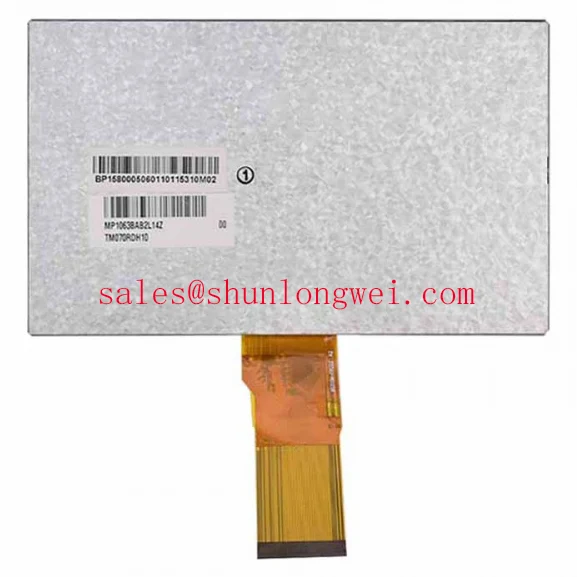
With power isolated, inspect the TM070RDH10-43 connector and flexible cable for incomplete seating before treating a dark HMI screen as a failed panel. This Tianma TFT-LCD display module is identified in the supplied factory product information as an industrial-grade LCD/HMI panel. That identification establishes the product type, but it does not establish a supply voltage, interface pinout, backlight rating, active area or mounting dimensions. For a repair, match those details against the original panel documentation and the equipment wiring before applying power.
A screen that appears washed out after a cold start or after the enclosure warms up calls for two separate checks: whether the image data remains correct and whether the viewing condition has changed. Display appearance can vary with temperature, viewing angle and illumination. That is a Design Consideration, not a verified contrast-ratio or temperature specification for the TM070RDH10-43. Record the symptom at the normal operator position, then compare it with a direct-on view while the equipment reaches its usual operating condition. If characters retain their shape but their tones shift with viewing angle, investigate optical suitability before changing the video electronics.
Do not assign this module a TN, IPS or MVA mode from its model number. Those technologies have different viewing-angle behavior, and an assumed full-symmetric viewing cone would be an unsafe basis for an angled control desk. The same caution applies to anti-glare treatment: inspect the actual front surface and confirm its specification before attributing reflections or a hazy image to a particular coating. Where strong ambient light is part of the installation, evaluate readability with the intended cover window in place. Reflections from that window can obscure text even when the panel itself is producing a stable image.
For a dim display, first distinguish a faint but correctly formed image from missing image content. A controlled flashlight check can help reveal whether graphics remain visible when illumination is absent. Then measure the backlight supply and control signals at accessible system test points, using the equipment documentation for the expected values and startup sequence. Brightness modulation may be implemented by the surrounding electronics, but no PWM frequency, duty-cycle behavior or backlight-driver type is confirmed here for this module. If flicker occurs only at reduced brightness, compare the control waveform with the known-good system rather than imposing an unverified frequency target.
Long-lived static HMI graphics deserve an operational check as well. When an image outline remains after a screen change, run the equipment’s approved display test and note whether the effect changes with normal operation. Avoid diagnosing permanent panel damage from a single photograph: residual imagery, incorrect drive conditions and reflections require different investigations. The equipment designer should determine any screen-management measures from the complete display and controller documentation.
Thermal Expansion Clearance Sizing across Heavy Industrial Metal Enclosure Cutouts
Before fastening a replacement module into a metal cutout, set it in place without forcing the bezel or bending the cable. Check that the opening, support points and cover window agree with the original mechanical drawing. No chassis envelope, hole pattern or fastener torque is supplied in the verified product information for the TM070RDH10-43; neither an M3 torque figure nor a clearance value should be treated as its factory specification. As a Design Consideration, the mounting arrangement should support the module without concentrating pressure on the visible area, while the enclosure designer verifies clearance over the equipment’s temperature range.
Dark-field blotches that change when the bezel is touched may indicate mounting pressure, cover-window contact or a change elsewhere in the display stack. Check the assembled unit first, then compare it with the module resting in a safe, supported test position under the same image and brightness setting. Do not loosen a live assembly to perform that comparison. A cross-pattern tightening sequence can help distribute mounting load, but the applicable torque and hardware remain system-specific and must come from the mechanical documentation.
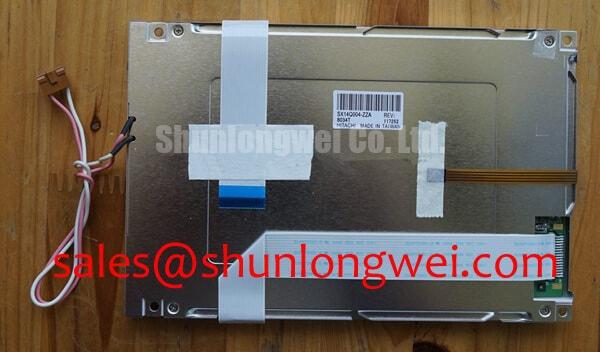
Route the flexible cable so it does not become a restraint when the enclosure expands or vibrates. Inspect the connector latch, the cable’s seating line and its path past sharp sheet-metal edges. Repeatedly folding the cable at the same point during trial fitting can complicate diagnosis by introducing an intermittent connection that was not present on the bench. If a line or color defect appears only after final assembly, compare the displayed test pattern before and after cable routing, without pressing on the glass or connector.
The video interface also needs documentary confirmation. Do not assume that a cable which physically fits carries compatible timing or signals. The integrator should verify the TM070RDH10-43 pin assignment, supply requirements, startup sequence and controller timing against the original panel documentation. If the equipment uses a serialized display link, clock quality and data timing must be checked at the receiving end under the equipment’s relevant operating conditions; no transmitter-jitter or data-hold limit has been established here for this panel.
For a procurement comparison, treat LM64P10 as a separate display model to evaluate, not a declared drop-in substitute. Mechanical fit alone does not prove electrical, optical or timing compatibility. A railway passenger-information terminal or cab display is likewise a possible system-level evaluation context, not a certified application claim for this module.
Incoming Benchtop Inspection: Display Connections and Image Integrity
On the bench, photograph the unpowered module, inspect its external connector and cable under good light, and compare the markings with the equipment record. Once a documented, compatible test setup is available, display uniform primary-color screens followed by a dark screen. This sequence makes persistent lines, missing color regions and uneven illumination easier to locate without assigning a cause from a single image. Record whether a defect stays at the same pixel location, changes with the displayed color or appears only when the backlight is enabled.
A flashlight held obliquely to a dark screen can help separate an unlit image from a uniformly blank one. It cannot, by itself, prove a backlight-driver fault. Check the controller output, panel supply and illumination path in the order permitted by the equipment service procedure. Fixed lines may prompt an inspection of the cable and connector as well as the panel assembly; they do not establish a COG, TAB or anisotropic-film failure without supporting evidence. Avoid probing or pressing on bonded areas as a shortcut to a diagnosis.
Field Alert: Isolate power and follow the equipment discharge procedure before disconnecting or reseating the display cable.
Keep the test setup identifiable. A known-good controller path and the original cable arrangement are more useful than an improvised adapter with uncertain wiring. If the symptom follows the cable when it is safely exchanged under an approved procedure, document that observation; if it remains with the module, continue checking supply and image timing before condemning the panel. The pinout, allowable input levels and power sequencing must be taken from the original documentation rather than inferred from connector shape.
Another display in a machine may help technicians compare the equipment’s wider display architecture, but it does not establish interchangeability. The LM057QC1T08 is a separate panel reference for such a comparison, not a verified backlight driver or companion module for the TM070RDH10-43.
Suppressing Pixel Jitter & Horizontal White Lines Induced by Adjacent 400V Motor Drives
If horizontal noise appears when a nearby 400 V motor drive operates, first establish whether the disturbance tracks the drive state, the display power rail or movement of the signal cable. The motor-drive voltage describes the surrounding equipment in this diagnostic example; it is not a rating of the TM070RDH10-43. Capture the symptom under repeatable conditions, then compare supply behavior and image signals at accessible points with the machine in its approved test states. A white line can also arise from a connection or timing problem, so proximity to a drive is not sufficient evidence of interference.
As a Design Consideration, keep the display signal path clear of noisy power wiring and preserve the cable and grounding arrangement specified for the host equipment. Shield termination and common-mode suppression depend on the actual interface, enclosure and controller design. Do not assign this module an LVDS differential impedance, pair-skew budget or shield-termination scheme without its interface documentation. Any cable change should be verified through image testing across the machine’s normal operating states, not judged only by whether a stationary test pattern looks clean.
Backlight aging should be handled with the same restraint. No verified brightness-decay curve or lifetime rating is provided here for the TM070RDH10-43, so a fixed operating-hour estimate cannot establish remaining service life. If an image is present but difficult to read, compare brightness settings, driver behavior, supply stability and optical condition against the equipment’s service baseline. For broader display-test principles when assessing temperature and illumination margins, see The Ultimate Guide to Industrial TFT LCD Technology; final acceptance limits must still come from the panel and host-system documentation.